أخطاء الشحن التي قد تدمر بطارية نينتندو سويتش
16 نوفمبر 2026·إنجاجيت
أخطاء الشحن التي قد تدمر بطارية نينتندو سويتش

لا تسمح لعادات الشحن السيئة بتحويل بطارية جهازك من سوبر إلى سوبر ممزقة.

بقلم روجر فينجاس 16 نوفمبر 2026 6:00 مساءً EST laur2321/Shutterstock أضف Engadget على جوجل: Google Discover

على الرغم من مدى جودة أجهزة التحكم المحمولة، بدءًا من جهاز Switch 2 المألوف إلى جهاز Steam Deck OLED الذي لا يزال صامدًا أمام أجهزة الكمبيوتر المحمولة الأخرى، إلا أن بطارياتها هي حقًا نقطة ضعفها. هناك وقت لعب محدود يمكنك استخلاصه من أي جهاز محمول، وكلما كانت وحدة التحكم أقوى، كلما كان ذلك أقصر. علاوة على ذلك، لم يتم تصميم معظم الأجهزة المحمولة الحديثة للاستبدال السريع للبطارية. يمكن القيام بذلك - حتى توفر نينتندو التعليمات - لكن الأمر لا يشبه وضع بعض البطاريات القلوية في مصباح يدوي.

على مدى فترة زمنية كافية، من المحتم أن تتدهور جميع بطاريات Switch حتى تصبح قابلة للاستخدام فقط عند توصيلها. هذه حقيقة تكنولوجيا أيونات الليثيوم. ولكن إذا كنت حذرًا بشأن طريقة شحنك، يمكنك إطالة هذا المصير. إذا كنت محظوظًا، فقد تؤجل الأمور حتى وصول وحدة التحكم الجيل التالي من نينتندو، سواء كان Switch 3 أو أي ابتكار آخر.

في الغالب، هذه مسألة مدى تواتر شحن جهازك Switch، والنسبة المئوية التي يتم شحنه بها. هناك بعض العوامل الإضافية التي يجب مراعاتها، ولكننا سنتحدث عنها حتى تتمكن من اختبار تحديث Mario Kart 8 Deluxe Switch 2 المجاني.

الحيل التي تحتاجها لشحن جهاز سويتش
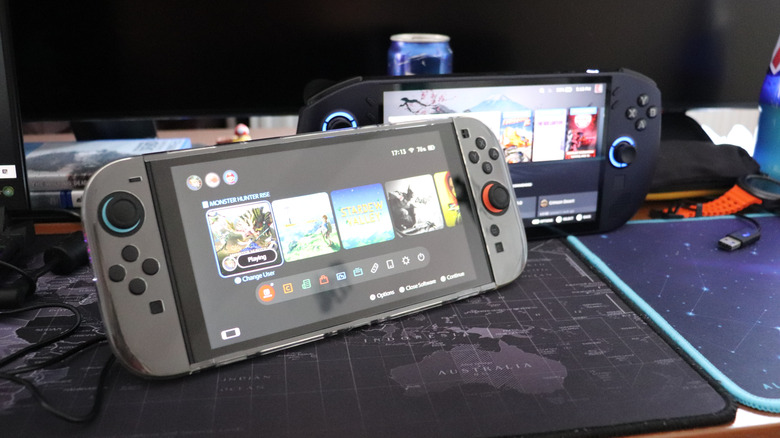
جهاز نينتندو سويتش 2 أمام وحدة تحكم كمبيوتر محمول. laur2321/Shutterstock

لا تدع جهازك يفرغ تمامًا. تمتلك بطاريات الليثيوم أيون عددًا محدودًا من دورات الشحن، وإذا تركت البطارية تموت فستستهلك هذه الدورات بشكل أسرع. صحيح أن عدد الدورات سيتجاوز المئات في أي جهاز، وحتى يتجاوز 800 دورة في حالة سويتش 1. ولكن مع اقترابك من نهاية هذا الحد، ستقل قدرة البطارية. تحذر نينتندو أيضًا من شحن الجهاز مرة كل ستة أشهر إذا لم تكن تستخدمه بنشاط، لتجنب فقدان القدرة على الشحن بشكل دائم.

يجب عليك أيضًا تجنب الشحن إلى 100% ما لم تكن بحاجة إلى عدد ساعات أكبر مما يمكنك الحصول عليه. وذلك لأن الشحن الأمثل لبطاريات أيون الليثيوم يكون أعلى من الصفر وأقل من الكامل. بالنسبة لمعظم الأجهزة، فإن القاعدة العامة هي بين 20٪ و80٪. ومع ذلك، أضافت نينتندو على جهاز سويتش 2 خيار إيقاف الشحن عند حوالي 90%، والذي يمكنك العثور عليه تحت الإعدادات النظامية. تذكر فقط أن تقوم بتعطيل هذا الخيار وانتظر بضع دقائق إضافية عندما تكون في طريقك إلى رحلة لزيادة وقتك.

هناك عامل مهم آخر وهو درجة الحرارة المحيطة. من الناحية الواقعية، قد يكون من غير المحتمل تخزين أو استخدام سويتش خارج نطاق تشغيله الرسمي، والذي يتراوح بين 41 إلى 95 فهرنهايت (5 إلى 35 درجة مئوية). ومع ذلك، يمكن للشحن في درجات الحرارة القصوى أن يعجل بخسارة السعة، لذا قد ترغب في تجنب ترك وحدة التحكم في ضوء الشمس لفترات طويلة، أو الشحن في الخارج في المناخات ذات حرارة الصيف الشديدة. من الجدير بالذكر أنه على الرغم من أن البرودة الشديدة يمكن أن يكون لها تأثير، إلا أنها لا ينبغي أن تكون دائمة.

لماذا قد لا تتمكن من استبدال بطارية جهاز سويتش
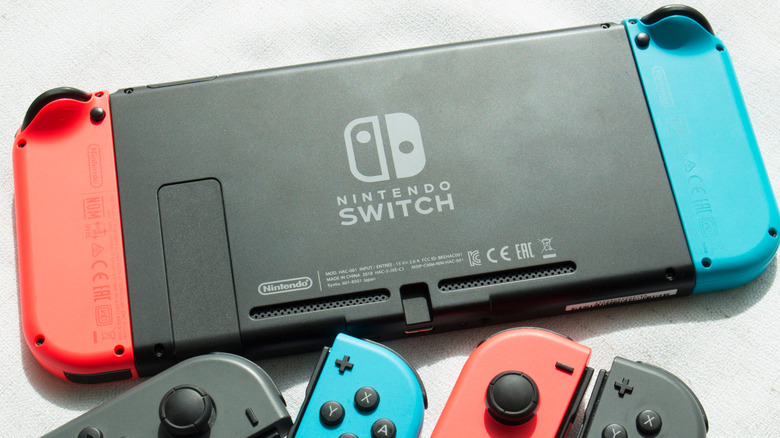
ظهر جهاز سويتش الأصلي ووحدة تحكم إضافية.saksorn kumjit/Shutterstock

سويتش هو جهاز معقد يحتوي على إلكترونيات حساسة، وتُدمج البطارية بداخله بدلاً من وجودها في حجرة يسهل الوصول إليها. قد يؤدي ارتكاب خطأ ما إلى كسر شيء بالغ الأهمية. في الواقع، تحث شركة نينتندو بشدة على التواصل مع قسم خدمة العملاء الخاص بها بدلاً من القيام بالأمور بنفسك، ولا توجد دليل رسمي للقيام بذلك بنفسك لأي طراز من أجهزة سويتش.

على الرغم من وجود دليل رسمي لـ Switch 2، تشير نينتندو إلى أن أجهزة التحكم الوحيدة التي تحتوي على بطاريات قابلة للاستبدال من قبل المستخدم هي تلك التي تحمل علامة BEE-001(-01)، حسبما تعتقد الشركة. بالإضافة إلى ذلك، ستحتاج إلى مجموعة استبدال البطارية BEE-003(-01) من نينتندو، لمسة دقيقة، وسطح موصل بالكهرباء. قد يؤدي الصدمة الساكنة الكبيرة إلى تدمير الدوائر.

الأخبار الجيدة هنا هي أنه إذا قمت بشحن جهاز Switch الخاص بك بشكل صحيح، فإن احتمالية استمراره حتى وقت التحديث التالي دون الحاجة لاستبدال البطارية جيدة للغاية. إنه أكثر من مجرد سؤال عمن سيستمتع بنفس الامتياز.

Nintendo Switchbatterycharging
الخبر متوفّر باللغات التالية:English
المصدر الأصلي للخبر
إنجاجيت

The charging mistakes that could ruin your Nintendo Switch's battery

November 16, 2026·Engadget
The charging mistakes that could ruin your Nintendo Switch's battery

Don't let bad charging habits turn your battery from Super to Super Smashed.

By Roger Fingas Nov. 16, 2026 6:00 pm EST laur2321/Shutterstock Add Engadget on Google: Google Discover

As great as handheld consoles can be, from the familiar-feeling Switch 2 to the Steam Deck OLED that still holds up against other PC handhelds, their batteries really are their Achilles' heel. There's only so much playtime you can squeeze out of any portable device, and the more powerful the console, the shorter that tends to be. Moreover, most recent handhelds aren't designed for quick battery replacement. It's doable — Nintendo even provides instructions — but it's not like slapping a few AAs into a flashlight.

On a long enough timeline, all Switch batteries are bound to degrade until your console is only usable when docked. It's just a fact of lithium-ion technology. But if you're careful about how you charge, you can prolong this fate. If you're lucky, you might push things off until Nintendo's next-gen console arrives, whether that's the Switch 3 or another innovation.

Mostly, this is a matter of how often you charge your Switch, and to what percentage. There are some additional factors to consider, though, and we'll touch on those so you can put the free Mario Kart 8 Deluxe Switch 2 update through its paces.

The charging tricks you need for your Switch

A Nintendo Switch 2 in front of a handheld PC console. laur2321/Shutterstock

Never let your Switch drain to zero. Lithium-ion batteries have a finite number of charge cycles, and letting the battery die burns through them faster. Granted, the number of cycles is going to be well into the hundreds for any device, even beyond the 800 mark in the case of the Switch 1. But as you progress towards the end of that limit, your battery is going to offer diminished capacity. Nintendo also warns that you should charge once every six months, if you're not actively using it, to avoid permanently losing the ability to charge.

You should also avoid charging to 100% unless you need as many hours as you can get. That's because the optimal charge for lithium-ion batteries is both more than zero and less than full. On most devices, the rule of thumb is between 20% and 80%. On the Switch 2, though, Nintendo has added a Stop Charging Around 90% option, which you can find under System Settings. Just remember to toggle this off and wait a few minutes longer when you're heading out on a trip to maximize your time.

Another important factor is ambient temperature. Realistically, you may be unlikely to store or use a Switch beyond its official operating range, which is 41 to 95 Fahrenheit (5 to 35 Celsius). Charging in extreme heat can, however, accelerate capacity loss, so you might want to avoid leaving your console in sunlight for prolonged stretches, or charging outside in climates with intense summer heat. Notably, while extreme cold can have an impact, it shouldn't be permanent.

Why you might not be able to replace your Switch's battery

The back of an original Nintendo Switch and extra Joy-Cons. saksorn kumjit/Shutterstock

A Switch is a complex device with delicate electronics, and the battery is embedded inside, rather than in an easily accessible compartment. Making a mistake could break something critical. In fact, Nintendo strongly urges contacting its Customer Service department instead of doing things yourself, and there's no official DIY guide for any Switch 1 model.

While there is an official guide for the Switch 2, Nintendo notes that only consoles with the BEE-001(-01) marking contain user-replaceable batteries, as far as the company is concerned. On top of that, you need Nintendo's BEE-003(-01) Battery Replacement Kit, a careful touch, and an electrically grounded surface. A large enough static shock could fry circuitry.

The good news here is that if you charge your Switch properly, the odds of it surviving until your next upgrade without a battery swap are pretty good. It's more a question of whether anyone you pass it along to will enjoy the same luxury.

Nintendo Switchbatterycharging
This article is also available in:العربية
Original source article
Engadget