أندرويد أوتو مقابل آبل كار بلاي: ما هي الميزات التي تميزهما
16 أغسطس 2026·إنجاجيت
أندرويد أوتو مقابل آبل كار بلاي: ما هي الميزات التي تميزهما

تظهر الفروق بين الآيفون وأندرويد أيضًا عند توصيلهما بالسيارة

بقلم جاك ويتكومب 16 أغسطس، 2026 1:30 مساءً EST رومان فيشينكوف/شاترستوك

أعلنت معظم شركات تصنيع السيارات عن دعمها لأنظمة أندرويد أوتو وآبل كار بلاي خلال العقد الماضي، مما يعني أنه من السهل الاستمرار في استخدام تطبيقات هاتفك وخدماته أثناء القيادة. تشعر هذه الخدمتان المتماثلتان وكأنهما امتداد لهاتفك الذكي من نوع أندرويد أو آيفون، ولكن تماما كما يحتوي هاتفا آبل وجوجل على فروق كثيرة، ستجد نفس الشيء عند استخدام أندرويد أوتو أو كار بلاي.

يحتوي كار بلاي على العديد من الميزات، لكن نهج جوجل تجاه أندرويد أوتو يعني أن المستخدمين لديهم إمكانية الوصول إلى ميزات أكثر تقدمًا وتحديثات أكثر تكرارًا، مع ما يكفي لتمييزه عن نظيره من آبل - على الأقل في الوقت الحالي.

نظام أندرويد أوتو يتيح المزيد من التخصيص
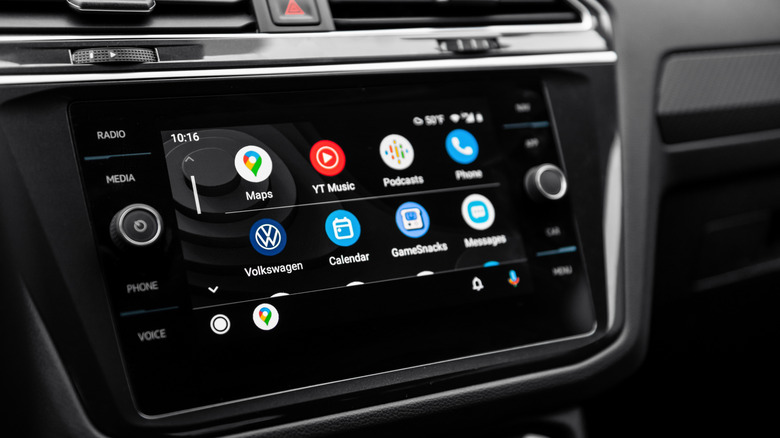
قائمة تطبيقات أندرويد على شاشة سيارة فولكس فاجن عبر نظام أندرويد أوتوأندريه بايداك/شاترستوك

تجربة أندرويد أوتو وكار بلاي من شركة آبل هما امتدادان مصقولان لما ستجده على هاتفك. حيث يكمن الاختلاف في عمق تلك التجارب. بالنسبة للمستخدمين النهائيين، سمحت جوجل دائمًا بمزيد من التخصيص لواجهة أندرويد، بينما تتشبث شركة آبل بصيغتها التي تم اختبارها بالفعل.

في حين تركز واجهة كار بلاي بشكل أساسي على تطبيق واحد في كل مرة، يأتي نظام أندرويد أوتو مع تصميم متعدد النوافذ. يمنح السائقين خيار تحديد مكان ظهور الخرائط، وتشغيل الوسائط، والويدجيت على الشاشة، وكم المساحة التي يشغلونها. الأمر متروك للسائق لاختيار المكان الذي سيستقر فيه كل عنصر على الشاشة.

لأنصاف آبل، فهي تحاول سد الفجوة، ولكن حتى الآن. تسمح لك بإعادة ترتيب شبكة التطبيق، وتقدم عرضًا منقسم الشاشة للخرائط والموسيقى، ولكن الميزات الأخرى، مثل تعيين خلفية مخصصة، مقيدة بمجموعة من الصور الثابتة فقط. لا تفرض جوجل قيودًا مماثلة على أندرويد أوتو. يمكنك استخدام خلفية هاتفك كخلفية لعرض السيارة، على سبيل المثال. قد تسد آبل الجيل التالي من CarPlay Ultra، الذي تجريه شركة Aston Martin (وتيسلا حسب التقارير) حتى الآن، الفجوة بشكل أكبر. ولكن، في الوقت الحالي، الميزة مع جوجل.

Android Auto يضيف ميزات إضافية للمستخدمين المتقدمين
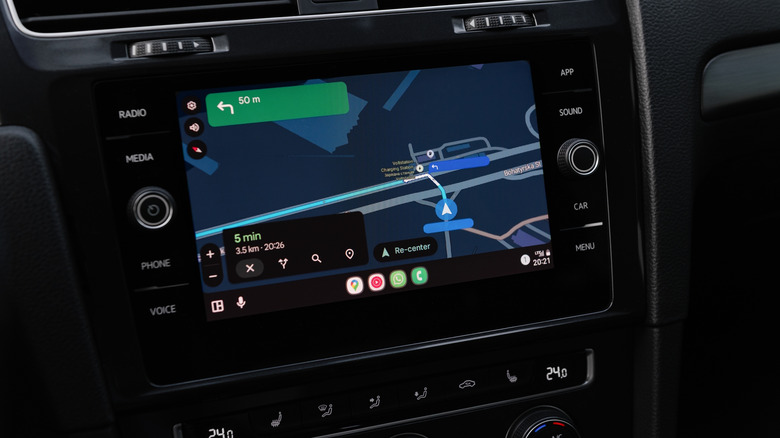
تعليمات مسار خرائط جوجل في الوضع المظلم على شاشة السيارة باستخدام Android Auto Andriy Baidak/Shutterstock

سيجد المستخدمون المتقدمون الذين يستمتعون بتعديل إعداداتهم موطنًا لهم في Android Auto. يوجد قائمة إعدادات مطور سرية تمامًا في Google Auto لتغيير بعض إعدادات Android Auto الأقوى يدويًا.

يمكنك استخدام هذه القائمة للسماح للتطبيقات من مصادر غير معروفة، خاصة تلك التي قمت بتثبيتها على هاتفك، على شاشة سيارتك. سيسمح لك ذلك باستخدام تطبيقات مثل CarStream، والتي يمكنك بعد ذلك استخدامها (بطريقة طويلة) لمشاهدة يوتيوب على شاشة السيارة: مثالية للأطفال أثناء قيادتك للسيارة، ولكن ليس أثناء قيادتك بنفسك.

إن إمكانية الوصول إلى تطبيقات الطرف الثالث مهمة أيضًا. التطبيقات المتوافقة مع Apple CarPlay محدودة العدد، مع وجود إرشادات صارمة حول ما يمكنها فعله وما لا يمكنها فعله. يمكن لجوجل أن تقيد هذه التطبيقات في متجر Google Play أيضًا، ولكن إذا كنت ترغب في تطبيق غير متوافق مع جوجل على جهازك، يمكنك تثبيته يدويًا.

يمكنك أيضًا استخدام قائمة المطور لإجراء تغييرات على إعدادات الجهاز لتحسين جودة الحياة. ستسمح لك بتغيير دقة الفيديو الافتراضية يدويًا، أو تفعيل وضع النهار أو الليل في أوقات مختلفة، أو تشغيل أو إيقاف Android Auto اللاسلكي، وهو ما قد يكون مفيدًا إذا كنت تواجه مشكلات في الاتصال. من المؤسف لمستخدمي iPhone أنه لا توجد قائمة مماثلة عن تصميم، حيث لا ترغب آبل حقًا في أن تقوم بتفحص المحرك بهذه الطريقة.

جيميني رفيق القيادة الذكي الأكثر ذكاءً (حالياً)
شاشة سيارة مكبرة مع أيقونات تطبيقات أندرويد أوتو وآبل كار بلاي مرئية

قد يبدو الذكاء الاصطناعي مبالغة بالنسبة للسائق، لكن قدرة جيميني على فهم الأوامر والأسئلة المعقدة يمكن أن تقلل من المشتتات.

المعقّد هو المفتاح هنا. جيميني واحد من أكبر وأقوى حلول الذكاء الاصطناعي متعددة الوظائف التي تم إنشاؤها حتى الآن. يمكنه فهم اللغة الطبيعية بشكل أوضح، وهو ما يمثل ميزة للسائق الذي قد يحتاج إلى إجابات سريعة.

أجرى موقع TechRadar مقارنة عملية لنظام CarPlay ووجد أن مهارات اللغة الطبيعية لجيميني تفوقت بشكل كبير على أحدث إصدار من Siri AI في النسخة التجريبية الجديدة من iOS 27، لكن قدرة سيري على فهم حتى التعليمات الأساسية مثل إيجاد محطة التوقف التالية، أفادت بأنها فتحت تطبيق التقويم بدلاً من ذلك. وعلى النقيض من ذلك، تمكن جيميني من فهم التعليمات الواضحة والطبيعية، المرتبطة بالقيادة واستجاب وفقاً لذلك. ووجدنا في تجربتنا العملية لنظام iOS 27 أن تحسينات الذكاء الاصطناعي التي أجرتها آبل على سيري موثوقة، ولكن لا يزال هناك طريق طويل أمامها.

ومع ذلك، لا نزال في مرحلة الاختبار لنظام iOS 27. لن تطلق آبل الإصدار النهائي حتى الخريف، ولن يتم إجراء تقييم كامل وعادل لقدرات الذكاء الاصطناعي لسيري إلا عندها. أي تغييرات على قدرات CarPlay الخاصة بآبل، وفي تحديثات iOS المستقبلية، يمكن أن تسوي بين المتنافسين.

أندرويد أوتو أداة قوية للسائقين
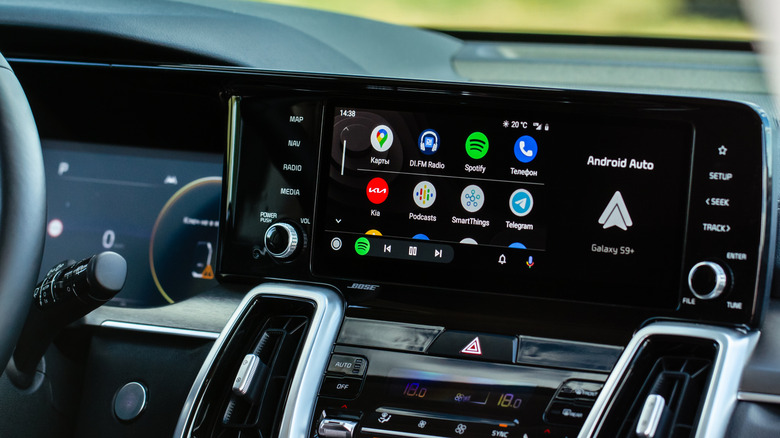
واجهة أندرويد أوتو، مع التطبيقات المتاحة، على شاشة السيارة رومان فيشيكوف/شاترستوك

لا تختلف المعركة بين أندرويد أوتو وآبل كار بلاي عن معركة أندرويد وآيفون. إن نهج آبل المغلق يعني توفر عدد أقل من التطبيقات وعدد أقل من الإعدادات القابلة للتكوين، في حين أن أندرويد أوتو يبقى وحشًا مفتوحًا يمكن ترويضه. يتيح لك قائمة مطوري أندرويد استخدام المزيد من التطبيقات، حتى تطبيقات خارج متجر بلاي، على شاشة سيارتك، بينما تقيدك آبل إلى مجموعة أصغر من الخيارات الصديقة لكار بلاي.

تقلص الفجوة بين آبل والآخرين مع ذلك. يعد CarPlay Ultra دليلاً على أن الشركة تسعى لتحسين الواجهة من خلال ميزات وإعدادات أفضل، ومن المتوقع (نأمل) أن تتحسن تقنية Siri AI الجديدة مع الوقت للمستخدمين. لكن في الوقت الحالي، لا يزال Android Auto منافسًا قويًا بفضل التطبيقات الإضافية التي يمكن الوصول إليها، والتكامل الأفضل للذكاء الاصطناعي، والمزيد من خيارات التخصيص للاستخدام المتقدم.

Android AutoApple CarPlaycars
الخبر متوفّر باللغات التالية:English
المصدر الأصلي للخبر
إنجاجيت

Android Auto vs Apple CarPlay: What features set them apart

August 16, 2026·Engadget
Android Auto vs Apple CarPlay: What features set them apart

The differences between the iPhone and Android show up when you connect them to your car, as well.

By Jack Whitcombe Aug. 16, 2026 1:30 pm EST Roman Vyshnikov/Shutterstock

Most car manufacturers have thrown their support behind Android Auto and Apple CarPlay over the last decade, which means it's easy to carry on using your phone's apps and services while you're driving. These two mirroring services feel like an extension of your Android smartphone or iPhone, but just as Apple and Google's phones are filled with differences, you'll find the same when using Android Auto or CarPlay.

CarPlay has plenty of features, but Google's approach to Android Auto means that users have access to more advanced features and more frequent updates, with enough to set it apart from its Apple counterpart — for now, at least.

Android Auto allows for more customization

A list of Android apps on a VW car screen via Android Auto Andriy Baidak/Shutterstock

The Android Auto and Apple CarPlay experiences are polished extensions of those you'll find on your phone. Where they differ is in the depth of those experiences. For end users, Google has always allowed more customization to the Android interface, while Apple sticks to its tried-and-tested formula.

While CarPlay's interface primarily focuses on one app at a time, Android Auto ships with a multi-window design. It gives drivers the option to set up exactly where maps, media playback and widgets appear on the screen, and how much space they take up. It's up to the driver to pick where each item will sit on screen.

To be fair to Apple, it is trying to close the gap, but only so far. It lets you rearrange your app grid, and it does offer a split-screen view for maps and music, but other features, such as setting a custom wallpaper, are restricted to a set of stock photos only. Google has no such restrictions for Android Auto. You can use your phone's background wallpaper on your Auto display, for instance. Apple's next-gen CarPlay Ultra, being tested by Aston Martin (and reportedly Tesla) so far, may close the gap further. But, for now, the advantage is with Google.

Android Auto packs in extras for power users

Google Maps route instructions in dark mode on a car screen using Android Auto Andriy Baidak/Shutterstock

Power users who enjoy tweaking their settings will find a home with Android Auto. An entirely secret developer settings menu exists in Google Auto to manually change some of Auto's most powerful settings.

You can use this menu to allow apps from unknown sources, particularly those you've sideloaded onto your phone, onto your car's display. This'll let you use apps like CarStream, which you can then use (in a roundabout way) to watch YouTube on your car screen: perfect for the kids while you drive, but not while you're driving yourself.

That access to third-party apps is important, too. Apple CarPlay-friendly apps are restricted in number, with stringent guidelines on what they can and can't do. Google can limit these in the Google Play Store, too, but if you want a non-Google compliant app on your device, you can just sideload it.

You can also use the developer menu for quality-of-life changes to your setup. It'll let you manually change the default video resolution, force day or night mode at different times, or toggle wireless Android Auto on or off, which could be useful if you're having connectivity issues. Unfortunately for iPhone users, there isn't a comparable menu by design, as Apple really doesn't want you getting under the hood like this.

Gemini is a smarter AI driving companion (for now)

An enlarged car screen with the Android Auto and Apple CarPlay app icons visible Smith Collection/gado/Getty Images

Artificial intelligence might seem like an extravagance for a driver, but Gemini's ability to understand complex commands and questions can lead to fewer distractions.

Complexity is the key here. Gemini is one of the biggest, most powerful multimodal AI solutions created so far. It can understand natural language more clearly which, for a driver who might need answers quickly, is an advantage. Apple is even using Gemini to help power its latest Siri AI in the latest iOS 27 update.

A CarPlay hands-on comparison by TechRadar found that Gemini's natural language skills vastly outperformed the most recent Siri AI in the new iOS 27 beta, however. Siri's ability to understand even basic instructions, such as finding the next rest stop, reportedly caused it to instead open the calendar app. In contrast, Gemini could understand clear and natural instructions, contextual to the drive and responded accordingly. Our own hands-on for iOS 27 found that Apple's AI improvements to Siri are reliable, but there's still some way to go.

However, we're still very much in the testing phase for iOS 27. Apple won't release the final version until the fall, and it won't be until then that a full and fair evaluation of Siri AI's abilities can be made. Any changes to Apple CarPlay's abilities then, and in future iOS updates, could level the playing field.

Android Auto is a powerful tool for drivers

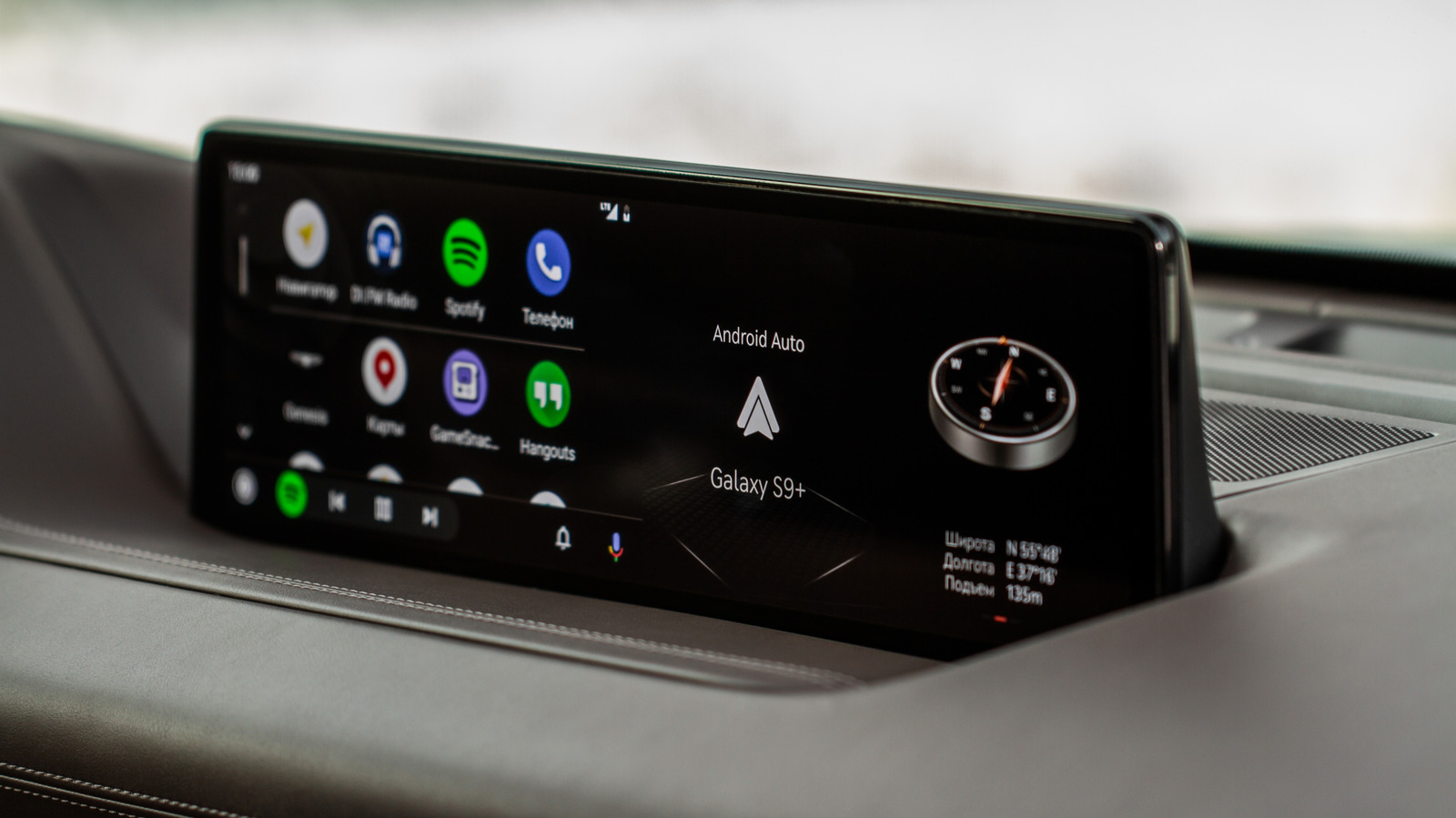
The Android Auto interface, with available apps, on a car screen Roman Vyshnikov/Shutterstock

The battle between Android Auto and Apple CarPlay is no different to the battle between Android and iPhone. Apple's locked down approach means that fewer apps are available and fewer settings are configurable, while Android Auto remains an open beast to tame. Android's developer menu means you can use more apps, even non-Play Store apps, on your car's display, while Apple restricts you to a smaller selection of CarPlay-friendly options.

Apple is catching up, however. CarPlay Ultra is a sign that the company is looking to upgrade the interface with better features and settings, and the new Siri AI will (hopefully) improve over time for users. For the time being, however, Android Auto continues to be a particularly powerful rival with more apps to access, better AI integration and more customization for power users to enjoy.

Android AutoApple CarPlaycars
This article is also available in:العربية
Original source article
Engadget