إليكم السبب في أن ألعاب التراث تبدو أفضل على شاشات التلفزيون القديمة من نوع CRT
16 أغسطس 2026·إنجاجيت
إليكم السبب في أن ألعاب التراث تبدو أفضل على شاشات التلفزيون القديمة من نوع CRT

بدا الأمر أفضل عندما كنت طفلاً، لكن ليس فقط الحنين هو ما يتحدث.

بقلم إيجور بونيفاسيك 16 أغسطس، 2026 2:30 مساءً بتوقيت شرق الولايات المتحدة إيجور بونيفاسيك لموقع Engadget

إذا حاولت يوماً استخدام وحدة تحكم ألعابك المفضلة في طفولتك مع تلفزيون أو شاشة حديثة، فمن المحتمل أن تكون خائب الأمل مما رأيت. هذه ليست مشكلة عند اللعب بنسخة محمولة على الأنظمة الحديثة، لكنها واضحة بشكل مباشر على المعدات الأصلية. بينما من السهل إلقاء اللوم على الحنين، فإن السبب وراء عدم ظهور ألعابك الكلاسيكية المفضلة بالشكل الذي تتذكره أكثر تعقيداً.

الإجابة المختصرة هي أن تلك الألعاب لم تكن مقصودة لعرضها على شاشات مسطحة حديثة. بل صممت بدلاً من ذلك لتتناسب مع تكنولوجيا العرض السائدة في وقتها: أنبوب الأشعة المهبطية (CRT) المتواضع. إنه مثال يوضح كيف يمكن للتكنولوجيا وتحولاتها أن تشكل شكل فني.

الاختلاف الذي تجده عند إعادة زيارة لعبة مفضلة هو نتيجة للعبها خارج السياق الذي عشت فيه التجربة الأصلية.

كيف تعمل شاشات CRT؟
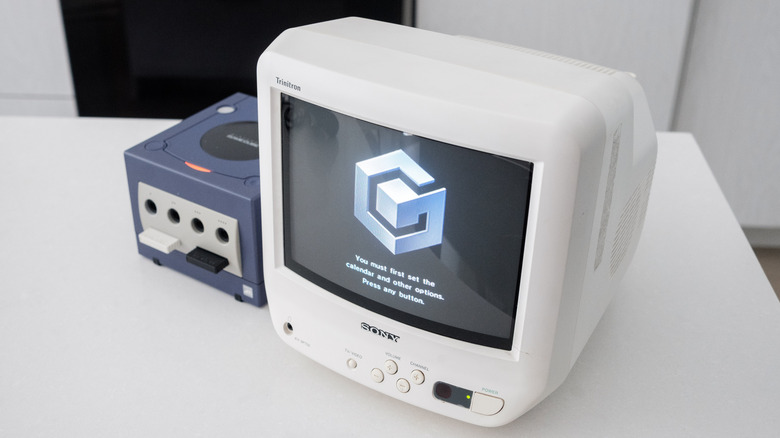
شاشة CRT بيضاء من شركة سوني تعرض شاشة بدء تشغيل نينتندو غيم كيوب. إيجور بونيفاسيك لموقع Engadget

عندما نفكر معظمًا منا في شاشات وأجهزة CRT، نميل إلى تذكر عيوبها مقارنة بالشاشات المسطحة الحديثة. كانت كبيرة الحجم وصاخبة، والأهم من ذلك ثقيلة. ومع ذلك، وعلى الرغم من كل أخطائها، فقد مثلت قطعة رائعة من التكنولوجيا.

داخل كل شاشة CRT ضخمة توجد أنبوب فراغ محكم الإغلاق يحتوي على مدفع أو أكثر للإلكترون موجه نحو شاشة فوسفورية. لا تعرض شاشات وأجهزة CRT البكسلات الفردية مثل نظيراتها الحديثة. بدلاً من ذلك، ترسم العديد من "خطوط المسح" الأفقية كلما أطلق مدافع الإلكترون النار وأشعل الفسفور في مقدمة الشاشة. يتم رسم هذه الخطوط من اليسار إلى اليمين، ومن الأعلى إلى الأسفل، لكل إطار تعرضه الشاشة. ومع ذلك، بالنسبة للعين البشرية، تبدو تلك العملية فورية.

هذا مختلف تمامًا عن كيفية عمل شاشات LCD و OLED. فهي تستخدم بدلاً من ذلك تقنية تسمى العينة والاحتفاظ، مما يعني أنها تعرض إطارًا كاملًا وتحتفظ به حتى يتم تحديثه. بسبب هذا الاختلاف التقني، قدمت شاشات CRT وضوح حركة أكبر بكثير مقارنة بشاشات LCD المناظرة لها لعقود عديدة. لم تأتي شاشات LCD و OLED لمواكبة شاشات CRT في هذه الجبهة إلا مؤخرًا، مع تقديم شاشات ذات معدل تحديث مرتفع. يظهر هذا بوضوح عند إعادة زيارة لعبة مثل The Legend of Zelda: Ocarina of Time. كان معدل الإطارات بها منخفض (20FPS) وغير متسق عندما كنت طفلًا، لكنه كان أقل وضوحًا بسبب طريقة تعامل شاشات CRT مع الحركة.

كيف تتعامل شاشات CRT مع الدقة؟

الحركة جزء واحد فقط من سبب عدم ظهور الألعاب القديمة بشكل صحيح على أجهزة التلفزيون الحديثة؛ الدقة هي العامل الثاني الرئيسي. لا تحتوي شاشات CRT على دقات "أصلية" مثل نظيراتها من شاشات LCD و OLED. يمكنها عرض العديد من الدقات المختلفة دون حدوث تشويش يحدث عند محاولة تشغيل شاشة مسطحة بدقة أقل من دقتها الأصلية. قبل عصر بلاي ستيشن 3 وإكس بوكس 360، قامت صناعة ألعاب الفيديو المنزلية بتطبيع دقتين: 240p و480i.

اليوم، يُعرّف 240p و480i على أنهما "دقة قياسية" لتمييزهما عن دقات "عالية الدقة" و"فائقة الدقة" التي جاءت بعد ذلك. كانت معظم أجهزة التلفزيون CRT المنتجة على الإطلاق مجموعات ذات دقة قياسية. تم صنع بعض مجموعات عالية الدقة، ولكن بحلول بداية عصر HD، بدأت شاشات LCD في تجاوز CRTs من حيث الشعبية.

مثال آخر رائع لمطور يحتفظ بجهاز CRT متوسط المدى، مكون فقط، للمستهلك بالقرب للتحقق من كيفية ظهور الرسوم المتحركة للعبة للمستخدم النهائي.

(الصورة عبر @crtbot.bsky.social)

— CRT Pixels (@crtpixels.bsky.social) 27 يونيو 2025، الساعة 10:36 مساءً

الرقم في كل قرار مباشر: 240p تضمن تلفزيون CRT الذي يرسم 240 خطًا أفقيًا، بينما 480i رأته يرسم 480 خطًا. الحرف الذي يلي كل قرار أكثر تعقيدًا. "i" في 480i هي اختصار لـ "متداخلة". عند عرض إشارة متداخلة، يكمل العرض مرتين متناوبتين لرسم صورة. سيقوم أولاً برسم جميع الخطوط ذات الأرقام الفردية قبل القيام بنفس الشيء لجميع الخطوط ذات الأرقام الزوجية. يبدو هذا مثل طريقة معقدة لعرض صورة، ولكن في وقت كانت فيه التكنولوجيا محدودة، سمح التداخل للبثين بتوفير عرض النطاق الترددي. أحد المنتجات الثانوية للتداخل هو إنتاج CRTs التي تشتهر بها.

على النقيض من ذلك، فإن "p" في 240p تعني "متقدم"، والذي يعمل بالضبط كما يبدو. ستعرض مثل هذه الشاشات جميع الخطوط في صورة بشكل متتالي. جميع قرارات HD هي قرارات متقدمة. سمح 240p لـ CRTs بعرض صورة دون توهج، وقبل عصر PlayStation 2 و GameCube، كان القرار الذي استهدفته معظم أجهزة التحكم لهذا السبب. ومع ذلك، فإن CRTs القياسية تعطي 240p بشكل مختلف عن التلفزيونات الحديثة. إنها تترك الخطوط ذات الأرقام الزوجية سوداء. يشير الكثير من الناس إلى هذه الخطوط باسم "خطوط المسح"، على الرغم من أن هذا غير صحيح تقنيًا. مع ذلك، تلك الخطوط، خاصة عند الاقتران مع رسومات البكسل، هي ما يفكر فيه معظم الناس عندما يتعلق الأمر بمظهر CRT.

لماذا تبدو ألعاب التراث أفضل على أجهزة التلفزيون CRT القديمة؟
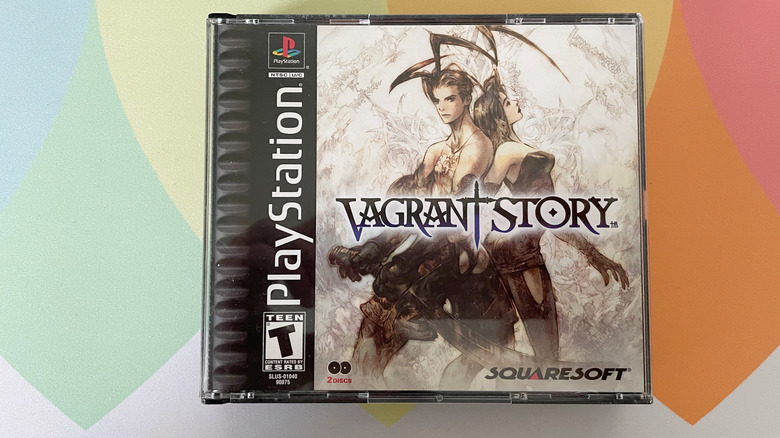
نسخة من لعبة Vagrant Story لجهاز بلاي ستيشن على حصيرة فأرة ملونة. إيجور بونيفاسيك لموقع Engadget

الآن لدينا قاعدة كافية لفهم سبب ظهور ألعاب التراث بالشكل الذي تظهر به على أجهزة التلفزيون الحديثة. تتمثل إحدى المشاكل الرئيسية في أن أجهزة التلفزيون LCD و OLED الحديثة لا توفر اتصالات مماثلة جيدة. إذا كنت محظوظًا، فقد تحتوي جهاز التلفزيون الخاص بك على منافذ مركبة. ولكن حتى لو كان الأمر كذلك، فإن الكابلات المركبة تضيف الكثير من الضوضاء إلى الإشارة من وحدة التحكم الخاصة بك.

Chrono Trigger (1995, Squaresoft) – SNES

محاكي الكمبيوتر الشخصي مقابل مركب SNES عبر Sony KV-14M10

إعادة تدوير هذا المقارنة التي قمت بها العام الماضي بمناسبة وفاة تورياما احتفالًا بذكرى مرور 25 عامًا على لعبة Chrono Trigger!

— CRT Pixels (@crtpixels.bsky.social) 11 مارس 2025، الساعة 16:33:26

هناك عقبة أخرى تتمثل في أن الشاشات الحديثة لم تُصمم لعرض المحتوى المتداخل (interlaced content). فهي تستخدم البرامج لتحويل محتوى 480i إلى 480p. وتؤدي هذه العملية، المعروفة باسم "deinterlacing" أو إزالة التداخل، إلى تأخير الإدخال، مما يجعل الألعاب أقل استجابة. علاوة على ذلك، فإن العديد من أجهزة التلفزيون الحديثة ستقوم بتعريف محتوى 240p على أنه 480i، ثم تحاول مرة أخرى إزالة التداخل. في هذه الحالة، تنتج العملية آثارًا بصرية مثل تشويش الحركة. يحدث كل هذا قبل أن يحاول تلفزيونك رفع صورة 480p إلى 1080p أو 4K. ما لم تكن لديك مقياس مخصص مثل RetroTink 4K، فإن توسيع صورة 240p إلى 4K لن يبدو جيدًا.

Final Fantasy Tactics (1997, Squaresoft) – PS1

Sharp Pixels مقابل PS1 Composite عبر Sony KV-27S43

FFT هي في الواقع اللعبة المسؤولة عن هذه المدونة. عندما حصلت على تلفزيون عالي الدقة (HDTV) في عام 2012، قمت بتوصيل جهاز PS2 الخاص بي، ولكن عندما رأيت تأثير dithering في FFT للمرة الأولى، اعتقدت أن وحدة التحكم الخاصة بي معطلة!

— CRT Pixels (@crtpixels.bsky.social) 4 يونيو 2025، الساعة 15:08:48

ثم هناك حقيقة أن فن ألعاب الترو كان مصممًا لعرضه على شاشات CRT. على مدى عقود، طور فنانو ألعاب الفيديو وتقنيوها لكي تبدو فن البكسل (وبعد ذلك النسيج ثنائي الأبعاد) أكثر واقعية. كان التداخل أحد هذه التقنيات. تضمن ذلك إضافة الفنانين ضوضاء بصرية إلى الرسوم المتحركة والنسيج، غالبًا على شكل نمط مربعات، لإنشاء تدرجات ألوان سلسة. يُعد التداخل تحويليًا في شاشات CRT بسبب كيفية تفاعل هذه التقنية مع الشاشة الفوسفورية؛ أما في شاشات LCD أو OLED، فإنه يفقد تأثيره تمامًا. في الواقع، بالنسبة لإعادة إصدار Final Fantasy Tactics الأخيرة، أزالت شركة Square Enix التداخل من وضع العرض الكلاسيكي للعبة لهذا السبب بالضبط.

منفصلة عن ذلك، هناك ألعاب مثل Silent Hill 2 وDoom 3 التي تبدو باهتة ما لم تلعبها على شاشة CRT أو OLED. حتى ظهور التعتيم المحلي مؤخرًا، لم تتمكن ألواح LCD من إنتاج أسود عميق بسبب اعتماد التقنية على الإضاءة الخلفية. غير هذا القصور في أجهزة LCD مظهر الألعاب لأكثر من عقد من الزمان.

هل يجب عليك شراء تلفزيون CRT؟

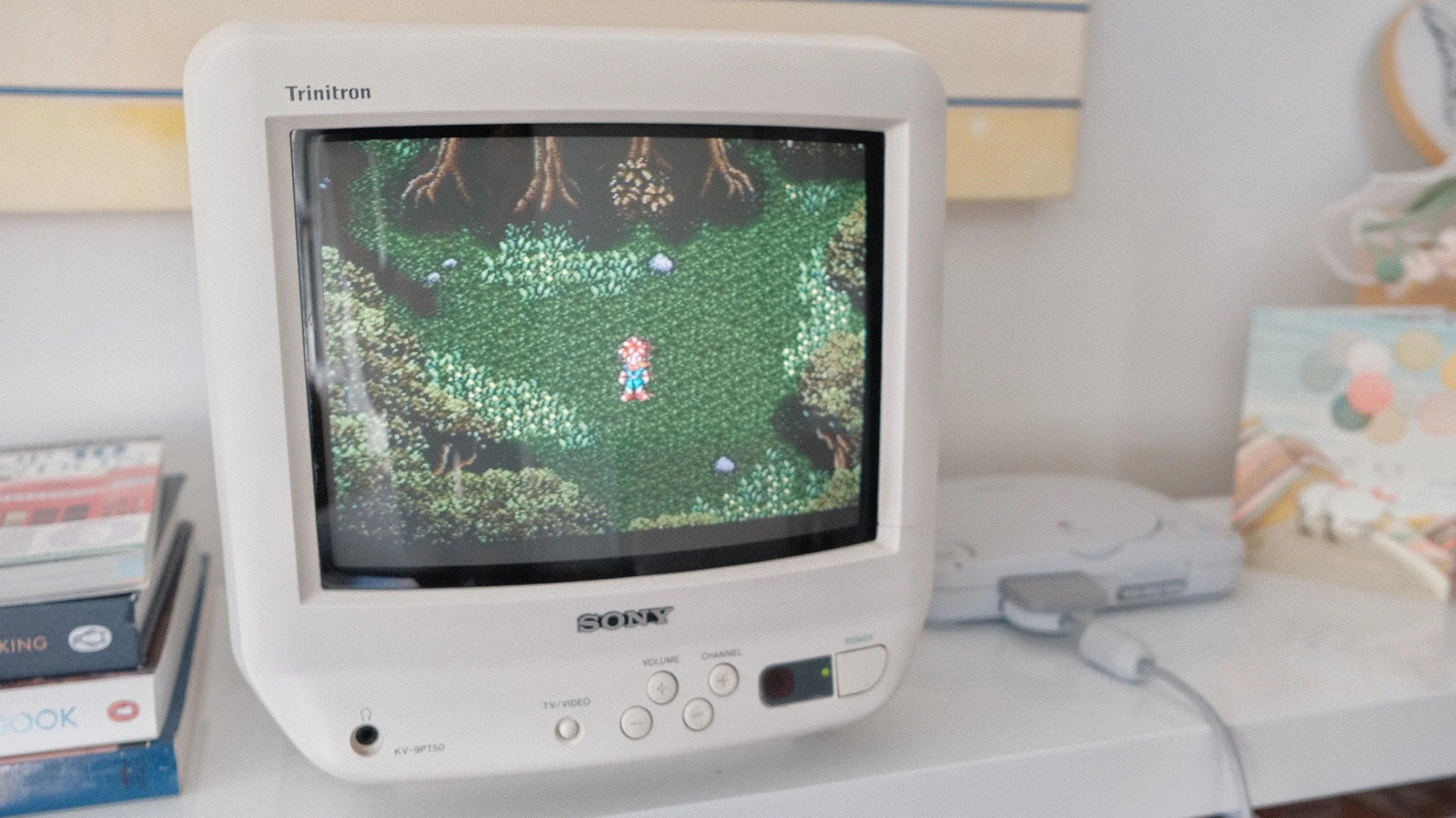
تلفزيون CRT من سوني يعرض لعبة سوبر ماريو شمسية. إيجور بونيفاسيك لموقع Engadget

أحب تلفزيونات CRT، لكنني لا أنصحك بشراء واحد. في الغالب، لا تناسب الحياة الحديثة. فهي ثقيلة، وصاخبة، وعمليات الإصلاح صعبة للغاية وقد تكون خطيرة إذا لم تكن تعرف ما تفعله. كما يصبح العثور على مجموعة جيدة أكثر صعوبة. وإذا كان لدى شخص ما تلفزيون أو شاشة CRT حتى لو كانت قطعة من القطع النادرة مثل Sony KV-9PT50 (الصورة أعلاه)، فمن المؤكد أنه يعرف قيمتها وسيطلب مبالغ طائلة للتخلي عنها.

أعتقد أن شاشات CRT لا تزال أفضل طريقة لتجربة الألعاب العتيقة، ولكن مع أجهزة مثل Analogue 3D (مراجعة)، هناك طرق أكثر ملاءمة لتجربة معظم ما قدمته تلك العناوين. في الواقع، يقدم العديد من المحاكيات الحديثة مرشحات CRT رائعة يمكن أن تأخذك 99 بالمئة من الطريق. لكن لا تمنعني إذا كنت مستوحىًا تبدأ التسوق في سوق فيسبوك لشراء شاشة CRT!

CRT TVsretro gamesdisplay technology
الخبر متوفّر باللغات التالية:English
المصدر الأصلي للخبر
إنجاجيت

Here's why retro games look better on old CRT TVs

August 16, 2026·Engadget
Here's why retro games look better on old CRT TVs

Your favorite games did look better when you were a kid, but it's not just nostalgia talking.

By Igor Bonifacic Aug. 16, 2026 2:30 pm EST Igor Bonifacic for Engadget

If you've ever tried to use your favorite childhood game console with a new TV or monitor, you were likely disappointed by what you saw. This isn't an issue when playing a version ported to modern systems, but is immediately obvious on the original hardware. While it's easy to blame nostalgia, the reason your favorite retro games don't look the way they do in your memory is more complicated.

The short answer is those games weren't meant to viewed on modern flat-panel displays. Games from the '80s, '90s and early 2000s were instead designed for the dominant display technology of their time: the humble cathode ray tube (CRT). It's an example of how technology and its shifts can shape an art form.

The mismatch you find when you revisit a favorite game is the result of playing it outside of the context you originally experienced it in.

How do CRTs work?

A white Sony CRT displays the GameCube's startup screen. Igor Bonifacic for Engadget

When most of us think of CRT TVs and monitors, we tend to remember their disadvantages relative to modern flat panels. They were big, noisy and, most of all, heavy. Yet for all their faults, they represented an amazing bit of technology.

Inside every bulky CRT display is a sealed vacuum tube with one or more electron guns pointed at a phosphorescent screen. CRT TVs and monitors don't display individual pixels like their modern counterparts. Instead, they draw many horizontal "scanlines" each time their electron guns fire and ignite the phosphors at the front of the screen. Those lines are drawn from left to right, top to bottom, for every frame the display renders. Yet to the human eye, that process appears instantaneous.

This is quite different from how LCD and OLED screens work. They instead use a technique called sample-and-hold, meaning they display a full frame and hold it until they refresh. Due to this technical difference, CRTs offered far greater motion clarity than their LCD counterparts for many decades. It was only recently, with the introduction of high refresh rate displays, that LCD and OLED screens have come to match CRTs on that front. This is apparent when you revisit a game like The Legend of Zelda: Ocarina of Time. Its frame rate was low (20FPS) and inconsistent when you were a kid, but it was less noticeable because of how CRTs handled motion.

How do CRTs handle resolution?

Motion is only one part of why retro games don't look right on modern TVs; resolution is the second major factor. CRT displays don't have "native" resolutions like their LCD and OLED counterparts. They can render many different resolutions without the smearing that happens when you try run a flat-panel screen at a resolution lower than its native one. The console gaming industry standardized around two resolutions prior to the PlayStation 3 and Xbox 360 era: 240p and 480i.

Today, 240p and 480i are defined as "standard definition" resolutions to differentiate them from the "high definition" and "ultra-high definition" resolutions that came after. The majority of CRT TVs ever produced were standard definition sets. Some high definitions sets were made, but by the start of the HD era, LCD screens had begun to overtake CRTs in popularity.

Yet another nice example of a developer keeping a midrange, composite-only, consumer CRT nearby to check how the game's visuals would look for the end user.

(image via @crtbot.bsky.social)

— CRT Pixels (@crtpixels.bsky.social) 2025-06-27T22:36:07.415Z

The number in each resolution is straightforward: 240p involved a CRT TV drawing 240 horizontal lines, while 480i saw it draw 480 lines. The letter that follows each resolution is more complicated. The "i" in 480i is short for "interlaced." When displaying an interlaced signal, a display completes two alternating passes to draw an image. It will first draw all the odd-numbered lines before doing the same for all the even-numbered lines. This sounds like a convoluted way to render an image, but at a time when technology was limited, interlacing allowed broadcasters to save on bandwidth. One byproduct of interlacing was producing the flicker CRTs are known for.

By contrast, the "p" in 240p stands for "progressive," which it works exactly like it sounds. Such displays will draw all the lines in an image consecutively. All HD resolutions are progressive resolutions. 240p allowed CRT TVs to render an image without flicker, and before the PlayStation 2 and GameCube era, it was the resolution most consoles targeted for that reason. However, standard definition CRTs render 240p differently than modern TVs. They leave the even-numbered lines black. Many people refer to these lines as "scanlines," though that's technically incorrect. Still, those lines, especially when paired with pixel graphics, are what most people think of as the CRT look.

Why do retro games look better on CRT TVs?

A copy of Vagrant Story for the PlayStation sits on a colorful mouse mat. Igor Bonifacic for Engadget

Now we have enough of a base to understand why retro games look the way they do on modern TVs. One major issue is that recent LCD and OLED TVs don't offer great analog connections. If you're lucky, your TV might have composite ports. But even if that's the case, composite cables introduce a lot of noise to the signal from your console.

Chrono Trigger (1995, Squaresoft) – SNES

PC Emulator vs. SNES Composite via Sony KV-14M10

Recycling this comparison I did last year for Toriyama's passing in celebration of Chrono Trigger's anniversary!

— CRT Pixels (@crtpixels.bsky.social) 2025-03-11T16:33:26.109Z

Another roadblock is that modern screens aren't designed to display interlaced content. They use software to convert 480i content to 480p. That process, known as "deinterlacing," introduces input lag, which makes games feel less responsive. What's more, many moderns TVs will detect 240p content as 480i, which they will then once again try to deinterlace. In that case, the process produces visual artifacts like motion blur. This all happens before your TV attempts to upscale a 480p image to 1080p or 4K. Unless you own a dedicated scaler like the RetroTink 4K, blowing a 240p image up to 4K will not look good.

Final Fantasy Tactics (1997, Squaresoft) – PS1

Sharp Pixels vs. PS1 Composite via Sony KV-27S43

FFT is actually THE game responsible for this blog. When I got an HDTV in 2012, I hooked up my PS2, but when I saw FFT's dithering for the first time I thought my console was broken!

— CRT Pixels (@crtpixels.bsky.social) 2025-06-04T15:08:48.777Z

Then you have the fact that retro games' art was designed for display on CRTs. Over decades, video game artists developed and perfected techniques to make pixel art (and later 2D textures) look more lifelike. Dithering was one of those techniques. This involved artists adding visual noise to sprites and textures, often in the form of a checkboard pattern, to create smooth color gradients. Dithering is transformative on CRTs due to how the technique interacts with a phosphorescent screen; on an LCD or OLED, it completely loses its effect. In fact, for the recent rerelease of Final Fantasy Tactics, Square Enix removed dithering from the game's Classic presentation mode for that exact reason.

Separately, there are games like Silent Hill 2 and Doom 3 that look washed-out unless you play them on a CRT or OLED. Until the recent advent of local dimming, LCD panels could not produce deep blacks due to the tech's reliance on backlighting. This limitation of LCDs changed the look of games for more than a decade.

Should you buy a CRT TV?

A Sony CRT displays Super Mario Sunshine. Igor Bonifacic for Engadget

I love CRTs, but I don't recommend you buy one. For the most part, they don't fit into modern life. They're heavy, noisy and repairs are often difficult and can even be dangerous to carry out if you don't know what you're doing. Finding a quality set is also becoming harder. If someone has a CRT TV or monitor that's even a bit of a collectable like my Sony KV-9PT50 (pictured above), they almost certainly know its value and will ask eye-watering amounts of money to part with it.

I do think CRTs are still the best way to experience retro games, but with devices like the Analogue 3D (our review), there are more convenient ways to experience most of what those titles had to offer. In fact, many modern emulators offer great CRT filters that can get you 99 percent of the way there. But don't let me stop you if you're inspired you start shopping Facebook Marketplace for a CRT!

CRT TVsretro gamesdisplay technology
This article is also available in:العربية
Original source article
Engadget