تحويل نظام أندرويد أوتو إلى نظام لاسلكي سهل باستخدام محول
18 يوليو 2026·إنجاجيت
تحويل نظام أندرويد أوتو إلى نظام لاسلكي سهل باستخدام محول

قطع السلك في سيارتك ترقية بسيطة.

بقلم جابرييلا فاتو 18 يوليو، 2026 9:30 ص EST رومان فيشينكوف/ شاترستوك

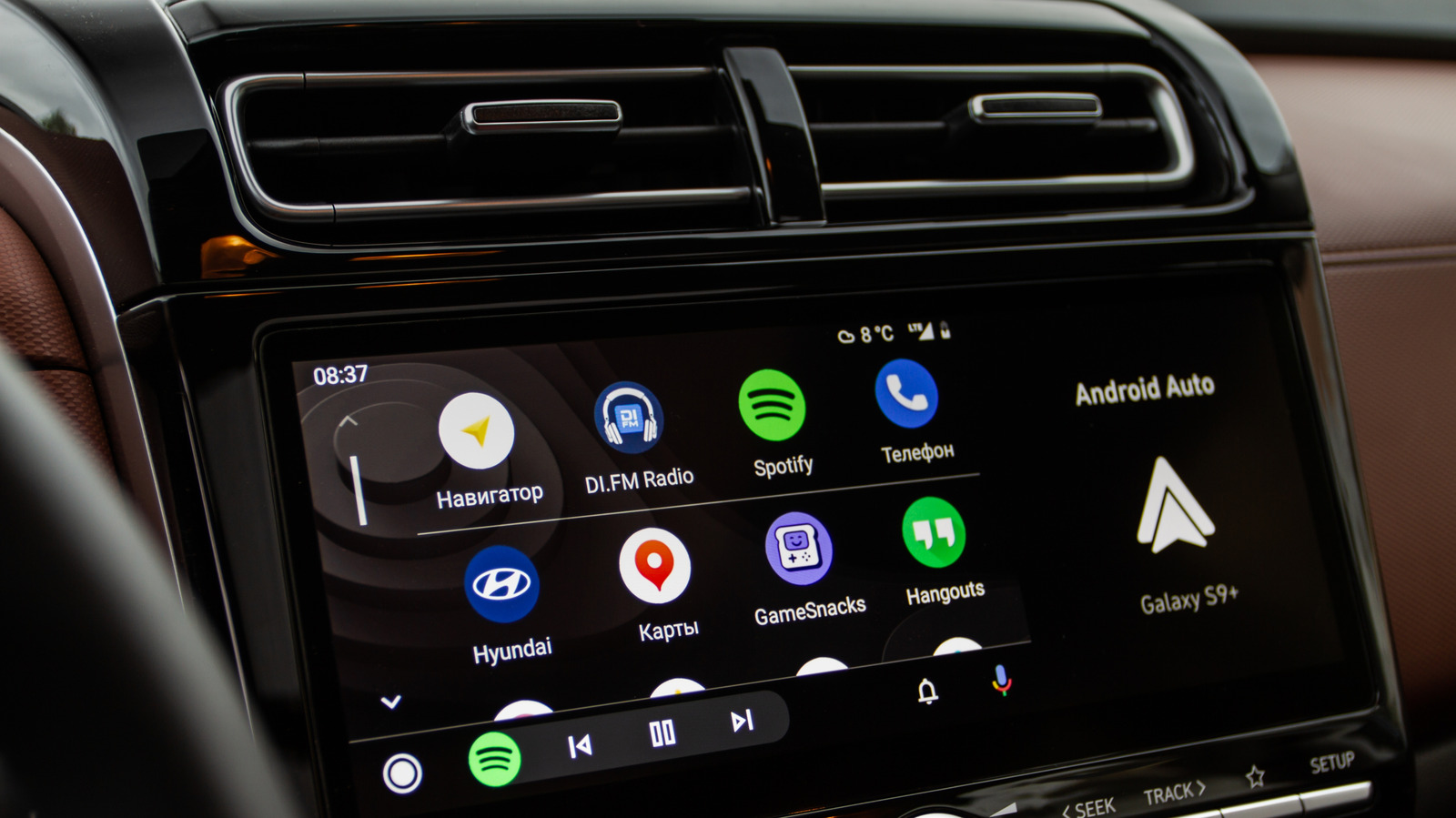
كل صباح، لديك نفس الروتين: الدخول إلى السيارة، إخراج الهاتف، توصيل الكابل وانتظار تحميل أندرويد أوتو. يعمل بشكل جيد، ولكننا نعيش الآن في عالم لاسلكي.. الأخبار السارة هي أن محول لاسلكي صغير يمكن وضعه في راحة يدك يمكن أن يساعد في قطع السلك.

تأتي معظم السيارات الحديثة مع أندرويد أوتو (وغالباً ما تأتي مع نظام آبل كار بلاي أيضًا)، ولكن ليس كلها توفر النسخة اللاسلكية. ستدخل هذه المحولات الصغيرة إلى سيارتك وتحول نظام الترفيه في سيارتك إلى تجربة خالية من الأسلاك.

هل يمكنني تحويل أندرويد أوتو الخاص بي إلى لاسلكي؟

من السهل تحويل اتصال أندرويد أوتو في سيارتك إلى لاسلكي. بالطبع، يجب أن تكون سيارتك مزودة مسبقًا بدعم أندرويد أوتو السلكي. لا توفر المحولات اللاسلكية حلاً مؤقتًا للسيارات التي تفتقر إلى دعم أندرويد أوتو تمامًا - إنها ترقية، وليست إصلاحًا لسيارة قديمة.

إنها أجهزة صغيرة تعمل كوسطاء. إنها مترجمات الأجهزة الذكية التي تحول نظام أندرويد السلكي في سيارتك إلى نظام لاسلكي. تقوم بتوصيلها بميناء يو إس بي في سيارتك، وتكوينها، ثم الاستمتاع ببداية أسهل لرحلة التنقل.

إليك ما يحدث عند استخدام محول Android Auto. عندما تصعد إلى السيارة، يجد هاتفك المحول عبر البلوتوث ويصادق على جهازك، مما يؤكد هوية الهاتف ويشارك بيانات الاعتماد لتوصيل الواي فاي. سيقوم اتصال البلوتوث فيما بعد أيضًا بإدارة المكالمات اليدوية. ثم يقوم المحول بإنشاء شبكة Wi-Fi Direct محلية 5GHz والتي ستتعامل مع المهام الشاقة، بما في ذلك بث الملاحة، والصوت، وبيانات الشاشة في الوقت الفعلي.

النتيجة هي اتصال تلقائي سلس يحدث كلما صعدت إلى السيارة. لا مزيد من التحديق بعد الهواتف والكابلات.

ما بين الإيجابيات والسلبيات لاستخدام محول أندرويد أوتو؟
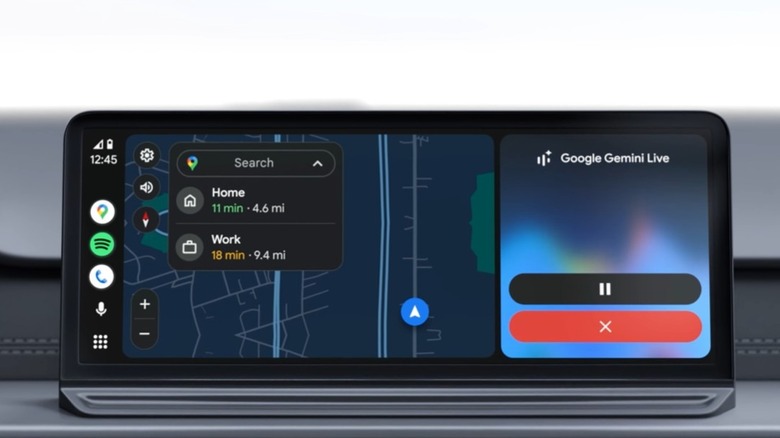
أندرويد أوتو على شاشة السيارة، مع ميزة الخرائط وإشعار جوجل جيميني على الشاشة المنقسمة جوجل

هناك العديد من المزايا لاستخدام محول أندرويد أوتو، بالطبع، لكن ليس كل شيء وردي ومشرق. فبينما يجعل استخدام المحول رحلاتك أسهل لأنك لم تعد بحاجة إلى توصيل هاتفك، إلا أن هناك بعض السلبيات المحتملة أيضًا.

على الرغم من جودة المحولات، إلا أن الاتصال بين السيارة والمحول والهاتف لا يمكن أن يكون سريعًا مثل الاتصال المباشر بين السيارة والهاتف. إنه تنازل طفيف، لكنه أفضل من البحث عن هاتفك.

عند التبديل من اتصال سلكي إلى أندرويد أوتو اللاسلكي، يجب أن تكون مستعدًا لتصريف بطارية هاتفك بشكل أسرع بكثير. الحفاظ على اتصال واي فاي المباشر المستمر بتردد 5 جيجاهرتز أثناء تشغيل نظام تحديد المواقع العالمي (GPS)، وبث الموسيقى، وما إلى ذلك، سيؤثر سلبًا على البطارية. في الرحلات الطويلة بالسيارة، سترغب في استخدام كابل شحن منفصل.

ما هو أفضل محول أندرويد أوتو اللاسلكي؟

هناك العديد من المحولات اللاسلكية المتاحة لـ أندرويد أوتو من Carlinkit، و AAWireless، و Ottocast، و Motorola، وما إلى ذلك. ولكن، بدلاً من التركيز على علامات تجارية محددة، نفضل أن تفهم المواصفات المادية التي تميز المحول عالي الجودة عن المحول الذي قد يكون مخيبًا للآمال.

أنت تريد التأكد من أن المحول الذي تشتريه لا يعتمد على اتصالات واي فاي بتردد 2.4 جيجاهرتز لأنها ستكون أبطأ بشكل ملحوظ وأكثر عرضة للتأخير. تريد محولًا قادرًا على التعامل مع تردد 5 جيجاهرتز حتى تتمكن من بث خريطتك وصوتك في نفس الوقت.

ستحتاج أيضًا إلى محول أندرويد أوتو مزود بكابل يو إس بي قابل للفصل. قد تؤثر النماذج التي تأتي مع منافذ يو إس بي المدمجة على الوصول إلى منافذك الأخرى أو ببساطة تخرج بشكل غريب بسبب شكل وحدة التحكم أو لوحة القيادة الخاصة بك.

إن الحصول على محول أندرويد أوتو اللاسلكي هو أحد أفضل التحديثات التي يمكنك إجراؤها لسيارتك، حيث سيغير حقًا شيئًا تستخدمه كل يوم. التكلفة منخفضة جدًا بحيث لا يمكنك حتى الشكوى منها، ويستغرق الإعداد بضع دقائق، وستكون تطبيقات الخرائط جاهزة للاستخدام قبل أن تخرج من مكان وقوف السيارة.

Android Autoadapterwireless
الخبر متوفّر باللغات التالية:English
المصدر الأصلي للخبر
إنجاجيت

Converting your Android Auto to wireless is easy with an adapter

July 18, 2026·Engadget
Converting your Android Auto to wireless is easy with an adapter

Cutting the cord in your car is a simple upgrade.

By Gabriela Vătu July 18, 2026 9:30 am EST Roman Vyshnikov/Shutterstock

Every morning, you have the same routine: get in the car, dig out your phone, plug in the cable and wait for Android Auto to load. It works just fine, but we're living in a wireless world now.. The good news is that a tiny wireless adapter that can fit in the palm of your hand can help cut the cord.

Most modern cars come with Android Auto (and often Apple's CarPlay as well), but not all of them offer the wireless version. These tiny adapters will plug into your car and turn your car's infotainment system into a wire-free experience.

Can I convert my Android Auto to wireless?

It's simple to convert your car's Android Auto connection to wireless. Of course, your car needs to already come with support for wired Android Auto. Wireless adapters are not a workaround for cars that lack Android Auto support completely — they're an upgrade, not an overhaul for a 2005 beater.

They are tiny devices that act as middlemen. They're the clever hardware translators that convert your car's wired Android system into a wireless one. You plug them into your car's USB port, set it up, and then enjoy an easier start to your commute.

Here's what happens when you use an Android Auto adapter. When you get in the car, your phone finds the adapter via Bluetooth and authenticates your device, confirming the phone's identity and sharing credentials for the Wi-Fi connection. The Bluetooth connection will later also handle hands-free calling. Then, the adapter creates a localized 5GHz Wi-Fi Direct network which will handle the heavy lifting, including streaming navigation, audio and real-time screen data.

The result is a seamless automatic connection that happens every time you get in the car. No more fumbling around after phones and cables.

The good and the bad of using an Android Auto adapter?

Android Auto on car display, featuring Maps and a Google Gemini prompt on the split screen Google

There are loads of advantages to using an Android Auto adapter, obviously, but not everything is sunshine and roses. While using an adapter makes your drives easier because you no longer have to plug in your phone, there are some possible downsides too.

As great as adapters are, the connection between the car, adapter and phone can't be as fast as a direct connection between car and phone would be. It's a minor trade-off, but it's better than having to look for your phone.

When switching from a wired connection to wireless Android Auto, you have to be prepared for your phone's battery to drain a lot faster. Maintaining a constant 5GHz Wi-Fi direct connection while running GPS, streaming music, and so on, will take a toll on your battery. On longer road trips, you'll want to use a separate charging cable.

What is the best wireless Android Auto adapter?

There are quite a few wireless Android Auto adapters available from Carlinkit, AAWireless, Ottocast, Motorola, and so on. But, rather than focusing on specific brands, we'd rather you understand what hardware specs actually separate a quality adapter from a potentially disappointing one.

You want to make sure the adapter you are buying doesn't rely on 2.4GHz Wi-Fi connections because those will be noticeably slower and prone to lag. You want an adapter that can handle 5GHz so you can stream your map and audio at the same time.

You'll also want an Android Auto adapter with a detachable USB cable. Models that come with built-in USB connectors may affect access to your other ports or simply stick out at a weird angle due to the shape of your console or dashboard.

Getting a wireless Android Auto adapter is one of the best upgrades you can make for your car as it will genuinely change something you use every single day. The cost is low enough that you can't even complain about it, the setup takes minutes, and your maps app will be ready to go before you've pulled out of your parking spot.

Android Autoadapterwireless
This article is also available in:العربية
Original source article
Engadget