المخاطر الكامنة في استخدام كابلات الشحن القديمة التالفة
17 نوفمبر 2026·إنجاجيت
المخاطر الكامنة في استخدام كابلات الشحن القديمة التالفة

لا تدع كابلًا معيبًا بـ 5 دولارات يكلفك آلاف الدولارات في شكل أضرار حرارية أو فواتير طبية.

بقلم جاك ويتكومب 17 نوفمبر 2026 6:00 مساءً بتوقيت شرق الولايات المتحدة Poravute/Getty Images أضف إنغادجت إلى جوجل: Google Discover

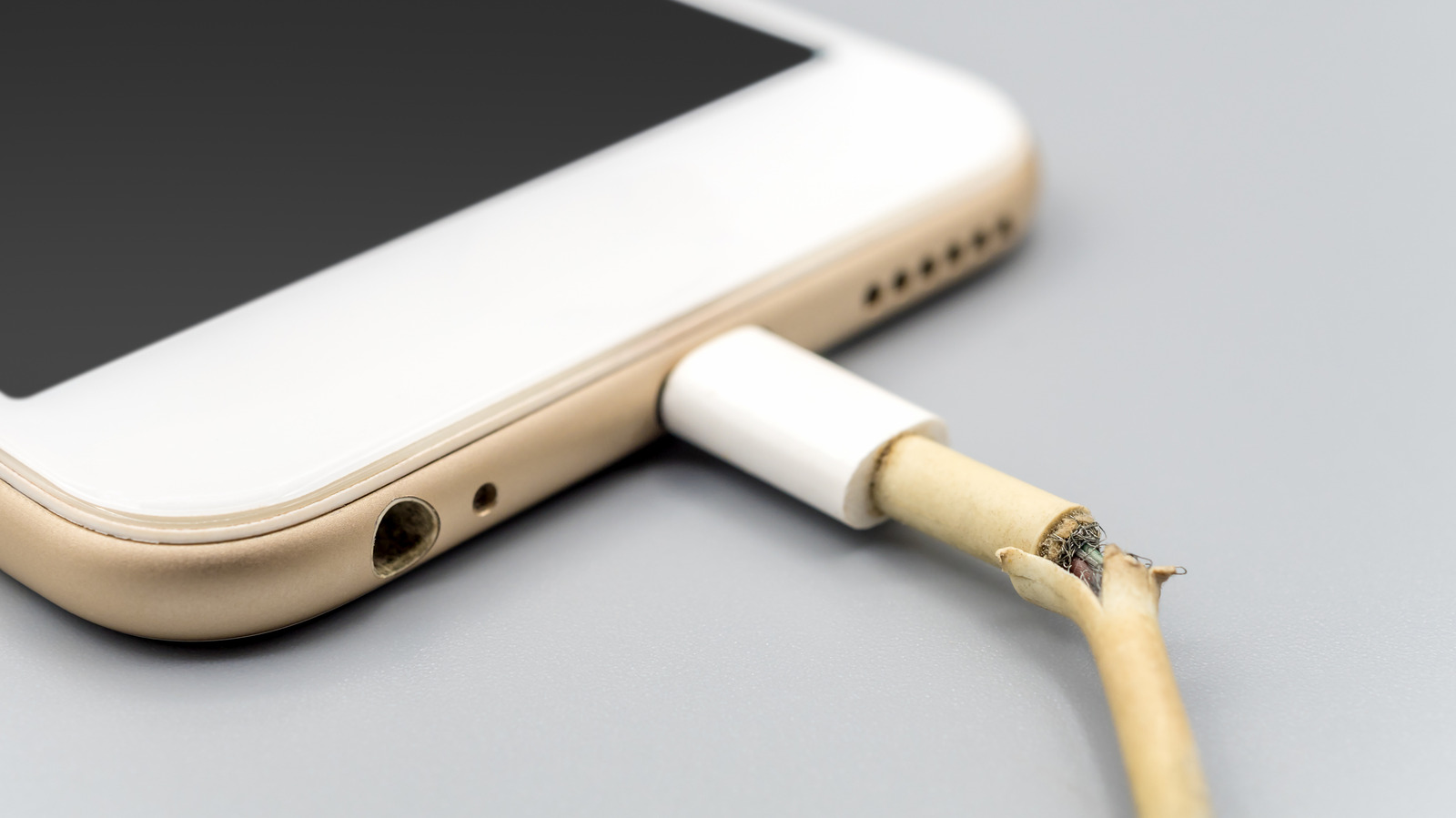
يؤدي كابل الشحن وظيفتين مهمتين: الحفاظ على شحن الأجهزة، والقيام بذلك دون التسبب في أي ضرر لك أو للجهاز. لا يمكنك توقع أن يصمد الكابل إلى الأبد، مع ذلك. بعد توصيله وفصله عددًا لا يحصى من المرات، سيبدأ بالتدهور، والانحناء، والتآكل، أو الانفصال عن بعضه البعض. النتيجة النهائية هي كابل غير آمن يحتاج إلى الاستبدال.

إذا لم تستبدل كابل الشحن المعيب، فأنت تعرض جهازك للضرر أو حرق نفسك كلما قمت بتوصيله. من الأفضل لك شراء كابل جديد مقابل بضع دولارات بدلاً من الإصرار على استخدام كابل كان يجب إعادة تدويره منذ فترة طويلة.

التّوصيلات التالفة تُولّد الحرارة
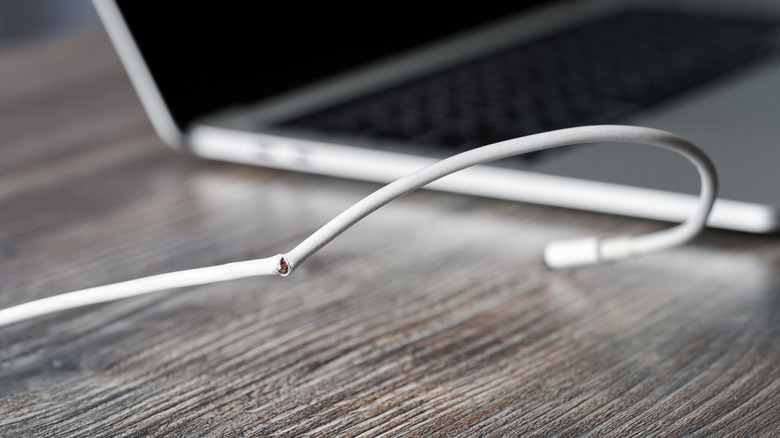
كابل يو إس بي تالٍ، مع حاسوب محمول مُحَوَّر في الخلفية. Sergeyklopotov/Getty Images

يُسبّب سحب كابل الشّحن من الطرف السلكي ضغطًا على التّوصيل خلف المقبس. وسوف تنحنيه بشكل حاد تقريبًا في نفس الأماكن، خاصة في النّهايتين. وهذا يُضعف الخيوط المعدنية الدقيقة داخله قبل ظهور أي علامة تلف خارجية.

المضحك في الأمر أن الكابل يمكن أن يعمل حتى لو كان تالفًا من الداخل، على الرغم من أن التوصيل قد يستمر في الانقطاع. وحتى إذا وصل إلى مرحلة ترى فيها الكثير من الأضرار المادية، فقد يكون قادرًا على توفير الشحن. تحمل الخيوط المتبقية الوزن، مما يسمح للشحنة الكهربائية بالمرور.

المشكلة هنا تتعلق بالفيزياء البحتة. مع وجود عدد أقل من الخيوط السليمة التي تحمل التيار، ستلاحظ زيادة في المقاومة الكهربائية. سيتحول المزيد من الطاقة إلى حرارة أثناء مرور التيار عبرها، مع تركز تلك الحرارة في منطقة أصغر. هذا هو المكان الذي يمكن أن يبدأ فيه الكابل التالف بالتسخين المفرط، خاصة عند حمله للتيار الأعلى المستخدم في الشحن السريع.

قد يكون لديك شاحن مزود بميزات أمان مصممة لحماية ضد التسخين الزائد أو الدوائر القصيرة، على سبيل المثال لا الحصر. لا يمكنك الاعتماد على ذلك، مع ذلك. قد يظل الاتصال التالف ساخناً، حتى لو كان التيار المار عبر الكابل ضمن حدود السلامة. قد تحصل على تنبيه على هاتفك بشأن هذا الأمر، إذا كان جهازك يتمتع بهذه الوظيفة.

ما هي المخاطر الحقيقية لاستخدام شاحن سيء؟
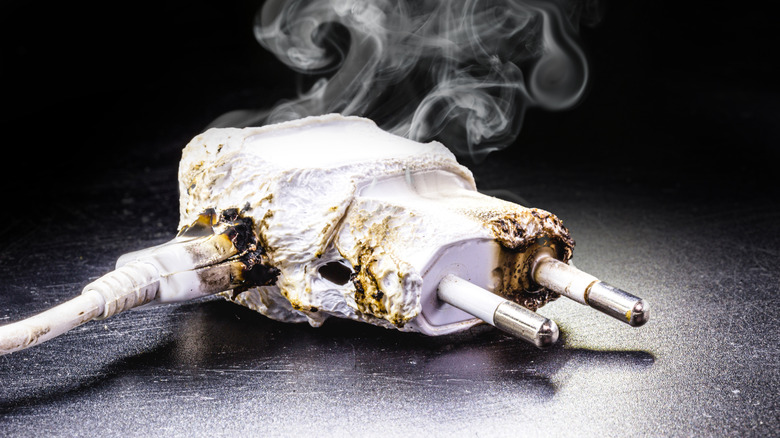
شاحن ذائب، يدخن مع بلاستيك أسود. RHJPhtotos/Shutterstock

الخطر الفوري هو إما الحرق أو الصعق الكهربائي. تركز الحرارة حول موصل تالف، مما يجعله ساخناً بما يكفي لحرق أصابعك وذوبان البلاستيك المحيط به. في حين أن لجنة سلامة المنتجات الاستهلاكية الأمريكية يمكنها استدعاء الكابلات المصنوعة بشكل سيء، مثل كابل Lightning هذا الذي تم بيعه في متجر Target في عام 2019، فقد يكون كابل جهازك تالفًا ببساطة بسبب الإفراط في الاستخدام. حتى مع وجود كابل جيد، فإن شحن جهازك تحت الوسادة أو البطانية ليس فكرة جيدة، حيث يُحاصر الحرارة.

تشمل المشاكل المحتملة إلحاق الضرر ببطارية جهازك أو تقليل صحتها على المدى الطويل بسبب عدم انتظام التيار الكهربائي الذي يدخلها. من الممكن أيضًا أن تحرق الإشارات الكهربائية المعيبة منفذ USB في جهازك. هناك أيضًا خطر الصدمة الكهربائية إذا كنت تستخدم كابلًا متآكلًا. تحمل الأسلاك USB جهدًا منخفضًا، ولكن لا ترغب في المجازفة. يمكن أن تحدث مخاطر صدمات أخرى إذا كان الكابل متصلًا بمُحول (محول)، أو إذا كان المحول نفسه مكشوفًا. تزيد الرطوبة أيضًا من الخطر.

أسوأ السيناريوهات هو حدوث حريق. لا أقترح أن كل كابل USB متآكل سيؤدي إلى حريق، ولكنها إمكانية واردة. يجب أن يحتوي الشاحن الذي يعمل بشكل صحيح على تدابير وقائية ضد الدوائر القصيرة التيار الزائد. إذا كان الجهاز مصنوعًا بشكل سيء، فلن تكون لديك الثقة بأن هذه التدابير الوقائية تعمل. من الواضح أن العواقب إذا بدأ حريق ستكون أكبر بكثير من مجرد كابل أو جهاز مكسور.

لا يمكنك توقع أن يحميك مفتاح القاطع الكهربائي في منزلك من ذلك. يستجيب لأخطاء الدائرة المنزلية، ولكن اعتمادًا على مقدار التيار الذي يسحبه الجهاز المعيب، قد لا يعمل القاطع على الإطلاق. يمكن أن يصبح الكابل ساخنًا بشكل خطير دون انقطاع الكهرباء.

اللصق الكهربائي (أو أي نوع من الأشرطة) هو حل شائع لتغليف القسم التالف من الكابل. سيغطي الشق، لكن تلك الخيوط المكسورة داخله لن تُصلح، ولا ينبغي أن تتظاهر بأنه آمن مثل كابل جديد. قد يكون هذا حلاً مؤقتاً لشحن جهازك حتى وصول بديل غداً، لكنه ليس مناسباً للاستخدام لفترة أطول من اللازم.

هل الكابل أم المنفذ هو المُخطئ؟
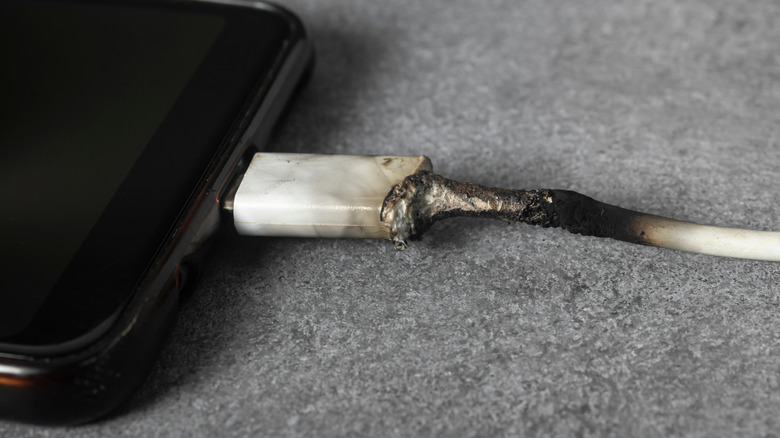
كابل شحن ذائب ومُحترق، متصل بهاتف ذكي. Rubanitor/Shutterstock

في معظم الحالات، ستعرف عندما يكون الكابل في حالة سيئة لأن جهازك يتوهج أثناء الشحن ثم ينطفئ، أو قد لا يُشحن إلا عند حمل الكابل بزاوية معينة. رفع الكابل أو ثنيه يمكن أن يوفر حلاً سريعاً، لكنه لن يساعد على المدى الطويل.

قد تتساءل أيضًا عما إذا كانت المشكلة في الكابل أو المنفذ الذي تُدخل فيه الكابل. هناك إجابة سهلة لهذا: قم بتغيير الكابل. إذا كان لديك كابل احتياطي يعمل بشكل مثالي، فهذا يعني أن الكابل هو السبب. أما إذا لم يكن كذلك، فمن المرجح أن يكون المنفذ هو المشكلة. تأكد من ذلك باستخدام شاحن مختلف للتأكد.

ألقِ نظرة داخل المنفذ باستخدام الضوء. إذا رأيت أي أتربة أو غبار، فقد تحتاج إلى تنظيف المنفذ، على الرغم من أن جوجل تنصح بعدم إدخال أي شيء في منفذ الهاتف. يمكنك أيضًا النقر بلطف على هاتفك ضد يدك مع مواجهة المنفذ للأسفل للمساعدة في إزالة التراكمات الداخلية.

قد تعتقد أن هذا كلّه مبالغ فيه بعض الشيء. إنه أمر متعجرف قليلًا أيضًا، حيث استخدمت كابلات شحن متآكلة في أكثر من مناسبة في حالة استعجال (ولاحقًا ندمت على ذلك). تكلفة الحصول على كابل جديد أقل بكثير من استبدال قطعة معدات مكسورة أو تغطية فاتورة طبية أو التعامل مع أضرار الحريق. ما لم تكن مهندس كهربائي تملك المهارات اللازمة لإزالة الغلاف الخارجي للأسلاك وإصلاحها واختبارها لاحقًا، ولديك الرغبة في القيام بذلك، قم بإعادة تدوير الكابل القديم أو إعادة استخدامه.

charging cablessafetyelectrical hazards
الخبر متوفّر باللغات التالية:English
المصدر الأصلي للخبر
إنجاجيت

The dangers of using your old, damaged charging cables

November 17, 2026·Engadget
The dangers of using your old, damaged charging cables

Don't let a damaged $5 cable cost you thousands in fire damage or medical bills.

By Jack Whitcombe Nov. 17, 2026 6:00 pm EST Poravute/Getty Images Add Engadget on Google: Google Discover

A charging cable has two important jobs: keep your devices charged, and do so without causing you or the item any damage. You can't expect a cable to last forever, though. After being plugged in and disconnected countless times, it's going to degrade, bend, break down, or split apart. The end result is an unsafe cable that will need replacing.

If you don't replace a compromised charging cable, you're risking damage to your device or being burnt yourself every time you plug it in. For the sake of a few dollars, you're better off buying a new one than persevering with a cable that should have been recycled long ago.

Damaged connections generate heat

A damaged USB cable, with a laptop blurred in the distance. Sergeyklopotov/Getty Images

Pulling a charging cable out by the wire puts strain on the connection behind the plug. And you're going to bend it sharply in roughly the same places, especially at the two ends. This wears down the fine strands of metal inside before there's any sign of outer damage.

The funny part is that even if the cable is damaged inside, it can still work, although the connection might keep cutting out. Even if it's to the point where you see a lot of physical damage, it may be able to provide a charge. The remaining strands are carrying the weight, letting the current charge through.

The problem with this is pure physics. With fewer intact strands carrying the current, you're going to see increased electrical resistance. More energy will turn into heat as the current passes through, with that heat concentrated in a smaller area. This is where a damaged cable can start to overheat, especially when it's carrying the higher current used for fast charging.

You might have a charger with safety features designed to protect against overheating or short-circuits, to name but a few. You can't rely on this, though. A damaged connection can still heat up, even if the current passing through your cable is within the safety limits. You might get a warning on your phone about this, if your device has that functionality.

What can actually go wrong with a bad charger?

A melted charger, smoking and with blackened plastic. RHJPhtotos/Shutterstock

The immediate danger is getting either burned or electrocuted. Heat will concentrate around a damaged connector, making it hot enough to burn your fingers and melt the plastic around it. While the US Consumer Product Safety Commission can recall poorly-made cables, like this heyday Lightning cable sold at Target in 2019, your cable might simply be damaged by overuse. Even with a good cable, charging your device underneath a pillow or blanket isn't a good idea, as this traps the heat.

Potential problems include damaging your device's battery or reducing its long-term health from the inconsistent power going into it. It's also possible for the compromised electrical signals to fry your device's USB port. There's also a risk of electrical shock if you're using a frayed cable. USB leads carry low voltage, but you don't want to chance it. Further shock dangers can occur if the cable is connected to an adapter, or if the adapter itself is exposed. Moisture adds to the risk, too.

The worst-case scenario is a fire. I'm not suggesting every frayed USB cable will lead to a fire, but it's a possibility. A properly functioning charger should have protections against short circuits and excessive current. If the equipment is poorly made, you're not going to have confidence that those protections work. Obviously, the consequences if a fire starts are much bigger than just a broken cable or device.

You can't expect your home's circuit breaker to protect from this. It responds to faults in the household circuit, but depending on how much current the faulty equipment draws, the breaker might not trip at all. A cable can still become dangerously hot without your electricity cutting out.

Electrical tape (or any sort of tape) is a common solution to wrap around a damaged section of cable. It'll cover the split, but those broken strands inside aren't getting fixed and you shouldn't pretend it's as safe as a new cable. As a temporary fix to charge your device until a replacement arrives tomorrow, it might be fine, but you shouldn't use this for any longer than you have to.

Is the cable or the port at fault?

A melted and blackened charging cable, attached to a smartphone. Rubanitor/Shutterstock

In most cases, you'll spot when a cable is in bad shape because your device flickers in and out of charging, or it might only charge when you're holding the cable at a particular angle. Propping it up or bending it can provide a quick fix but won't help in the long-term.

You might also wonder if the problem is with the cable or the port you're plugging it into. There's an easy answer to this: change the cable. If you've got a spare that works perfectly, it's the cable. If it doesn't, it's likely the port. Double-check using a different charger to be sure.

Shine a light inside the port to get a better look. If you see any debris, you might want to give the port a cleaning, although Google advises against putting anything into your phone's port. Lightly tapping your phone against your hand with the port facing down can help dislodge buildup inside.

You might think this is all somewhat hyperbolic. It's also a bit hypocritical, as I've used fraying charging cables on more than one occasion in a rush (and later regretted it). The cost for a new cable is far less than replacing a broken piece of equipment, covering a medical bill or dealing with fire damage. Unless you're an electrical engineer with the skills to strip and repair a wire and test it afterwards, and have the desire to do so, recycle your old cable or repurpose it.

charging cablessafetyelectrical hazards
This article is also available in:العربية
Original source article
Engadget