قريبًا لن يتمكن معرض الصور الخاص بسامسونج من التزامن مع مايكروسوفت وان درايف
11 يوليو 2026·إنجاجيت
قريبًا لن يتمكن معرض الصور الخاص بسامسونج من التزامن مع مايكروسوفت وان درايف

صورك لا يجب أن تعود إلى المنزل، لكنها لا يمكن أن تبقى هنا.

بقلم ماكس ميلر في 11 يوليو/تموز 2026 9:30 صباحًا بتوقيت شرق الولايات المتحدة ماكس ميلر لموقع Engadget

بالتأكيد، من مر عليهم وقت كافٍ كمالكيه لهاتف سامسونج جالاكسي، سيواجهون إعلانًا أو تذكيرًا على أجهزتهم يشجع المستخدمين على نسخ صورهم ومقاطع الفيديو الخاصة بهم إلى مايكروسوفت وان درايف. تجلس شركة سامسونج في موقف فريد داخل نظام الحوسبة الحديث. تعمل أكثر أجهزتها شعبية بنظام التشغيل أندرويد من جوجل، ولكنها تصنع أيضًا عددًا صحيًا من أجهزة الكمبيوتر الشخصية التي تعمل بنظام ويندوز. وبالتالي، لديها روابط قوية مع الشركتين، لكن هذا التكامل مع وان درايف سيتم حله في المستقبل القريب.

داخل نظام بيئة سامسونج جالاكسي، عملت عمليات نسخ احتياطي وان درايف من خلال تطبيق المعرض كبديل قوي لصور جوجل، وهو مثالي لأولئك الذين يحاولون تجنب إغلاق أنفسهم داخل نظام بيئة جوجل. هناك فوائد أخرى أيضًا. تطبيق معرض سامسونج مليء بالميزات المدروسة التي لا تزال غائبة عن صور جوجل، كما أنه يتطابق مباشرة مع تطبيق الكاميرا المدمج على هواتف جالاكسي. علاوة على ذلك، إذا كان لديك أيضًا جهاز كمبيوتر شخصي يعمل بنظام ويندوز 11 مع تكوين وان درايف، فستجد وسائطك متزامنة بشكل أنيق عليه.

لكن سامسونج ومايكروسوفت تقومان بإيقاف تعاونهما في مجال التخزين السحابي. مع نهاية شهر سبتمبر/أيلول، سيتم التوقف عن استخدام التكامل بين معرض الصور (سامسونج جاليري) و(مايكروسوفت وان درايف) بشكل كامل. على الجانب الإيجابي، قامت سامسونج بنشر عدد من الإعلانات المكتظة بالكلمات على الأجهزة قبل هذا التغيير، مما يمنح المستخدمين الكثير من الوقت لإيجاد حلول بديلة للنسخ الاحتياطي. إليكم ما سيحدث بالفعل على جهاز (سامسونج) وحساب (وان درايف)، بالإضافة إلى ما يمكنكم فعله لتقليل أي مشاكل قد تسببها هذه التغييرات.

انفصال مايكروسوفت وان درايف وجاليري سامسونج في نهاية سبتمبر
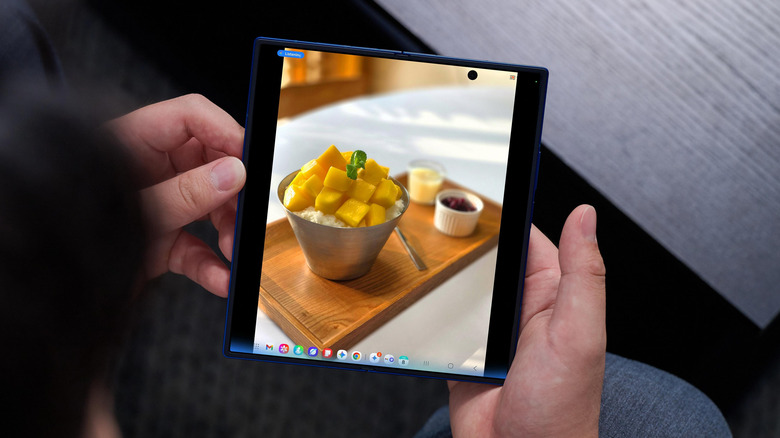
سامسونج جلاكسي زد فولد 7 في اليد سامسونج

أشارت مايكروسوفت في بيان صدر في منتصف مايو/أيار إلى أن جاليري سامسونج "لن تتزامن بشكل مباشر مع وان درايف"، ولن يتمكن المستخدمون من ربط التطبيقين بعد هذا التاريخ، بدءًا من 1 أكتوبر/تشرين الأول. يبدو أن كلمة "مباشر" مهمة، حيث لا يزال هناك طريقة لتزامن الصور من هاتف جلاكسي سامسونج إلى وان درايف، كما سنغطي ذلك لاحقًا في هذه المقالة.

بعد انتهاء الموعد النهائي، لن تظهر الصور المخزنة في حساب OneDrive الخاص بك في تطبيق Gallery على هاتفك المحمول. كما أنك لن تتمكن من استخدام الميزات التي تعتمد على التزامن أو عرض الصور المتزامنة على أجهزة التلفزيون الذكية أو الأجهزة المنزلية الذكية من سامسونج. ستظل هذه الصور متاحة من OneDrive، ويمكن تنزيلها مرة أخرى إلى التخزين المحلي لهاتفك من هناك. قبل إجراء التغيير، يمكنك أيضًا استخدام خيار "تنزيل الأصلية" في معرض سامسونج لاستعادة الصور إلى التخزين المحلي.

كما أشارت Android Authority، يبدو أن سامسونج تقوم بالفعل بقطع دعم OneDrive قبل الموعد المحدد. تم تحديث تطبيق Gallery بحيث إذا لم تكن قد تعبّت يومًا ما في إعداد تزامن OneDrive في المقام الأول، فإن الخيار لم يعد متاحًا. يمكن لـ Engadget تأكيد أن إعدادات التزامن الخاصة بـ OneDrive قد اختفت من الأجهزة الموجودة بحوزتنا والتي لم تكن تستخدم الميزة بالفعل. نتوقع ألا تكون الميزة متاحة عند الإطلاق في أجهزة Samsung Galaxy Z Fold8 و Flip8 الجديدة، التي من المتوقع إطلاقها في حدث سامسونج Unpacked في لندن لاحقًا هذا الشهر.

لا يزال بإمكانك نسخ صور هاتف سامسونج جالاكسي إلى OneDrive وأماكن أخرى
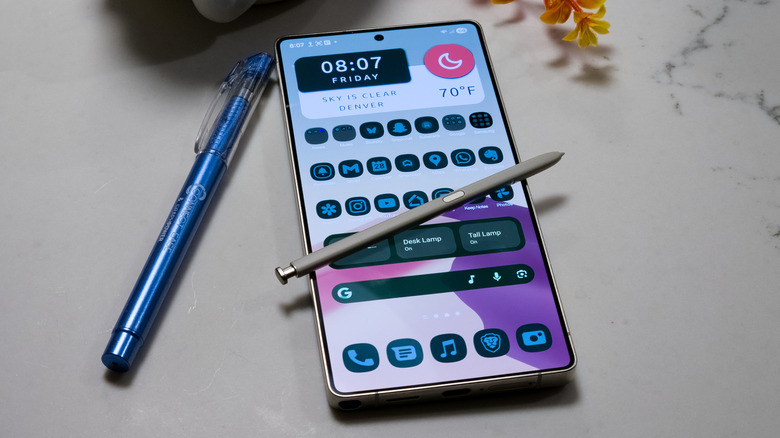
سامسونج جالاكسي S25 أولاً مع قلم S على طاولة بقلم ماكس ميلر لموقع Engadget

حتى بعد توقف مكتبة صور سامسونج رسمياً عن التزامن مع خدمة تخزين السحابة OneDrive من مايكروسوفت في نهاية سبتمبر/أيلول، سيظل بإمكان المستخدمين استخدام خدمة تخزين السحابة من مايكروسوفت لنسخ صورهم ومقاطع الفيديو الخاصة بهم. الشرط الوحيد هو عدم القدرة على فعل ذلك مباشرة داخل نظام سامسونج. بدلاً من ذلك، ستحتاج إلى تنزيل تطبيق OneDrive من متجر بلاي. من خلال التطبيق الخاص بمايكروسوفت، يمكنك تسجيل الدخول إلى حساب مايكروسوفت الخاص بك وإعداد نسخ احتياطي تلقائي للصور ومقاطع الفيديو. بعد ذلك، يمكنك تمكين خيار النسخ الاحتياطي للكاميرا من قسم ملف تعريف الحساب في التطبيق، ومنح أي أذونات ضرورية

يمكنك أيضًا منح الأذونات، واستمر في مزامنة الوسائط الخاصة بك.

بالتأكيد، هناك حلول تخزين سحابية أخرى سهلة لوسائطك إذا كنت تشعر بالإحباط من OneDrive. لا يزال Google Photos خيارًا قويًا مع العديد من ميزات الذكاء الاصطناعي، على الرغم من أنك ستكون خاضعًا لسياسات الخصوصية المتساهلة دائمًا من جوجل، وسيتعين عليك توخي الحذر لتجنب استهلاك وسائطك لتدريب الذكاء الاصطناعي. تقدم Dropbox و Amazon أيضًا حلول مزامنة الصور.

إذا كنت تفضل التحكم أكثر في بياناتك، يمكنك استضافة نسخة احتياطية من صورك باستخدام بديل Google Photos مفتوح المصدر مثل Immich. بالنسبة لنهج أوسع نطاقًا يلتقط أكثر من مجرد الصور ومقاطع الفيديو، يمكنك استخدام سحابة ذات استضافة خاصة مثل Nextcloud. تتطلب هذه الحلول أن يكون لديك أجهزتك الخاصة ووسائط التخزين الخاصة بك، مثل شبكة التخزين أو خادم المنزل، وتكوين شبكتك الخاصة لجعل كل شيء يعمل بشكل صحيح وبشكل آمن. تدفع مقابل الراحة التي لا تقلق بشأن أي من ذلك عند استخدام خدمة سحابية.

SamsungOneDriveGallery
الخبر متوفّر باللغات التالية:English
المصدر الأصلي للخبر
إنجاجيت

Your Samsung Gallery won't be able to sync with Microsoft OneDrive soon

July 11, 2026·Engadget
Your Samsung Gallery won't be able to sync with Microsoft OneDrive soon

Your photos don't have to go home, but they can't stay here.

By Max Miller July 11, 2026 9:30 am EST Max Miller for Engadget

Those who've been Samsung Galaxy owners for long enough will no doubt have experienced a pop-up or prompt on their device encouraging users to back up their photos and videos to Microsoft OneDrive. Samsung sits in a unique position within the modern computing ecosystem. Its most popular devices run Google's Android operating system, but it also makes a healthy number of Windows PCs. It therefore has strong ties with both companies, but that integration with OneDrive is coming undone in the near future.

Within the Samsung Galaxy ecosystem, OneDrive backups through the Gallery app have functioned as a strong Google Photos alternative, perfect for those who are trying to avoid locking themselves into the Google ecosystem. There are other benefits as well. The Samsung Gallery app is full of thoughtful features which remain absent from Google Photos, and it pairs directly with the built-in camera app on Galaxy phones. Moreover, if you've also got a Windows 11 PC with OneDrive configured, you'll find your media synced neatly onto it.

But Samsung and Microsoft are pulling the plug on their cloud storage collaboration. At the close of September, integration between Samsung Gallery and Microsoft OneDrive will be fully deprecated. To its credit, Samsung has deployed a number of verbose on-device announcements ahead of the change, giving users plenty of time to find alternative backup solutions. Here's what will actually change on your Samsung device and OneDrive account, as well as what you can do to mitigate any headaches the change may cause.

Microsoft OneDrive and Samsung Gallery part ways at the end of September

Samsung Galaxy Z Fold7 held in hand Samsung

In a statement issued in mid-May, Microsoft noted that Samsung Gallery "will no longer sync directly with OneDrive", and that users will not be able to link the two after that date, starting October 1. The word 'directly' appears significant, since there is still a way to sync photos from a Samsung Galaxy phone to OneDrive, as we'll cover later in this article.

After the deadline, photos stored in your OneDrive account will cease to appear in the Gallery app on your mobile phone. You will also not be able to use sync-dependent features or view synced photos on Samsung TVs or smart appliances. They will still be accessible from OneDrive, and can be downloaded back onto your phone's local storage from there. Prior to the change, you can also use the Download Originals option in Samsung Gallery to get the photos back into local storage.

As noted by Android Authority, Samsung already seems to be cutting OneDrive support ahead of schedule. The Gallery app has been updated so that, if you've never bothered to set up OneDrive sync in the first place, the option is no longer available. Engadget can confirm that the OneDrive sync settings have disappeared from devices in our possession which were not already using the feature. We would expect the feature to be absent at launch from the new Samsung Galaxy Z Fold8 and Flip8 devices, which are expected to be launched at the Samsung Unpacked event in London later this month.

You can still back up photos from your Samsung Galaxy phone to OneDrive and elsewhere

Samsung Galaxy S25 Ultra posed with S Pen on countertop Max Miller for Engadget

Even after Samsung Gallery officially stops syncing with Microsoft OneDrive at the end of September, users will still be able to use Microsoft's cloud storage service to back up their photos and videos. The only caveat is that you won't be able to do so directly within Samsung's ecosystem. Instead, you'll need to download the OneDrive app from the Play Store. Through Microsoft's own app, you can log into your Microsoft account and set up automatic photo and video backups. Then, you can enable the Camera Backup option from the Account Profile section of the app, grant any necessary permissions, and keep syncing your media.

Of course, there are other easy cloud storage solutions for your media if you're feeling burned by OneDrive. Google Photos remains a robust option with plenty of AI features, though you'll be subject to Google's ever-loosening privacy policies and will need to exercise caution in order to avoid having your media ingested for AI training. Dropbox and Amazon also offer photo sync solutions.

If you'd prefer more control over your data, you can host your own image backup using an open-source Google Photos alternative like Immich. For a broader approach that captures more than just photos and videos, you can use a self-hosted cloud like Nextcloud. These solutions do require you to have your own hardware and storage, such as a NAS or home server, and to configure your own network to make everything function properly and securely. You're paying for the convenience of not worrying about any of that when you use a cloud service.

SamsungOneDriveGallery
This article is also available in:العربية
Original source article
Engadget