كيف تعمل ميزة قفل الماء في ساعة أبل فعليًا؟
18 يوليو 2026·إنجاجيت
كيف تعمل ميزة قفل الماء في ساعة أبل فعليًا؟

هل يساعد حقًا؟

بقلم كريستين بيرسود 18 يوليو، 2026 11:30 ص EST كريستين بيرسود لموقع Engadget

هناك العديد من الساعات الذكية المقاومة للماء، ولكن نادرًا ما تكون أي شيء مقاوم للماء تمامًا. على الرغم من ذلك، يمكنك السباحة بأمان (في مصادر المياه العذبة) مع ساعة ذكية تلبي معيار IPX8 أو IP68 (أو أعلى). ومع ذلك، لا يزال هناك خطر حدوث تلف إذا لم تجفف الساعة بعد الغمر، وهذا هو السبب في أن ميزات مثل قفل الماء في ساعة أبل مفيدة للغاية. عند تفعيل قفل الماء، لا تعطل ساعة أبل الشاشة فقط حتى لا تسبب الضغوط الناتجة عن الماء تشغيل إجراء غير مقصود، بل تقوم أيضًا بطردهماء من داخل الجهاز للمساعدة على تجفيفه بشكل أسرع.

إنها ميزة مفيدة وغير معروفة في ساعة أبل الذكية يجب أن تكون متوفرة في كل ساعة ذكية، خاصة تلك المصنفة على أنها آمنة للارتداء أثناء السباحة. أستخدم هذه الميزة غالبًا مع سلسلة ساعة أبل 11، وأحب أنها تنشط تلقائيًا كلما قفزت في حمام السباحة أو سبحت في المحيط. تعمل أيضًا أثناء الغوص إذا كان لديك ساعة أبل الترا، أو ساعة أبل الترا 2، أو ساعة أبل الترا 3، وكلها آمنة للغوص العميق (الساعات العادية من أبل ليست كذلك).

كيف يعمل قفل الماء في ساعة أبل
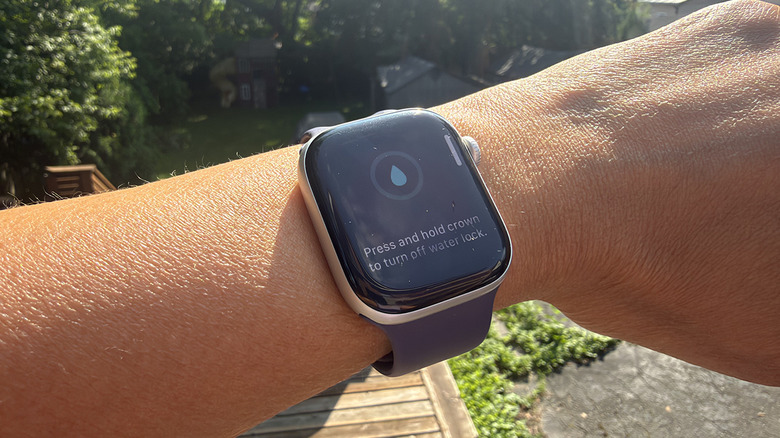
معصم خارجي مع ساعة أبل تعرض ميزة قفل الماء على. كريستين بيرسود لموقع Engadget

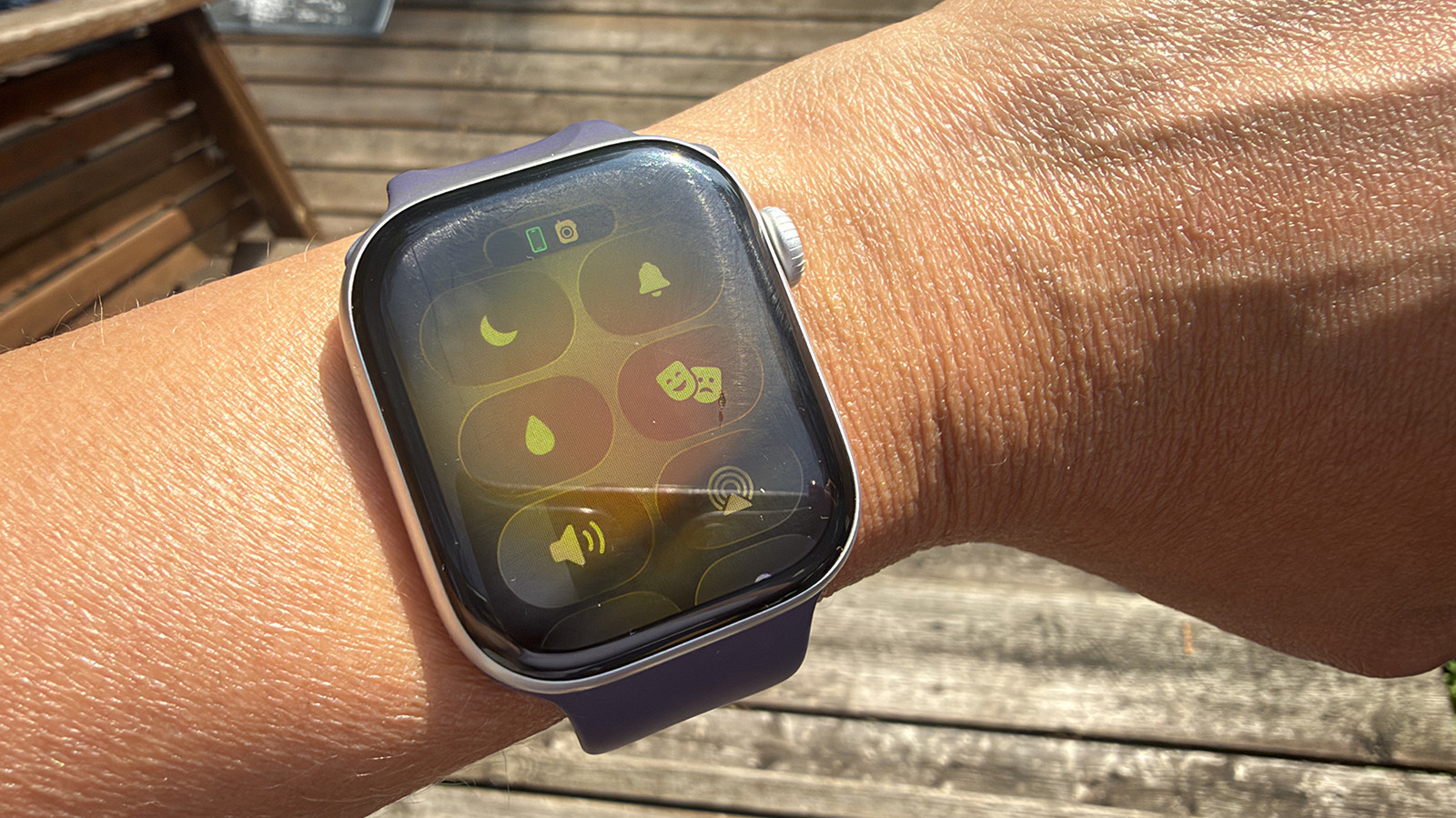
لتشغيل قفل الماء يدويًا، والذي يتوفر في جميع نماذج ساعة أبل من السلسلة 2 وما بعدها، اضغط على الزر الجانبي لفتح مركز التحكم. اختر أيقونة قطرة الماء (قد تحتاج إلى التمرير لأسفل لرؤيتها). عندما يكون قفل الماء نشطًا، لن تتمكن من التحكم في شاشة الساعة. ببساطة، لن تستجيب. بمجرد خروجك من الماء، اضغط مع الاستمرار على التاج الرقمي لفتح قفل الساعة. سترى بداية وضع طرد الماء وستسمع سلسلة من النغمات التي تشبه إلى حد ما ألعاب الفيديو في الثمانينيات، حتى اكتمال العملية.

ماذا يحدث داخل الساعة عند القيام بذلك؟ إنه أمر مثير للاهتمام حقًا. عندما تضغط على الزر وتضغطه باستمرار، يخرج الماء من فتحات مكبر الصوت الجانبية الصغيرة. كمية الماء أكبر مما قد تدركه أو حتى تلاحظه، لأنها تحدث بسرعة ومكبرات الصوت قطرات الماء صغيرة جدًا. تتعطل الساعة لتستقر ثم تُطلق مرة أخرى، وتكرر هذه الدورة مرارًا وتكرارًا. لهذا السبب يجب عليك الضغط على التاج لمدة ثوانٍ على الأقل بدلاً من الضغط السريع. يمنعك ذلك من بدء هذه العملية عن طريق الخطأ.

لماذا يجب استخدام قفل الماء على ساعة أبل
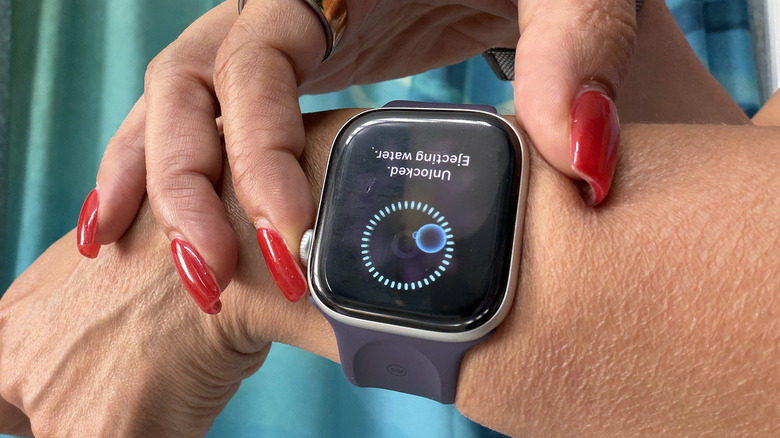
لمس الأصابع لساعة أبل لإخراج الماء. كريستين بيرسود لموقع Engadget

متى يجب استخدام قفل الماء؟ لا شك في استخدام ميزة قفل الماء في ساعة أبل إذا كنت سباحًا أو لديك حمام سباحة في المنزل. في الواقع، لن يكون لديك خيار، حيث يتم تشغيله تلقائيًا عندما تكون منخرطًا في نشاط مائي مثل السباحة أو ركوب الأمواج. كإجراء وقائي إضافي، قد ترغب في تشغيله يدويًا باستخدام الخطوات المذكورة أعلاه خلال الأوقات التي لا يكون فيها معصمك غارقًا تمامًا، ولكن الساعة ما زالت مبللة. قد يحدث ذلك إذا كنت ترتديها أثناء الاستحمام، أو عند غسل الصحون أو حتى أثناء الركض إلى المنزل في المطر. سيضمن استخدام هذه الميزة إزالة أي ماء متبقٍ.

ماذا يحدث إذا لم تقم بتشغيل قفل الماء؟ من المرجح أن الساعة ستكون على ما يرام (بافتراض أنها نموذج يتمتع بمعدل مقاومة للماء عالي)، ولكنك تجازف بتجميع الماء داخلها والتسبب في أضرار في نهاية المطاف. في حين أن معدل مقاومة الماء يعطيك الثقة لارتداء ساعة آبل أثناء السباحة أو ممارسة الأنشطة المائية الأخرى، يجب أن تكون على دراية بأن مقاومة الماء تضعف مع مرور الوقت مع أي جهاز. يمكن أن يساعد إبقاء أكبر قدر ممكن من الماء خارج الداخل، خاصة إذا كنت تسبح في حمام سباحة مكلور، في إطالة عمر ساعة ذكية. في المرة القادمة التي تذهب فيها للسباحة، تحقق مما إذا كان بإمكانك رؤية الماء الخارج من مكبر الصوت الجانبي عند الضغط على الزر. واعتبار العملية المعقدة التي تحدث للحفاظ على خلو الساعة من الرطوبة داخلها.

Apple Watchwater lockfeatures
الخبر متوفّر باللغات التالية:English
المصدر الأصلي للخبر
إنجاجيت

How does the Apple Watch water lock feature actually work?

July 18, 2026·Engadget
How does the Apple Watch water lock feature actually work?

And does it really help?

By Christine Persaud July 18, 2026 11:30 am EST Christine Persaud for Engadget

There are many smartwatches that are water-resistant, but rarely is anything fully waterproof. That said, you can safely swim (in freshwater sources) with one that meets an IPX8, IP68 (or higher) rating. But there's still risk of damage if the watch isn't dried out after submersion, which is why features like the Apple Watch's water lock are really handy. With water lock activated, the Apple Watch not only disables the screen so pressure from water doesn't inadvertently trigger an unintended action, but it also ejects water from inside the device to help it dry faster.

It's a useful and underrated feature of Apple Watch that every smartwatch should have, especially those that are rated to be safe to wear while swimming. I use this feature often with my Apple Watch Series 11, and I love that it's automatically triggered any time I hop in a pool or wade in the ocean. It works while scuba diving as well if you have the Apple Watch Ultra, Apple Watch Ultra 2 or Apple Watch Ultra 3, all three of which are safe for deep diving (standard Apple Watches are not).

How Apple Watch water lock works

A wrist outside with an Apple Watch showing the water lock feature on. Christine Persaud for Engadget

To manually turn on water lock, which is available on all Apple Watch models from Series 2 and onward, press the side button to open the Control Center. Select the water droplet icon (you may have to scroll down to see it). When the water lock is active, you won't be able to manipulate the watch screen. It simply won't respond. Once you come out of the water, press and hold the Digital Crown to unlock the watch. You will see a water ejection mode begin and hear a series of tones, which sound sort of like an '80s video game, until the process is done.

What's happening inside the watch when you do this? It's pretty fascinating. When you press and hold the button, water comes streaming out of the tiny side speaker holes. It's a lot more water than you might realize or even notice, since it happens so fast and the speakers and water droplets are so tiny. The watch pauses to settle and eject again, repeating this cycle over and over. This is why you have to press and hold the Crown for at least a few seconds instead of a quick press. It keeps you from initiating this process accidentally.

Why use Water Lock on Apple Watch

Fingers touching an Apple Watch to eject water. Christine Persaud for Engadget

When should you use water lock? It's a no-brainer to use the water lock feature on Apple Watch if you're a swimmer or have a pool at home. In fact, you won't have a choice, since it turns on automatically when you're engaged in a water exercise like swimming or surfing. As an extra precaution, you might want to turn it on manually using the steps noted above during times when your wrist isn't completely submerged, but the watch still gets wet. This might be if you wear it in the shower, while washing dishes or just during a run home in the rain. Utilizing this feature will ensure that any residual water is removed.

What happens if you don't turn on water lock? The watch will likely be fine (assuming it's a model with a high water-resistance rating), but you run the risk of water pooling inside and causing eventual damage. While that water-resistance rating gives you the confidence to wear an Apple Watch while swimming or doing other water-based activities, you should be aware that water-resistance weakens over time with any device. Keeping as much water out of the insides as possible, especially if you're swimming in a chlorinated pool, can help prolong the life of your smartwatch. Next time you go for a swim, see if you can spot the water coming out of the side speaker when you press the button. And consider the intricate process that's happening to keep the watch free of moisture inside.

Apple Watchwater lockfeatures
This article is also available in:العربية
Original source article
Engadget