مراجعة ساعة بيكسل 5: ساعة رائعة تفتقر إلى الميزات عند الإطلاق
21 أغسطس 2026·إنجاجيت
مراجعة ساعة بيكسل 5: ساعة رائعة تفتقر إلى الميزات عند الإطلاق

لا يزال ساعة ذكية قوية لا تفعل ما يكفي للتعويض عن ارتفاع الأسعار.

بقلم شيرلين لاو 21 أغسطس، 2026 10:00 ص EST شيرلين لاو لموقع Engadget التقييم: 9 / 10
الإيجابيات
  • جيمني على الجهاز متأخرة ولكنها مرحب بها وسريعة
  • البطارية ذات الشحن السريع لا تزال متفوقة
  • ملاحة قابلة للتخصيص وودية للمستخدم
  • إيماءات مفيدة للاستخدام بوحدة يدي
السلبيات
  • هناك العديد من الإعدادات التي يجب عبورها لبعض الميزات الجديدة
  • واجهات الساعة يمكن أن تكون أكثر تطوراً

من أكثر الأشياء إحباطًا عند مراجعة أي جهاز جديد قبل توفره للجمهور هو التأكد من أن لدينا البرامج والميزات الصحيحة. في كثير من الأحيان، تعلن الشركات عن ميزات قادمة ستأتي إلى الأجهزة خلال الأسابيع أو الشهور بعد طرحها في الأسواق، لكنها لا تتوفر لاختبارها قبل ذلك. عملية الاختبار أكثر صعوبة مع أشياء مثل الساعات الذكية، حيث يجب عليك ارتداؤها لمدة أسبوع على الأقل قبل تفعيل ميزات معينة.

كل هذا هو عذري المفرط لعدم وجود مراجعة كاملة لساعة بكسل 5 جاهزة في وقت سابق من هذا الأسبوع. لقد امتلكتها لمدة سبعة أيام فقط ولا أشعر بأنني تمكنت من إجراء اختبارات كافية. بالإضافة إلى ذلك، فإن الميزات الجديدة مثل مُنشئ التمارين الرياضية وتقارير اتجاه مقاومة الإنسولين وضغط الدم لن تكون متاحة حتى سبتمبر، وشعرت بالتقصير في نشر مراجعة مع درجة تقييم.

هذا لا يعني عدم وجود ما يكفي هنا لأخبرك ما إذا كانت الساعة جيدة. لقد تعلمت الكثير من الأساسيات، مثل كيفية تتبعها للنشاط والنوم، أو ما إذا كانت تتحمل تماريني اليومية ومغامراتي في عطلة نهاية الأسبوع. كما قضيت وقتًا مع الميزات الجديدة مثل تحديثات جيميني، وتتبع GPS الأكثر دقة والأداء العام.

في الوقت الحالي، أقوم بمراجعة ساعة بكسل 5 كما هي. سأواصل استخدامها واختبارها في الأسابيع التالية، وعندما تصل الميزات الجديدة، سأقوم بتحديث هذه المراجعة بانطباعاتي. على الرغم من عدم توقعي لتأثير أي من هذه الميزات الجديدة على الدرجة الأولية التي أعطيها للساعة 5، إلا أنني سأعدل هذا الرقم وفقًا لذلك وأذكر التغيير إذا حدث.

الأجهزة والشاشة

ساعة بكسل 5 ليست مختلفة كثيرًا من الناحية المادية عن ساعة بكسل 4. وفقًا لمخطط المقارنة الخاص بجوجل، هناك اختلاف طفيف في الشاشة، حيث يُذكر أن الساعة الأحدث تستخدم شاشة AMOLED بدقة 320 بيبيل، بينما يُوصف النموذج الأقدم بأنه "مخصص". سأتحدث عن كيفية أداء الشاشة في الحياة الواقعية، ولكن باختصار، الساعتان متطابقتان تقريبًا.

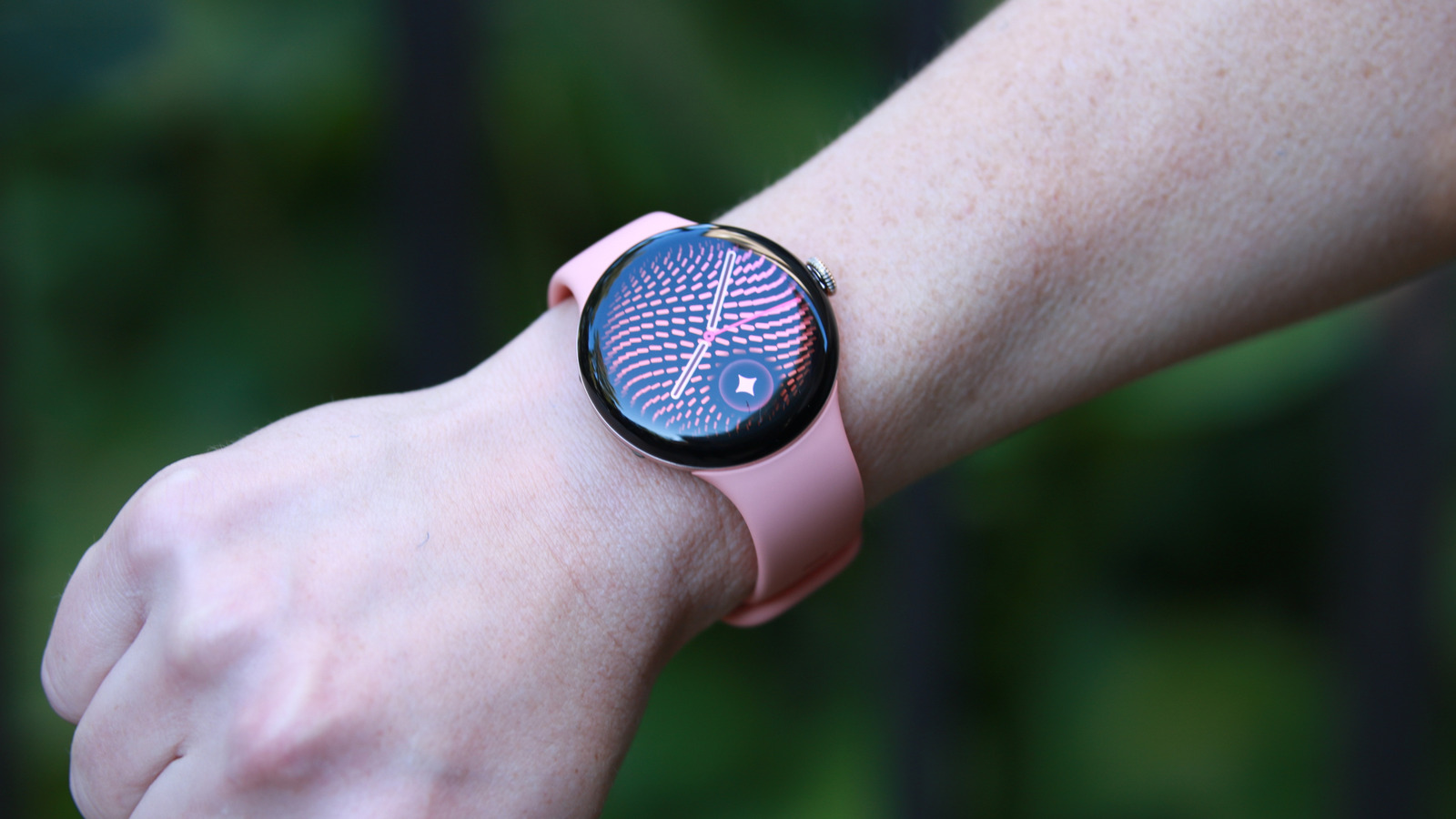
أحب لون جبنة الخروف في وحدة مراجعة ساعة 5، وكان تناسقًا جميلًا مع بكسل 11 برو بنفس اللون. ومع ذلك، أشعر بالقلق قليلًا من وجود بعض التغير في لون الحزام بالفعل، حيث يظهر نوع من البقع الداكنة على حوافه. لا أعلم إذا كان هذا بسبب بدء استخدامي لحقيبة سوداء جديدة قد تسبب في امتصاص اللون، لكن الأمر محزن. تبيع جوجل أحزمة بديلة أو إضافية بسعر يتراوح بين 50 و200 دولار، في حالة رغبتك في الحصول على وحدة احتياطية.

وصلنا إلى مرحلة نضج الساعات الذكية حيث لم أعد بحاجة إلى القول كيف تقارن هذه الساعات بالساعات التقليدية. مثل ساعة جالاكسي ووتش 9 وسلسلة آبل ووتش 11، ساعة بكسل 5 خفيفة وغير مزعجة في الغالب. على الرغم من أنني لا زلت أكره ارتداء أي من هذه الأشياء أثناء النوم، إلا أنه من السهل على الأقل نسيان أنها موجودة عند الخروج للتسوق أو الاسترخاء في المنزل.

الشيء الوحيد الذي سأشير إليه هو أنه بسبب حالته الزجاجية المدورة وشاشته، يبدو أن ساعة بكسل أكثر عرضة للتلف من المنافسين. لكنني لم أكسر واحدة بعد، وبفضل تصميمها القابل للإصلاح، لا أشعر بالقلق الشديد بشأن تلف الجهاز تمامًا. نعم، تظل ساعة بكسل 5 الساعة الذكية الرئيسية الوحيدة التي يمكن استبدال شاشتها وبطاريتها، مما يزيد من جاذبيتها.

بالمناسبة، يمكن لساعة بكسل 5 أن تكون ساطعة بما يصل إلى 3000 نيت، وهو نفس مستوى سلفها. في الممارسة العملية، كانت الساعة 5 سهلة القراءة، على الرغم من أنها كانت عند أعلى إعداداتها. عندما خفتت الشاشة في وضع توفير الطاقة، وجدت صعوبة في رؤية الكلمات عليها.

بينما أتحدث عن الأجهزة، قد أشير أيضًا إلى أن ساعة بكسل 5 تحتوي على معالج سناب دراجون W5 جيل 2 المعجل، مقارنة بمعالج ساعة ووتش 4. إنه في الأساس نفس الرقاقة، ولكن نسخة "المعجلة" تضيف المزيد من الذاكرة وزيادة سرعات الساعة قليلاً.. كلتا الأجهزتين لهما نفس التصنيف IP68 لمقاومة الغبار والماء أيضًا.

تحديثات ووريو إس وجيميني

خلال عملية هذا المراجعة، كان علي تحديث التالي:

  • برنامج أندرويد على الهاتف الذي كانت ساعتي متصلة به، والذي كان من قبيل الصدفة هاتف بكسل 11 برو.

  • The Pixel Watch app (on phone)

  • The Google Health app (on phone)

  • System restart (on both phone and watch)

I also had to go into the Play Store on the watch itself and update at least eight apps there, including Health, ECG, Gemini, Messages, Pixel Watch Manager, Wear OS and Wear Media. At every step of testing, when a feature wasn't working or was missing, I had to make sure I turned on yet another setting (Gemini, Gestures, Proactive Intelligence etc).

I say all that to add to the excuse pile of why it has taken me so long to write this review, but also to warn you that, should you get a Pixel Watch (or perhaps any other smartwatch) at launch, there will be a lot of settings and possible updates to wade through.

When you're all set, you should find quite a few improvements. Google has introduced a few new elements to the Pixel Watch's interface, including redesigned complications, new At a Glance pop-ups, expanded one-handed gestures and a refreshed appearance for Gemini on your wrist. And since it's the era of AI, there's also a new watch face generator that takes your prompts and turns them into wacky clocks.

زوج من لقطات الشاشة التي تعرض معرض واجهة ساعة بكسل.لقطات الشاشة بواسطة شيرلين لاو (جوجل)

لكن الآلية بأكملها بسيطة بعض الشيء، فمهما وصفت، فإنها تؤثر فقط على نمط خط الساعة. أما بقية الأشياء الموجودة على الواجهة، مثل حجم وتعليمات التعقيد، فهي صارمة إلى حد ما. يمكنك تخصيص الأقواس الأربعة المحيطة بالساعة عن طريق اختيار تعقيدات معينة، واختيار لوحة الألوان التي تفضلها. وإلا فإن جميع أوصافك الخيالية مثل "نغمة الطبيعة الزهرية" أو "أشباح الغابة الراقصة حول غابة سحرية" لن تؤثر إلا على الأرقام التي تعرض الوقت.

إنه لمسة ممتعة، لكنها ليست مؤثرة كما أود. لقد حققت إشاراتي، التي تضمنت إشارة "أشكال مبتسمة وأشكال تعبيرية في جو احتفالي" نتائج رائعة، لكنني في النهاية فضلت واجهة الصور التي تعرضني (وأحيانا أحبائي). هناك وجهان جديدان لساعة بكسل 5 - ويف وتشرونوغراف. كلاهما جذاب بما فيه الكفاية، بالإضافة إلى أن الخيار الجديد متعدد الألوان للتعقيدات يجعل الأمور تبدو أكثر حيوية.

حتى في ذلك الوقت، أعتقد أن جوجل يمكنها تعلم شيء من آبل. في حين أن الأولى لديها بالفعل مجموعة واسعة من أساليب واجهة الساعة لاختيارها، فإن واجهات ساعات آبل، خاصة تلك التي تحتوي على ساعات ديناميكية الحجم، تبدو أفضل ببساطة.

أعتقد أن جوجل لديها نهج أكثر ذكاءً عندما يتعلق الأمر بالويدجت والبلاطات. يمكن تخصيص الصفحات التي تظهر عند التمرير الأفقي على ساعة بكسل 5، مما جعل من السهل علي وضع وظائفي المفضلة في متناول اليد. تسجيل تماريني الصباحية، وبدء التسجيل، وإعداد المؤقت والجهات المفضلة لدي كلها مجرد تمريرات قليلة بعيداً. كما أنني أقدر أن هذه الويدجت تحتوي على أزرار كبيرة يسهل النقر عليها.

سأقوم بمراجعة سريعة لبعض الميزات الجديدة في ساعة بيكسل 5. يمكن القول إن التحديث المفضل لدي هو جيميني الموجود على الجهاز، والذي قلت الأسبوع الماضي أنه تأخر قليلاً. عندما كنت أستعرض ساعة بيكسل 4، شعرت بالإحباط الشديد لاكتشاف أن جيميني لم يستجب عندما تركت هاتفي خلفي وذهبت للجري. حاولت أن أطلب من الساعة تسجيل التمرين أو بدء مؤقت ولكن اضطررت للتوقف والتنقل بين الوجوه للقيام بذلك بدلاً من ذلك.

هذه المرة، يمكنك طلب من جيميني تنفيذ بعض المهام الأساسية دون الحاجة إلى اتصال. وتشمل هذه إعداد المؤقتات، وبدء التمارين، والتحكم في تشغيل الموسيقى، وتغيير الإعدادات مثل قفل الماء أو الواي فاي وحتى فتح تطبيقات محددة. ليس النظام الآن محرراً من الحاجة إلى الهاتف (أو الشبكة الخلوية)، بل إنه أسرع بكثير أيضاً نتيجة لذلك.

شخص يضغط على الزر في ساعة بكسل 5، مع عرض شاشتها لرسالة جديدة من جيميني.Cherlynn Low for Engadget

قامت جوجل أيضًا بتحديث واجهة جيميني بشكل طفيف، لذا عندما يضيء النصف السفلي من الشاشة أثناء التحدث إلى المساعد، يتطابق مظهره مع بقية تصميم التعبير العصبي لجوجل. أُعجبني أن رؤية ما قلته لجيميني أصبحت أسهل ولا تعيق الرؤية.

يعد النصف السفلي من الشاشة أيضًا المكان الذي ستظهر فيه رقائق "At A Glance" الجديدة. يشبه هذا تلميحات المكدس الذكي من آبل. كلما اكتشف النظام أنه قد يحتوي على معلومات ذات صلة وفي الوقت المناسب، سيُظهر لك زرًا صغيرًا. يمكن أن يكون أي شيء بدءًا من رحلة ليفت الواردة، أو التمرين الجاري، أو بطاقة الصعود إلى الطائرة. في الأساس، يجب أن تظهر هنا التطبيقات التي تستخدم ميزة التحديث المباشر على أندرويد، وستتمكن من رؤية عناصر متعددة أو تفاصيل أكثر عن طريق السحب لأعلى.

أعجبتني أيضًا ميزة الضغط المزدوج على الأصابع في الهواء لفتح "At A Glance"، حيث كانت طريقة ملائمة لمشاهدة ما أحتاجه بسرعة دون الحاجة حتى إلى لمس الشاشة. تدعم ساعات بيكسل السابقة بالفعل ميزة الضغط المزدوج ودوران المعصم، ولكن مع نموذج هذا العام، جعلت جوجل الإيماءات أكثر فاعلية. الآن، لا يمكن استخدام الضغط المزدوج لفتح "At A Glance" من واجهة الساعة فقط، بل يمكنه أيضًا فتح مركز الإشعارات. عندما يظهر شريط التمرير في ردود جيميني أو في مقاييس التمارين الرياضية أو تطبيق المحفظة، سيتم التمرير عبر المحتوى باستخدام الضغط المزدوج. كما سيتناوب الضغط المزدوج بين وجهات خرائط جوجل وإدارة تطبيق المسجل، بينما أصبح إجراء دوران المعصم الآن عملية تنقل عالمية للخلف.

تعد هذه الإضافة الأخيرة مهمة بالنسبة لي. إن فعل توجيه وجه ساعة معصمك بعيدًا عنك كإجراء للإلغاء بديهي للغاية، فهو منطقي تمامًا. بالإضافة إلى ذلك، فإن الإيماءة العالمية للعودة إلى الخلف هي في رأيي أحد الطرق التي تفوق بها واجهات جوجل أحيانًا على واجهات آبل. ما زلت أحب كيف أن التمرير السريع من أي حافة لشاشة الهاتف في نظام أندرويد يعيدك إلى الصفحة أو التطبيق السابق.

تتبع الصحة والنشاط
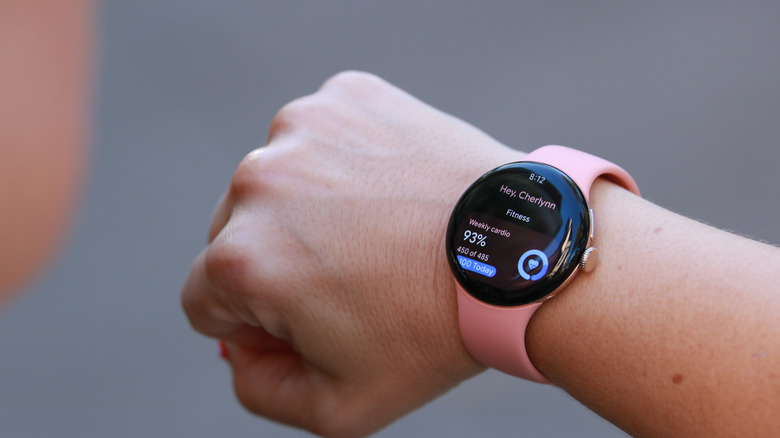
شخص يُظهر معصمه مع ساعة بكسل 5، مُظهرًا صفحة اللياقة البدنية. Cherlynn Low for Engadget

منذ مراجعتي لساعة فيتبيت إير في مايو/أيار، كنت أرتديها كل يوم، ولدي تطبيق Google Health قاعدة معرفية واسعة ومحدثة حولي. هذا مفيد، لأنني لا أحتاج إلى إعادة اختبار العديد من الأشياء أو ارتداء ساعة بكسل 5 لبضعة أيام إضافية للتقويم الأساسي. كما أنني أقدر قدرة تطبيق الصحة على التمييز بين البيانات من الجهازين، لذلك لا يسجل التطبيق تمارين متعددة عندما أذهب للمشي وأنا أرتدي جهازين.

That said, I did have to laugh when I got home one evening and saw an alert congratulating me on an elliptical session. Comparing the time of the auto-detected activity to my movements, I realized it had thought my walk home was an elliptical workout. I guess my hips do lie. Or at least, the Pixel Watch 5 thinks they do.

Fixing that mistake was easy enough; I just tapped one of the suggested chips in the activity's listing in the app and Google renamed my exercise.

In general, I've always found Google's (and Fitbit's) wearables to be better at automatically detecting when I've been working out than Apple's. And though all three devices I wore during a long bike ride along the Delaware river did recognize that activity without prompting, my Apple Watch recorded the most comprehensive data.

That's in part due to guidelines around auto-detection and your privacy, as well as how Apple prompts you to record an activity it detected. When these gadgets automatically log your walks, runs or bike rides, they tend not to include your location as you didn't consent to that being tracked. But because an Apple Watch will surface a prompt to get you to agree to recording the detected activity, it basically has buy-in from you that the location data can be used.

هذا ما أعتقد، على أي حال، ولأنني ضغطت على الإشعار "تسجيل الدورة الخارجية" على سلسلة 11، تمكن من إخباري بأنني ركبت 7.54 أميال، بسرعة متوسطة تبلغ 8.8 ميل في الساعة وارتفاع قدره 35 قدمًا. بالإضافة إلى ذلك، تمكنت من النظر في خريطة جميلة لطريقي بعد ذلك. في الوقت نفسه، أخبرني تطبيق Google Health فقط أنني أحرقت 216 سعرة حرارية، ومتوسط معدل ضربات قلب يبلغ 104 نبضة في الدقيقة وكسبت 21 نقطة تحميل القلب. أظهرت آبل كل هذه الأشياء أيضًا.

عندما تذكرت لاحقًا بدء تسجيل التمرين على دراجة يدويًا على ساعة بكسل 5 للرحلة العائدة، فقد سجلت معلومات عن المسافة والطريق والمكسب الارتفاع والسرعة.

كان ذلك انحرافًا طفيفًا بشأن شيء ليس جديدًا على ساعة بكسل 5، ولكنه يجلبني إلى شيء هو: تحسين الدقة في تتبع مسار GPS. لقد شرحته في تجربتي العملية الأسبوع الماضي، لكن جوجل تقول إنها جعلت "أكثر مسارات GPS دقة على الإطلاق على ساعة بكسل".

تحسين تتبع نظام تحديد المواقع العالمي (GPS)

لقد فعل ذلك باستخدام بيانات من شبكة عالمية من محطات مرجعية GPS، وتتبع الأشعة من أقمار GPS الصناعية عبر نماذج ثلاثية الأبعاد للمباني للتعويض عن التداخل. باستخدام نفس الأجهزة ذات الترددين تقريبًا مثل ساعة الجيل الأخير، تقول جوجل إن أحدث طريقة لها تجعل ساعة بكسل 5 دقيقتان أكثر دقة من الطرازات القديمة. حتى أنها تدعي أنها أكثر دقة من ساعة أبل الترا 3 و Garmin Fenix 8 Pro.

ما زلت بحاجة إلى إجراء مقارنة مباشرة مع ساعة أبل الترا 3 لمعرفة ما إذا كان هذا الادعاء صحيحًا، ولكن في اختباري بجانب سلسلة أبل 11 (التي تقترب من تكلفة البكسل)، بدت جوجل أكثر دقة قليلاً. في حين أن كلا الجهازين قدم خريطة مفصلة إلى حد ما لرحلتي على طول ممر مائي في بايون، عكست مسار بكسل زوايا متعددة صغيرة بينما لم تفعل أبل ذلك. لقد انحرفت عن المسار عدة مرات لتجنب قطيع من البط وقارب جولف متجهًا نحو جسر. التقطت كلتا الساعتين محاولاتي لتجنب المياه، لكن نظام تتبع جوجل فقط هو الذي لاحظ خروجي من طريق المركبة.

بالطبع، لا يقصد من تحسين تتبع المسار إظهار مهارات تجنب العقبات لدى أي شخص. الفكرة هي أنه إذا كان كل خطوة صغيرة تتخذها يمكن رسم خريطة لها بدقة، يمكن حساب المسافة التي قطعتها بشكل أفضل. وهذا بدوره يؤثر على مقاييس أخرى مثل سرعتك وإيقاعك.

لا أحتاج حقًا إلى ساعات ذكية حديثة لتكون أكثر دقة مما هي عليه بالفعل، وأعتقد أنه يجب عليك حقًا مراقبة اتجاهاتك بمرور الوقت بدلاً من التغييرات الطفيفة في كمية أي شيء على أي حال. لكن عليّ أن أعترف بأن هذا خطوة ذكية من جوجل يبدو أنها نفذت بشكل جيد حتى الآن. ما زلت أود اختبارها أكثر في المناطق المكتظة بالمباني ضد ساعة آبل الترا 3 أيضًا، وسأقوم بتحديث هذه القطعة بعد أن أفعل ذلك.

ارتدت ساعة بكسل 5 إلى السرير لإعطاء تحديثاتها المتعلقة بالنوم فرصة، وكنت سعيدًا عندما قيل لي إنني حصلت على 8 ساعات و37 دقيقة من النوم المتماسك تلك الليلة. لكن لا يمكنني إخبارك ما إذا كانت الأفكار الجديدة حول مراحل النوم الأكثر دقة أكثر دقة بالفعل، ناهيك عن كونها أكثر دقة بنسبة 15 في المائة، كما وعدت جوجل.

قامت الشركة بتحديث نماذج تعلم الآلة الخاصة بها، وتقول إن الزيادة في الدقة جعلت تتبع النوم أكثر موثوقية بشكل أساسي. بالطبع، لكن من الصعب عليّ أن أخبرك بمدى فعاليتها في هذا الاستعراض. هل قضيت حقًا 50 دقيقة في نوم عميق، مقارنة بـ ربما 48 دقيقة التي قد يكون ساعدها "بيكسل ووتش 4" على حسابها؟ هذه نوعية من العلوم اللزجة في أفضل الأحوال، لذا لن أتطرق إليها كثيرًا. كما العادة، أفضل أن أبحث عن اتجاهات بياناتي بمرور الوقت بدلاً من التركيز على الأرقام.

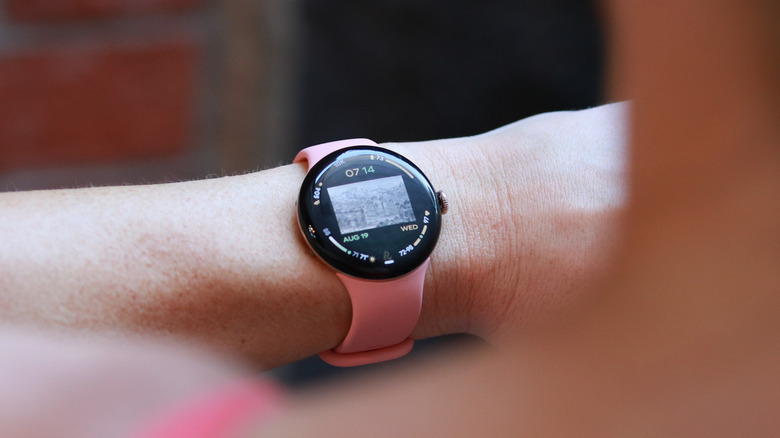
ساعة بكسل 5 التي تحتوي على فاكهة الخوخ معروضة على معصم شخص ما، تظهر لوحة معلومات التقدم اليومي للنشاط.Cherlynn Low for Engadget

ميزات صحية جديدة أخرى قيد الانتظار

تقريباً جميع الميزات الجديدة التي تجلبها جوجل لساعة بكسل 5 ستتم أيضًا إتاحتها للنموذج السابق. لذا، في حين أنني لا أستطيع اختبار أشياء مثل جودة التنفس أثناء النوم، وتتبع اتجاه مقاومة الأنسولين، أو مُنشئ التمارين المخصص و"التدريب القوي المتقدم"، فلا ينبغي أن يمنعك ذلك من اختيار أحد الإصدارين. بعبارة أخرى، إذا كنت تمتلك حاليًا ساعة بكسل 4 وتقرأ هذا المقال لمساعدتك في اتخاذ قرار ما إذا كان يجب عليك الترقية أم لا، فإن الإجابة هي: لا.

وسعت جوجل أيضًا نطاق تنبيهات اكتشاف النبض التي قدمتها في عام 2024، حيث قدمت ميزة تسميها اكتشاف حالة الطوارئ التنفسية هذا العام. لكن الميزة متاحة حاليًا فقط في بعض البلدان الأوروبية، وإذا تمكنت بطريقة ما من تطوير انخفاض مستمر في نسبة الأكسجين المشبع، فلا توجد طريقة حقيقية لاختبار ذلك، على الرغم من أن رئيس تحريرنا آرون سوببوريس قد يكون لديه حل وقد تطوع بتقديمه.

عمر البطارية والشحن

كنت أرتدي جهاز Fitbit Air منذ مراجعته، وتعودت على وضعه في الشاحن كلما احتجت إلى شحنه. يعاد شحنه بسرعة كبيرة لدرجة أنني لا أشعر بالقلق بشأن البطارية أبدًا، على الرغم من أنه يتعين عليّ حمل الشاحن معي أينما ذهبت.

كنت أتوقع شيئًا مشابهًا مع ساعة بكسل 5، لكنها تشحن بنفس معدل شحن سابقتها. هذا ليس أمرًا سيئًا، حيث كنت مندهشًا بالفعل من سرعة الساعة 4 في ذلك الصدد. ولكن نظرًا لأن عمر ساعة بكسل أقصر من عمر جهاز Fitbit Air، وجدت نفسي مضطرًا لإعادة شحنها بشكل أكثر تكرارًا. الأخبار الجيدة هي أنني تمكنت من زيادة الشحنة من 3٪ تقريبًا إلى حوالي 20٪ في غضون بضع دقائق، لذا يمكنني مباشرة الانضمام إلى صفوف التمارين الرياضية التي تستمر لمدة 45 دقيقة دون القلق بشأن فقدان مقاييسي.

بناءً على تجربتي حتى الآن، فإن ساعة بيكسل 5 تتوافق بشكل عام مع عمر بطارية سلسلة أبل ووتش 11. وهذا يعني أن كلتا الساعتين تدومان ما يقارب يومين كاملين. ومع ذلك، أحذر من أنه بما أنني كنت على إصدارات مختلفة من البرمجيات أثناء إجراء هذا المراجعة، فمن الصعب القول كيف قد يتغير هذا الأمر. سأراقب أوقات التشغيل وأقوم بتحديث هذه المراجعة عندما أحصل على شعور أفضل بشأن عمر البطارية هنا.

ملخص
ساعة بكسل 5 البرتقالية على معصم شخص. Cherlynn Low for Engadget

حاليًا، تعد ساعة بكسل 5 ساعة ذكية جيدة جدًا. إنها في الأساس مثل الجيل السابق، مع بعض المحاولات الطموحة لتعزيز بعض الميزات الأساسية وبعض الميزات الأقل أهمية. يعد Gemini الموجود على الجهاز تحسينًا كبيرًا وضروريًا، في حين أن واجهات الساعة التي تم إنشاؤها بواسطة الذكاء الاصطناعي هي أكثر من مجرد "شيء ممتع لوجوده". وبفضل شحنها السريع، فإن قلق البطارية غير موجود تقريبًا، وعلى الرغم من عدم قدرتي على اختبارها لهذه المراجعة، إلا أن الوقت القليل الذي قضيتُه مع أداة بناء التمارين الرياضية القادمة في جلسة يديّ الأخيرة كان واعدًا.

في هذه المرحلة، لا أعتقد أن أي من الميزات التي لم أقم باختبارها بعد ستجعل الساعة أسوأ بطريقة قابلة للقياس. مع إيماءاتها العملية وتحسيناتها على جيميني، جعلت جوجل ساعة بيكسل 5 ترقية قوية، وإن كانت صغيرة، للساعة الرائعة بالفعل بيكسل 4. لا زلت أحتفظ ببعض التحفظات حول ميزات الصحة من جوجل التي تقتصر على المستخدمين المميزين، ولكن حتى بدون مدرب الذكاء الاصطناعي والأدوات المدفوعة الأخرى، التطبيق هو مستودع سهل الاستخدام لجميع مقاييسك. حتى الآن، يبدو أن ساعة بيكسل 5 تقدم ما يكفي لتبرير الزيادة في السعر البالغة 50 دولارًا، ويبدو جيدًا أثناء قيامه بذلك.

Pixel WatchGooglesmartwatch
الخبر متوفّر باللغات التالية:English
المصدر الأصلي للخبر
إنجاجيت

Pixel Watch 5 review: A fantastic watch that's missing features at launch

August 21, 2026·Engadget
Pixel Watch 5 review: A fantastic watch that's missing features at launch

Still a solid smartwatch that does just enough to make up for the price hike.

By Cherlynn Low Aug. 21, 2026 10:00 am EST Cherlynn Low for Engadget RATING : 9 / 10
Pros
  • On device Gemini is overdue but welcome and speedy
  • Fast-charging battery remains supreme
  • Customizable, tap-friendly navigation
  • Helpful gestures for one-handed use
Cons
  • A lot of settings to wade through for some new features
  • Watch faces could be more sophisticated

One of the most frustrating things about reviewing any new device before it is available to the public is ensuring we have the right software and features. Often, companies announce upcoming features that will come to devices in the weeks or months after they go on sale, but don't have them available for testing before that. The testing process is all the more tricky with things like smartwatches, where you frequently have to wear them for at least a week before certain features kick in.

All that is my overwrought excuse for why I didn't have a full review of the Pixel Watch 5 ready earlier this week. I've had it for just about seven days and simply don't feel like I've managed to get enough testing done. Plus, new features like the workout builder and blood pressure and insulin resistance trend reports won't be available until September, and it felt remiss to put up a review with a score.

That's not to say there isn't enough here for me to tell you whether the watch is good. I've learned about a lot of the basics, like how it tracks activity and sleep, or whether it holds up to my daily workouts and weekend adventures. And I've spent time with new features like Gemini updates, more accurate GPS tracking and overall performance.

For now, I'm reviewing the Pixel Watch 5 as it is. I will continue to use and test it in the following weeks and, when the new functions land, I will update this review with my impressions. While I don't expect that any of these new features will affect the initial score I'm giving the Watch 5, I will adjust that number accordingly and note the change if they do.

Hardware and display

The Pixel Watch 5 isn't very different physically from the Pixel Watch 4. According to Google's own comparison chart, there is a slight disparity in the display, with the newer watch listed as using a 320ppi AMOLED panel while the older model's is described as "custom." I'll get into how the display held up in real life, but long story short, the two devices are basically the same.

I do love the peachy canyon shade of my Watch 5 review unit, and it was a beautiful match for the Pixel 11 Pro in the same hue. I will say, though, that I'm a bit concerned to find some discoloration on the band already, with some sort of dark stain appearing along its edges. I'm not sure if this might be because I recently started using a new black purse that might be leeching color, but it was saddening. Google does sell replacement or additional bands from $50 to $200, in case you wanted a spare.

We're at the point in smartwatch maturity where I no longer need to say how these compare to traditional watches. Like the Galaxy Watch 9 and the Apple Watch Series 11, the Pixel Watch 5 is light and mostly unobtrusive. While I still hate to wear any of these things to sleep, it's at least easy to forget you have them on when you're out on a grocery run or just lounging around at home.

The one thing I will point out is that because of its domed glass case and display, the Pixel Watch seems more vulnerable to damage than the competition. But I've yet to break one, and thanks to its repairable design, I'm not very worried about completely ruining the device. And yes, the Pixel Watch 5 remains the only mainstream smartwatch with a replaceable screen and battery, which adds to its appeal.

Speaking of, the Pixel Watch 5 can get as bright as up to 3,000 nits, which is the same as its predecessor. In practice, the Watch 5 was easy enough to read, though that's at its highest setting. When the screen dimmed in battery-saving mode, I struggled to see words on it.

While I'm talking about hardware, I might as well point out that the Pixel Watch 5 has a Snapdragon W5 Gen 2 Accelerated processor, compared to the Watch 4's Snapdragon W5 Gen 2. It's essentially the same chip, but the "Accelerated" version adds more memory and increases clock speeds slightly.. Both devices have the same IP68 rating for dust and water resistance, too.

WearOS and Gemini updates

In the process of this review, I had to update the following:

  • The Android software of the phone my watch was connected to, which happened to be a Pixel 11 Pro.

  • The Pixel Watch app (on phone)

  • The Google Health app (on phone)

  • System restart (on both phone and watch)

I also had to go into the Play Store on the watch itself and update at least eight apps there, including Health, ECG, Gemini, Messages, Pixel Watch Manager, Wear OS and Wear Media. At every step of testing, when a feature wasn't working or was missing, I had to make sure I turned on yet another setting (Gemini, Gestures, Proactive Intelligence etc).

I say all that to add to the excuse pile of why it has taken me so long to write this review, but also to warn you that, should you get a Pixel Watch (or perhaps any other smartwatch) at launch, there will be a lot of settings and possible updates to wade through.

When you're all set, you should find quite a few improvements. Google has introduced a few new elements to the Pixel Watch's interface, including redesigned complications, new At a Glance pop-ups, expanded one-handed gestures and a refreshed appearance for Gemini on your wrist. And since it's the era of AI, there's also a new watch face generator that takes your prompts and turns them into wacky clocks.

A pair of screenshots showing the Pixel Watch face gallery.Screenshots by Cherlynn Low (Google)

The entire mechanism is a bit simplistic, though. No matter what you describe, it only impacts the style of the clock font. The rest of the stuff on the face, like the complication size and placement, are all fairly rigid. You can customize the four arcs around the clock by choosing which complications to use, and pick the color palette you prefer. Otherwise, all your whimsical descriptions like "flowery nature vibe" or "woodland elves prancing around a magical forest" will only impact the numbers that display the time.

It's a fun touch, just not quite as impactful as I'd like. My prompts, which included the woodland elves one and one that said "smiley faces and emoji faces in a celebratory vibe" delivered great results, but I ended up preferring the Photos watch face featuring myself (and occasionally my loved ones) anyway. There are two new watch faces for the Pixel Watch 5 — Weave and Chronograph. They're both attractive enough, plus the new Multicolor option for complications makes things feel more vibrant.

Even then, I think Google could learn something from Apple. While the former does have a wide variety of watch face styles to choose from, Apple's watch faces, especially the ones with dynamic clock sizes, simply look better.

I do think Google has a smarter approach when it comes to widgets and tiles, though. You can customize the pages that appear when you swipe sideways on the Pixel Watch 5, which made it very easy for me to put my favorite functions within reach. Logging my morning workout, starting a recording, setting a timer and my favorite contacts are all just a few swipes away. I also appreciate that these widgets feature large, easy-to-hit buttons.

I'll quickly go over some of the rest of the features new to the Pixel Watch 5. Arguably my favorite update is on-device Gemini, which I said last week was a bit overdue. When I was reviewing the Pixel Watch 4, I was deeply frustrated to find that Gemini was unresponsive when I left my phone behind and went on a run. I tried to ask the watch to log a workout or start a timer but had to stop and swipe through the faces to do so instead.

This time, you can ask Gemini to perform some basic tasks without needing a connection. These include setting timers, starting workouts, controlling your music playback, toggling your settings like water lock or Wi-Fi and even opening specific apps. Not only is the system now freed from needing a phone (or cellular network), it's also a lot faster as a result.

A person pressing the button on the Pixel Watch 5 with its screen showing the new Gemini pop-up.Cherlynn Low for Engadget

Google also gave the Gemini interface a slight cosmetic refresh, so when the lower half of your screen glows when you're talking to the assistant, its appearance matches the rest of Google's Neural Expressive design. I like that it is easier to see what you've said to Gemini and doesn't get in the way.

That bottom half of the display is also where you'll see the new "At A Glance" chips pop up. This is similar to Apple's smart stack hints. Whenever the system detects it might have relevant, timely information, it will show you a little button. This could be anything from an incoming Lyft ride, an ongoing workout or a boarding pass for your flight. Basically, apps that use the Live Update feature on Android should show up here, and you'll be able to see multiple items or more details by swiping up.

I also liked double pinching my fingers in the air to open up At A Glance, as it was a convenient way to quickly view what I needed without even having to touch the screen. Previous Pixel Watches already supported the double pinch and wrist turn feature, but with this year's model, Google made the gestures more functional. Now, double pinch can not only open At A Glance from the watch face, but it can also open the notification center. When a scroll bar is visible in Gemini's responses or in your workout metrics or wallet app, double pinching will scroll through the content. Double pinching will also toggle between Maps views and manage the Recorder app, while the wrist turn action is now a universal back navigation.

That last addition is major for me. The act of turning your watch face away from you as a dismissal is so intuitive, it just makes sense. Plus, a universal back gesture is in my opinion one way Google's interfaces are sometimes superior to Apple's. I still love how, in Android, a simple swipe in from either edge of a phone screen takes you back to your previous page or app.

Health and activity tracking

A person holding up their wrist with the Pixel Watch 5 on it, showing the Fitness page. Cherlynn Low for Engadget

Since I reviewed the Fitbit Air in May, I've kept wearing it every day and the Google Health app has a fairly extensive and up-to-date base of knowledge about me. That's helpful, as I don't have to re-test a bunch of things or wear the Pixel Watch 5 for a few extra days for some baseline calibration. I also appreciate the Health app's ability to distinguish between the data from the two devices, so it's not logging multiple workouts when I've gone for a walk with both wearables on me.

That said, I did have to laugh when I got home one evening and saw an alert congratulating me on an elliptical session. Comparing the time of the auto-detected activity to my movements, I realized it had thought my walk home was an elliptical workout. I guess my hips do lie. Or at least, the Pixel Watch 5 thinks they do.

Fixing that mistake was easy enough; I just tapped one of the suggested chips in the activity's listing in the app and Google renamed my exercise.

In general, I've always found Google's (and Fitbit's) wearables to be better at automatically detecting when I've been working out than Apple's. And though all three devices I wore during a long bike ride along the Delaware river did recognize that activity without prompting, my Apple Watch recorded the most comprehensive data.

That's in part due to guidelines around auto-detection and your privacy, as well as how Apple prompts you to record an activity it detected. When these gadgets automatically log your walks, runs or bike rides, they tend not to include your location as you didn't consent to that being tracked. But because an Apple Watch will surface a prompt to get you to agree to recording the detected activity, it basically has buy-in from you that the location data can be used.

That's what I think, anyway, And because I tapped the "Record outdoor cycle" prompt on my Series 11, it was able to tell me that I rode for 7.54 miles, with an average speed of 8.8 MPH and elevation gain of 35 feet. Plus, I got to look at a pretty map of my trail afterwards. Meanwhile, the Google Health app only told me I burned 216 calories, averaged a heart rate of 104 bpm and earned 21 cardio load points. All of those things Apple also showed.

When I later remembered to manually start logging a bike workout on the Pixel Watch 5 for the return trip, it did capture information about distance, path, elevation gain and speed.

That was a slight detour on something that isn't new to the Pixel Watch 5, but it does bring me to something that is: improved accuracy on GPS route tracking. I've explained it in my hands-on last week, but basically, Google says it's made the "most accurate GPS route-tracking ever on a Pixel Watch."

Improved GPS-tracking

It did so by using data from a worldwide network of GPS reference stations, and traces rays from GPS satellites through 3D models of buildings to compensate for interference. Using basically the same dual-frequency hardware as the last-gen watch, Google says its latest method makes the Pixel Watch 5 two times more accurate than older models. It even claims to be more accurate than the Apple Watch Ultra 3 and Garmin Fenix 8 Pro.

I still need to run a side by side comparison with the Apple Watch Ultra 3 to see if that claim holds true, but in my testing next to the Apple Watch Series 11 (which is closer in cost to the Pixel), Google did seem slightly more accurate. While both devices delivered fairly detailed maps of my journey along a waterside walkway in Bayonne, the Pixel's path reflected my many little zigzags while the Apple one didn't do as much. I deviated from the trail a few times to avoid a flock of geese and a golf cart hurtling down a bridge. Both watches caught my efforts to dodge the waterfowl, but only Google's tracking system noticed me getting out of the way of the vehicle.

Of course, improved route-tracking isn't meant to showcase anyone's obstacle-avoiding skills. The idea is that if every little step you take can be accurately mapped, your actual distance traveled can be better calculated. That then has an impact on other metrics like your pace and cadence.

I don't really need modern smartwatches to be more accurate than they already are, and I believe you should really be monitoring your trends over time rather than minute changes in the quantity of anything, anyway. But I have to admit this is a smart move from Google that so far appears to be implemented well. I'd still like to further test it in building-dense areas against the Apple Watch Ultra 3, too, and will update this piece after I've done so.

I wore the Pixel Watch 5 to bed to give its sleep-related updates a shot, and I was happy to be told I got a solid 8 hours and 37 minutes of sleep that night. But I couldn't tell you if the new, more accurate sleep stage insights were indeed more accurate, not to mention 15 percent more so, like Google promised.

The company updated its machine learning models and says the increase in accuracy made its sleep tracking fundamentally more reliable. Sure, but it's hard for me to tell you how effective it was in this review. Did I really spend 50 minutes in deep sleep, compared to maybe 48 minutes the Pixel Watch 4 might have counted? This is a gooey type of science at best, so I won't dwell on it too much. As always, I'd rather look at my data trends over time than fixate on numbers.

The peach Pixel Watch 5 held up on a person's wrist showing the daily activity progress dashboard.Cherlynn Low for Engadget

Other new health features pending

Pretty much all the new features that Google is bringing to the Pixel Watch 5 will also be rolling out to the previous model. So while I can't test things like sleep breathing quality, blood pressure and insulin resistance trend tracking, or the custom workout builder and "advanced strength training," that shouldn't get in the way of helping you choose between the two versions. In other words, if you currently have a Pixel Watch 4 and are reading this to help decide whether you should upgrade, the answer is: don't.

Google also expanded the loss of pulse detection alerts that it introduced in 2024, bringing a feature it's calling breathing emergency detection this year. But the feature is currently only available in some European countries, and also, short of me somehow managing to develop a persistent drop in oxygen saturation, there is no real way for me to test this, though our editor in chief Aaron Souppouris may have a solution and volunteered as tribute.

Battery life and charging

I've been wearing the Fitbit Air since I reviewed it, and have gotten used to just plonking it on a charger whenever I need juice. It recharges so quickly that I never have real battery anxiety, though I do have to carry a charger wherever I go.

I thought I could expect something similar with the Pixel Watch 5, but it charges at the same rate as its predecessor. That's not a bad thing, as I was already very impressed with the Watch 4's speediness in that regard. But because the Pixel Watch doesn't last as long as the Fitbit Air, I found myself having to recharge more frequently. The good news is that I was still able to get from close to 3 percent to about 20 percent in a few minutes, so I could head straight into a 45-minute workout class without worrying about losing my metrics.

In my experience so far, the Pixel Watch 5 generally matched the battery life of the Apple Watch Series 11. That is to say, both last almost a full two days. I'd caution, though, that since I was on various versions of software during the course of this review, it's tough to say how this might change. I'll keep an eye on runtimes and update this review when I get a better sense for the battery life here.

Wrap-up

A peach Pixel Watch 5 on a person's wrist. Cherlynn Low for Engadget

As it stands, the Pixel Watch 5 is a very good smartwatch. It's basically the same as the previous generation, with a few ambitious attempts at enhancing some essential features and some that are less important. On-device Gemini is a huge and necessary improvement, whereas watch faces generated by AI is more of a "fun to have" item. Thanks to its speedy charging, battery anxiety is basically a non-issue, and while I couldn't test it for this review, what little time I did have with the upcoming Workout Builder tool at my hands-on session last week was promising.

At this point, I don't think any of the features I have yet to test are going to make the watch worse in some measurable way. With its handy gestures and improvements to Gemini, Google has made the Pixel Watch 5 a solid, if small, upgrade to the already very satisfying Pixel Watch 4. I still have some reservations over the Google Health features that are locked behind Premium, but even without the AI Coach and other paid tools the app is an easy-to-use repository of all your metrics. So far, it feels like the Pixel Watch 5 delivers enough to justify the $50 increase in price, and looks good while it does.

Pixel WatchGooglesmartwatch
This article is also available in:العربية
Original source article
Engadget