هل يستحق الحاسوب الشخصي المبرد بالسوائل الشراء؟
23 أغسطس 2026·إنجاجيت
هل يستحق الحاسوب الشخصي المبرد بالسوائل الشراء؟

أنظمة التبريد السائلة تبدو رائعة، ولكنها تأتي بتكلفة أعلى مقارنة بمبردات الهواء.

بقلم ديف ميكلهام 23 أغسطس 2026 12:30 مساءً بتوقيت شرق الولايات المتحدة ديف ميكلهام لموقع Engadget

قد نحصل على عمولة من المشتريات التي تتم من خلال الروابط.

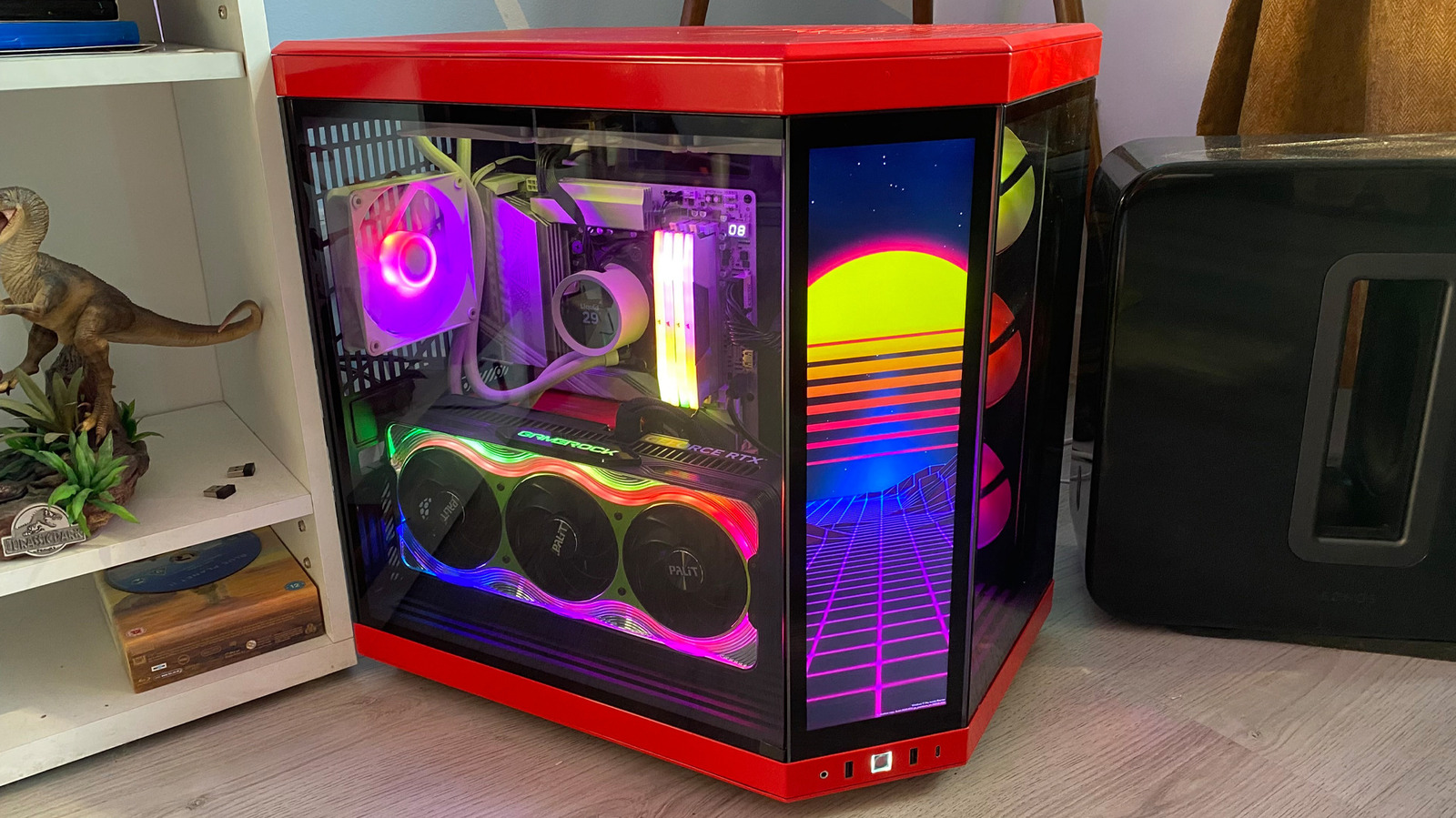
يمكن أن تكون أنظمة التبريد السائل واحدة من المكونات الرئيسية للكمبيوتر الشخصي للألعاب المصمم حسب الطلب، ولكن هل هي تستحق المال حقًا؟ في النهاية، عادة ما تكون أكثر تكلفة بكثير من مبردات الهواء التقليدية. غالبًا ما تبدو أنظمة التبريد السائل (AIO) المدمجة بشكل أنيق ويمكن أن تكون صعبة التركيب أحيانًا، ولكن هناك سبب لكونها شائعة بين مُصنعي أجهزة الكمبيوتر عالية الجودة.

دعونا نتعمق في كيفية عمل مبردات السائل، والاختلافات الرئيسية بينها وبين نماذج المشتت الحراري التقليدية، ومتى يكون من المنطقي اختيار نظام AIO بدلاً من مبرد الهواء المجرب والموثوق.

مكيفات المعالج السائلة مقابل الهوائية: الفروق الرئيسية
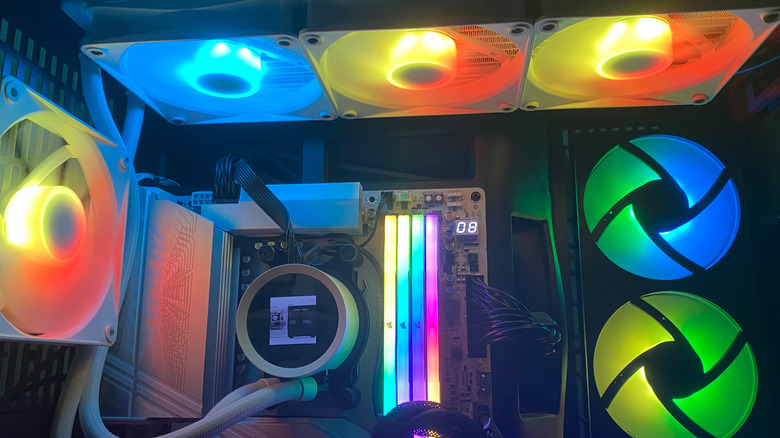
مكيف معالج سائل NZXT مع مراوح ملونة حوله. داف ميكلهام لموقع Engadget

في جوهرها، تؤدي كل من مكيفات السائل والهواء نفس الوظيفة: تنقل الحرارة بعيدًا عن المعالج المركزي للكمبيوتر. حيث تختلف في الطرق المستخدمة لنقل الحرارة. تستخدم مكيفات الهواء مبردًا وأنابيب لتنظيم درجة حرارة المعالج، بينما تستخدم الأنظمة السائلة سائل التبريد. عادة ما تكون مكيفات الهواء أبسط في تركيبها من نماذج AIO، وتتكون فقط من لوح بارد، وأنابيب، ومروحة ومبرد. أما مكيفات السائل فهي أكثر تعقيدًا، حيث تتكون من لوحة، مضخة، أنبوب، سائل تبريد، مبرد منفصل ومراوح مصاحبة.

عادة ما تستهدف المبردات السائلة سوقًا مختلفة عن بدائل الهواء. أنظمة AIO جيدة لأجهزة الكمبيوتر عالية الأداء للألعاب حيث تكون أولوية إخراج 4K بمعدلات إطارات تفوق تلك الموجودة في وحدة التحكم. يضع اللعب بمعدل 120FPS في Ultra HD عبئًا كبيرًا على وحدة المعالجة المركزية (CPU). لمنع الإفراط في التسخين والتخفيض الحراري، يعمل المبرد السائل مع مبرد كبير على تشتيت الحرارة بشكل أكثر فعالية من المبرد الهوائي. من ناحية أخرى، بينما لا تناسب المبردات الهوائية أفضل معالجات الألعاب، فهي مثالية لأجهزة الكمبيوتر ذات الميزانية أو المتوسطة حيث يكون من غير المرجح أن تكون وحدة المعالجة المركزية تحت عبء ثقيل باستمرار.

كيف تعمل مبردات المعالج السائلة؟
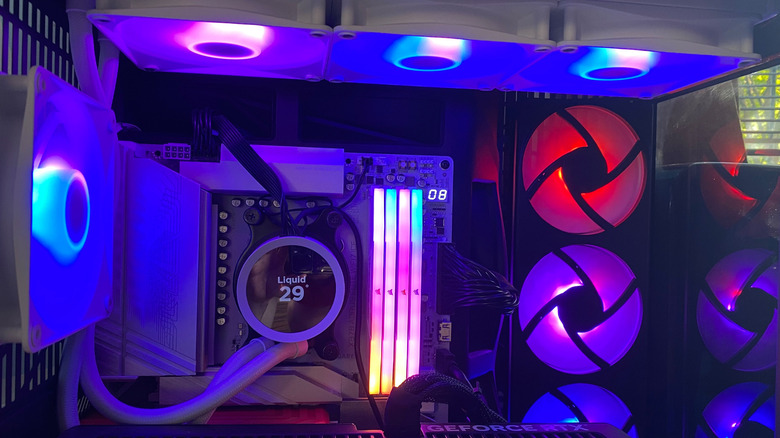
مبرد معالج سائل من NZXT داخل صندوق كمبيوتر. Dave Meikleham لموقع Engadget

تنظم المبردات السائلة درجة حرارة المعالج عن طريق توجيه الحرارة بعيدًا عن المعالج عبر كتلة مائية، مضخة تبريد ومشتت حراري. عند تركيب المعالج لأول مرة، يتم تطبيق معجون حراري على قمة الرقاقة لمساعدة المبرد على نقل الحرارة بشكل أكثر فعالية. بمجرد امتصاص المعجون للحرارة، يتم تمريرها إلى لوحة النحاس في كتلة الماء، حيث يتم نقل الحرارة إلى السائل.

بعد هذه الخطوة، توجه مضخة المبرد هذا السائل نحو المشتت الحراري، والذي يتم تركيبه عادةً فوق لوحة أم الكمبيوتر. بمجرد وصول السائل إلى المشتت الحراري، يتم التخلص من الحرارة من سائل التبريد بواسطة مراوحه، ثم يتم إرسال السائل المبرد حديثًا مرة أخرى إلى كتلة الماء في دورة تتكرر باستمرار كلما كان الكمبيوتر قيد التشغيل.

تعمل أنظمة التبريد الحلقية المخصصة بشكل مختلف قليلاً. على عكس وحدة AIO حيث تأتي جميع المكونات في الصندوق، تسمح الحلقات المخصصة لك باختيار كل جزء من مبرد (بما في ذلك كتلة الماء، والمشتت الحراري، والأنابيب، والمشجعين، والحوض. الحوض هو ما يخزن مبرد النظام بينما يقوم أيضاً بتغذية المضخة. إذا كنت تفضل، يمكنك أيضًا إعداد حلقات مخصصة لتبريد أكثر من مجرد وحدة المعالجة المركزية (CPU). مع التعديلات الصحيحة، يمكنك دمج كتلة ماء بطاقة الرسومات (GPU) في نظام حلقة مخصص للمساعدة في تنظيم درجة حرارة بطاقتك الرسومية.

هل أختار مبرد سائل أم هوائي؟
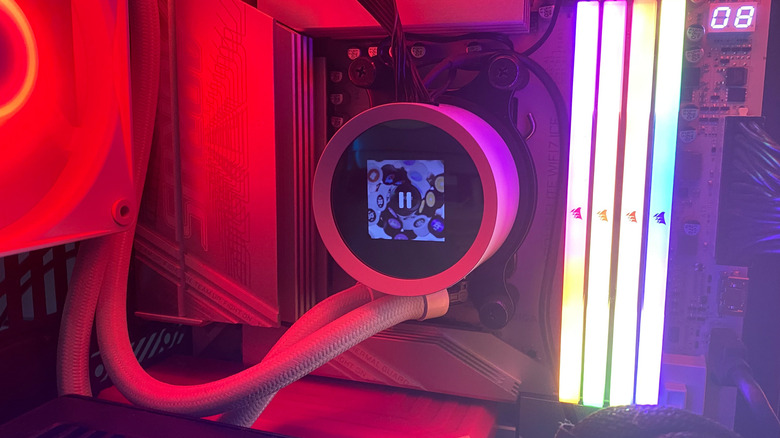
مبرد معالج مركزي سائل NZXT بجانب ذاكرة وصول عشوائي RGB. ديف مايكلهام لموقع Engadget

إذا كنت تملك أحد أفضل المعالجات المركزية لألعاب الكمبيوتر، مثل AMD Ryzen 7 9800X3D، يجب عليك بالتأكيد اختيار مبرد سائل. لقد امتلكت المعالج المذكور أعلاه منذ بضع سنوات، وأنا سعيد لأنني قررت أن أضعه مع Kraken 360 من NZXT. هذا المبرد الهوائي عالي الجودة بحجم 360 مم يوفر تخصيص شامل عبر تطبيق NZXT CAM، مما يسمح لي بتحديد أهداف أداء دقيقة مع توفير وفرة من خيارات الإضاءة RGB.

يسمح لي الرأس الحراري الإضافي الذي يمنحه مبرد سائل لجهاز الكمبيوتر الشخصي المخصص لدي بتشغيل أفضل وأكثر عناوين الكمبيوتر تطلبًا عند 4K/120FPS دون الحاجة إلى القلق بشأن فرط الحرارة. يمكن أيضًا للمبردات السائلة من الطراز الأول مثل Kraken 360 العمل بمستويات هادئة للغاية، ويبدو أنها أكثر حدة بكثير من بديل المروحة. تجدر الإشارة إلى أن المبردات السائلة الأرخص قد تكون صاخبة بعض الشيء. بشكل عام، يمكن للنماذج ذات المبردات الأكبر 280 و360 ملم التخلص من كمية كبيرة من الحرارة مقارنة بالمبردات الهوائية، مما يجعلها الخيار الأول لبناء أجهزة الكمبيوتر الحديثة.

بالطبع، هناك جوانب سلبية عند استخدام مبرد سائل، على الرغم من أنه لا ينبغي اعتبار أي منها عائقًا كبيرًا. يمكن أن تصل تكلفة النماذج عالية الجودة إلى 200 دولار، وهو أكثر بكثير حتى من أفضل المبردات الهوائية. كما أن نماذج AIO أكثر صعوبة في التثبيت، حيث لا تتعامل فقط مع المضخة؛ بل تحتاج أيضًا إلى تأمين المبرد داخل الصندوق. يعد الصيانة مشكلة أخرى. بينما تحتاج المبردات الهوائية إلى قليل من التعديلات بعد التركيب، فإن مضخة المبرد السائل ستفقد كفاءتها بمرور الوقت. هناك أيضًا احتمال (منخفض نسبيًا) للتسرب، والذي قد يضر بالمكونات الأخرى داخل جهاز الكمبيوتر إذا حدث.

بالنسبة لمبردات الهواء، فهي أفضل رهان للجميع باستثناء أكثر لاعبي الكمبيوتر شغفاً. ما لم تكن تستخدم جهازًا قويًا مزودًا بمعالج Intel Core i9-14900K وبطاقة رسومات Nvidia GeForce RTX 5090 (مراجعة)، فربما لا تحتاج إلى مبرد سائل. إذا كنت مستخدمًا عاديًا لمنصة Steam بجهاز متوسط ​​المواصفات يحتوي على معالج مركزي متواضع نسبيًا، فإن مبرد الهواء سيعمل بشكل جيد. نظرًا لأنها أرخص وأسهل في التثبيت ولديها عمر أطول عمومًا من النماذج المدمجة، فهي الحل المثالي لتبريد المعالج للأشخاص الذين لا يهتمون بالمظهر. ما دمت لا تمانع النظر إلى مبرد حراري كبير إذا كان لديك صندوق مزود بنافذة شفافة، فإن مبردات الهواء هي الخيار الأكثر منطقية لغالبية لاعبي الكمبيوتر.

PCcoolinggaming
الخبر متوفّر باللغات التالية:English
المصدر الأصلي للخبر
إنجاجيت

Is a liquid-cooled PC worth it?

August 23, 2026·Engadget
Is a liquid-cooled PC worth it?

Liquid-cooled systems look amazing, but come at a cost premium compared to air coolers.

By Dave Meikleham Aug. 23, 2026 12:30 pm EST Dave Meikleham for Engadget

We may receive a commission on purchases made from links.

A liquid cooling system can be one of the star components of a custom-built gaming PC, but are they really worth the money? After all, they're usually a lot more expensive than traditional air coolers. AIO (all-in-one) liquid cooling systems often look flashy and can sometimes be tricky to install, but there's a reason they're all the rage with high-end PC builders.

Let's get into how liquid coolers work, the main differences between them and traditional heatsink models, and when it makes sense to opt for an AIO system over a tried-and-true air cooler.

Liquid CPU coolers vs. air coolers: The key differences

A NZXT liquid CPU cooler with colored fans around it. Dave Meikleham for Engadget

At their core, both liquid and air coolers perform the same function: they move heat away from a PC's CPU. Where they differ is in the methods used to transfer the heat. Air coolers use a heatsink and pipes to regulate a processor's temperature, whereas liquid systems use coolant. Air coolers are generally simpler in their makeup than AIO models, consisting of only a cold plate, pipes, a fan and a heatsink. Liquid coolers are a little more complicated, being composed of a plate, pump, tubing, coolant, a separate radiator and accompanying fans.

Liquid coolers are typically aimed at a different market than their air alternatives. AIO systems are good for high-end gaming PCs where 4K output at console-beating frame rates is the priority. Aiming for 120FPS gameplay in Ultra HD puts a lot of load on the CPU. To prevent overheating and thermal throttling, a liquid cooler with a large radiator dissipates heat more effectively than an air cooler. On the flipside, while air coolers aren't as well-suited for top-of-the-line gaming processors, they're ideal for budget or mid-range PCs where the CPU is less likely to be under constant heavy load.

How do liquid CPU coolers work?

A NZXT liquid CPU cooler inside a PC case. Dave Meikleham for Engadget

A liquid cooler regulates the heat of a CPU by directing heat away from the processor via a water block, cooling pump and a radiator. When you install a CPU for the first time, you apply thermal paste to the top of the chip to help the cooler transfer heat more effectively. Once the paste has absorbed heat, it's passed onto the water block's copper plate, whereby the heat is transferred into liquid.

After this step, the cooler's pump directs this liquid towards the radiator, which is most commonly installed above a PC's motherboard. Once the liquid reaches the radiator, the heat from the coolant is dissipated by its fans, and the newly cooled liquid is then sent back to the water block in a cycle that constantly repeats whenever your PC is running.

Custom loop cooling systems work a little differently. Unlike an AIO unit where all the components come in the box, custom loops let you choose every part of the cooler (including the water block, radiator, tubing, fans and reservoir. The reservoir is what stores the system's coolant while also feeding the pump. If you like, you can also set up custom loops to cool more than just the CPU. With the right tweaks, you can integrate a GPU water block into a custom loop system to help regulate the temperature of your graphics card.

Should I go with a liquid cooler or an air cooler?

A NZXT liquid CPU cooler next to RGB RAM. Dave Meikleham for Engadget

If you own one of the top gaming CPUs, like the AMD Ryzen 7 9800X3D, you should definitely go with a liquid cooler. I've had the aforementioned processor for a couple of years, and I'm glad I decided to pair it with the NZXT Kraken 360. This high-end 360mm AIO cooler offers comprehensive customization via the NZXT CAM app, allowing me to set precise performance targets while also providing an abundance of RGB lighting options.

The added thermal headroom a liquid cooler grants my custom-built PC allows me to run the best and most demanding PC titles at 4K/120FPS without ever having to worry about overheating. Top-tier liquid coolers like the Kraken 360 can also run at whisper-quiet levels, and they look so much sharper than the fan alternative. It's worth noting that cheaper liquid coolers can get a little noisy. In general, models with larger 280 and 360mm radiators can dissipate substantially more heat compared to air coolers, making them the go-to choice for cutting-edge PC builds.

Of course, there are downsides to going with a liquid cooler, though none of them should be considered deal-breakers. High-end models can cost upwards of $200, which is way more expensive than even the best air coolers. AIO models are also trickier to install, as you're not just dealing with the pump; you also need to secure the radiator inside your case. Maintenance is another issue. Whereas air coolers need very little tinkering after being installed, the pump of a liquid cooler will wear over time. There's also the (fairly low) possibility of leakage, which could damage other components inside your PC if it does occur.

Moving onto air coolers, they're the best bet for all but the most hardcore of PC players. Unless you're rocking a rig with an Intel Core i9-14900K and a Nvidia GeForce RTX 5090 (our review), you probably don't need a liquid cooler. If you're a casual Steam user with a mid-range system that houses a relatively modest CPU, an air cooler will work just fine. As they're cheaper, easier to install and have generally longer lifespans than AIO models, they're the ideal processor-cooling solution for folks who aren't obsessed with aesthetics. As long as you don't mind staring at a big heatsink if you have a case with a transparent window, air coolers are the most sensible option for the majority of PC gamers.

PCcoolinggaming
This article is also available in:العربية
Original source article
Engadget