الأسباب التي قد تجعل سيري لا تعمل على كار بلاي
23 أغسطس 2026·إنجاجيت
الأسباب التي قد تجعل سيري لا تعمل على كار بلاي

صراخ “هيه سيري!” بصوت أعلى لا يحل المشكلة، على عكس التوقعات.

بقلم حسين برويز 23 أغسطس 2026 9:30 ص EST Andriy Baidak/Shutterstock

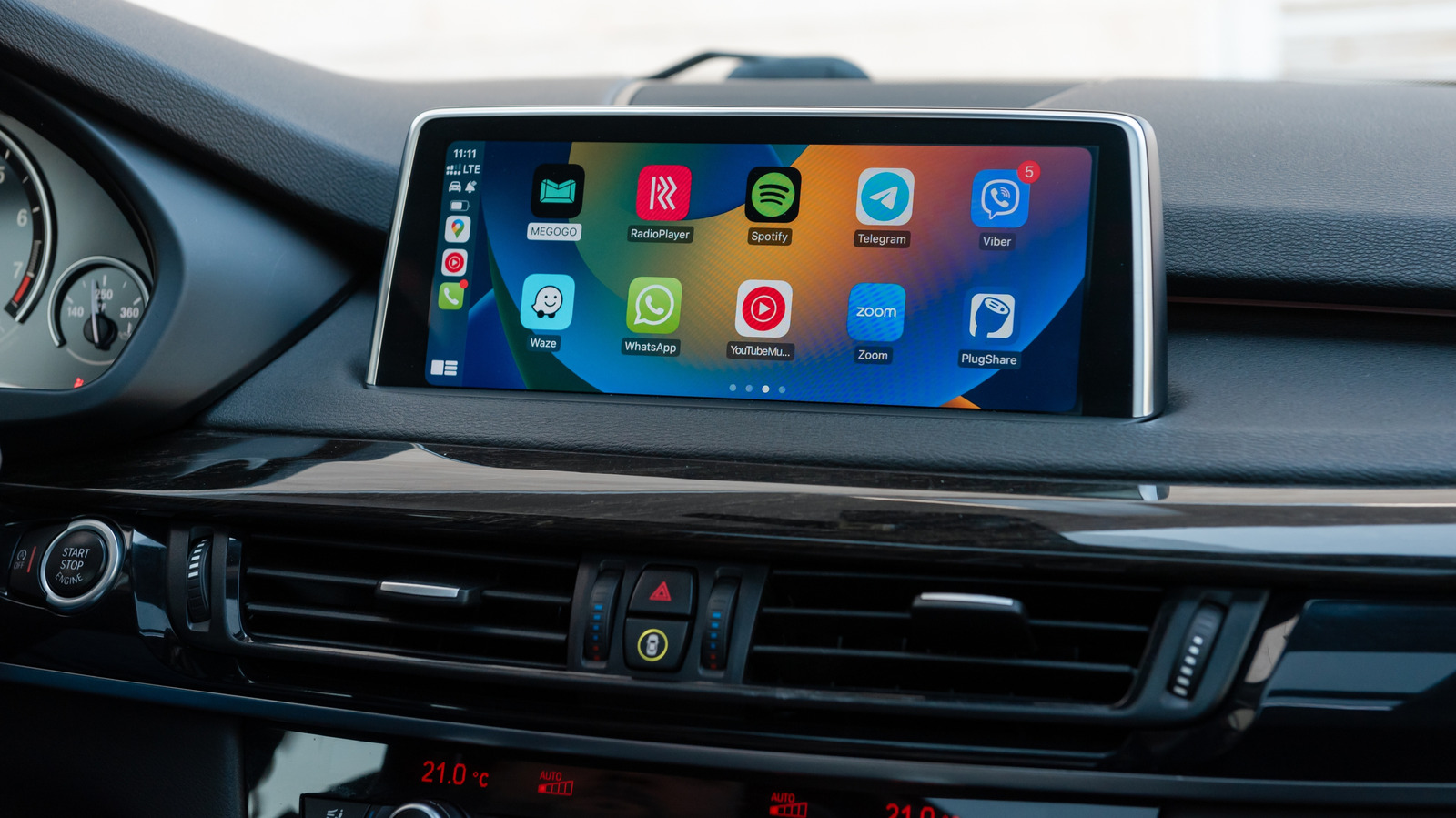
تشغيل CarPlay بكل سعادة مع خرائط الموسيقى، وفجأة تتوقف سيري عن الاستماع. ربما تسمعك لكنها لا تجيب. أو أنها ترد بصوت خافت، وتعتقد أن مساعد الصوت قرر التمتمة طوال فترة القيادة.

المشكلة هي أن سيري نفسها قد لا تكون المشكلة. يمكن أن يبدأ الفشل في الإعدادات على iPhone أو اتصال CarPlay أو نظام الترفيه في السيارة، ويمكن أن يساعدك معرفة أيها الذي يتصرف بشكل خاطئ من تغيير عشرات الإعدادات التي كانت جيدة في البداية.

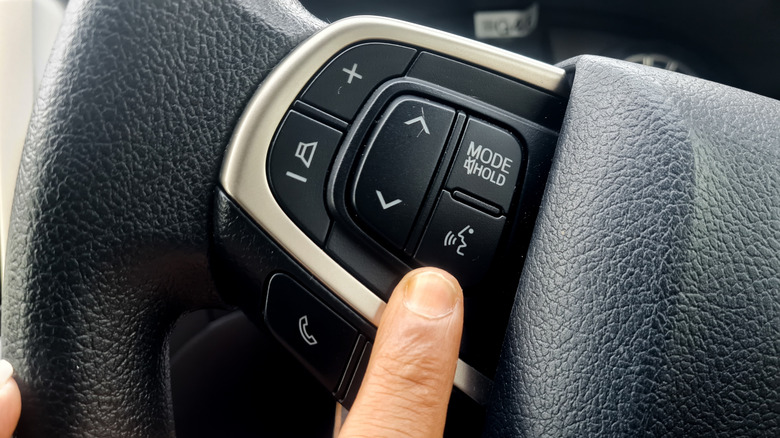
يمكنك تنشيط سيري في CarPlay عن طريق الضغط على زر الأوامر الصوتية للسيارة أو الضغط مع الاستمرار على زر CarPlay Home على الشاشة. تسمح بعض السيارات أيضًا باستخدام “هيه سيري”. إذا كان الزر يستيقظ سيري لكن عبارة الاستيقاظ لا تفعل ذلك، فقد يكون السبب أن سيارتك لا تدعم التفعيل الصوتي ببساطة.

لا تلوم كار بلاي إذا لم تعمل سيري على الآيفون
لقطة شاشة للآيفون تعرض إعدادات عرض قائمة التحدث مع سيري. آبل

ابدأ بالهاتف. إنه المشتبه به الأسهل لاستبعاده.

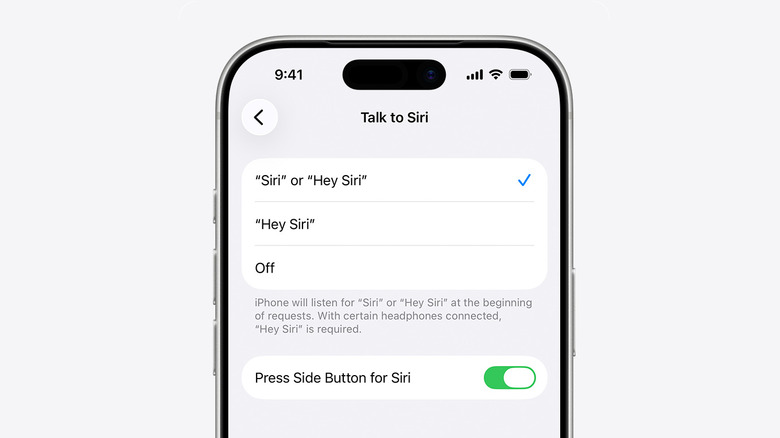
تحتفظ آبل بإعدادات التحكم في تنشيط صوت "سيري" تحت الإعدادات > الذكاء الاصطناعي من آبل و سيري (أو سيري) > التحدث و الكتابة إلى سيري. تقترح آبل إيقاف تشغيل "سيري" أو "مرحبًا سيري"، ثم إعادة تعيين إعداد التعرف على الصوت إذا لم يعمل.

هناك بعض الإعدادات غير الواضحة التي يمكن أن تسبب مشاكل أيضًا. يمكن تعطيل "سيري" عند قفل الآيفون، مما يسبب الكثير من المتاعب عندما يظل الهاتف دون لمس في الجيب أو الحقيبة أو حامل الكوب طوال الرحلة. يمكن أيضًا إيقاف تشغيل كار بلاي تحت الإعدادات > وقت الشاشة > قيود المحتوى والخصوصية > التطبيقات المسموح بها.

ثم تأتي مسألة الاتصال. يمكن أن يبقى كار بلاي مرئيًا بالكامل على لوحة القيادة بينما تكافح سيري للاستجابة للطلبات لأن سيري تحتاج إلى اتصال بالإنترنت. كما تقول آبل أيضًا إن بعض ملفات VPN قد تمنع عمل سيري، لكنها لا تفصل أي إعدادات VPN من المرجح أن تسبب هذه المشكلة.

الاختبار بسيط: قم ببساطة بإلغاء اتصال كار بلاي واختبر سيري على الآيفون. إذا لم تستمع سيري أو تستجب بعد، فمن المحتمل ألا ينجح التلاعب في قوائم الترفيه في السيارة.

عندما تعمل سيري على الهاتف ولكن لا تعمل في السيارة
زر الأوامر الصوتية عجلة القيادة. أندري واهيدي/شاترستوك

إذا تذكرت سيري فجأة كيفية أداء وظيفتها بمجرد مغادرة الهاتف لجهاز كار بلاي، يصبح الاتصال مشكوكًا فيه للغاية.

بالنسبة لسيارات CarPlay السلكية واللاسلكية، تختلف مشاكل الاتصال المحتملة قليلاً. إذا كنت تستخدم سيارة CarPlay سلكية، تقترح شركة آبل استخدام كابل USB مختلف أو منفذ USB متوافق. يتطلب CarPlay اللاسلكي كل من البلوتوث وواي فاي، مع تشغيل Auto-Join لشبكة CarPlay، لذا يمكن أن يسبب أي اتصال سلوكًا غريبًا حتى لو بدت واجهة CarPlay تعمل بشكل طبيعي.

تشمل قائمة استكشاف الأخطاء وإصلاحها من آبل إعادة تشغيل الهاتف المحمول والسيارة، ونسيان السيارة تحت إعدادات > عام > CarPlay وإعادة ربطها. تقترح الشركة أيضًا التحقق مع مصنع السيارة لتحديثات البرامج الثابتة للمعلومات والترفيه (لأن إعادة تشغيل السيارة لم تعد كافية).

إذا كان الاتصال الكامل لـ CarPlay يعمل بشكل سيء بدلاً من Siri فقط، فمن الجيد التحقق من مشاكل اتصال CarPlay الأوسع نطاقًا مثل الكابلات والربط وتوافق السيارة قبل قضاء فترة ما بعد الظهر الأخرى مدفونًا في إعدادات Siri.

قد يُخلط أحد المشاكل مع تعطل سيري وهو الصوت. إذا سمعت سيري أمرك واستجابت ولكنك بالكاد تسمع الاستجابة، قم بتعديل صوت السيارة أثناء حديث سيري أو أثناء الضغط على الزر لتفعيله. إذا لم تكن سيري تتحدث على الإطلاق، فهناك خيار Prefer Spoken Responses يمكن تمكينه في الإعدادات > Apple Intelligence و Siri > استجابات سيري.

SiriCarPlayiOS
الخبر متوفّر باللغات التالية:English
المصدر الأصلي للخبر
إنجاجيت

The reasons Siri may not work on CarPlay

August 23, 2026·Engadget
The reasons Siri may not work on CarPlay

Screaming "HEY SIRI!" even louder isn't fixing the problem, surprisingly.

By Husain Parvez Aug. 23, 2026 9:30 am EST Andriy Baidak/Shutterstock

CarPlay is happily running Maps and playing music, and then suddenly, Siri stops listening. Maybe it does hear you but won't answer. Or it responds in a subdued tone, and you begin to think the voice assistant has made the decision to mumble for the duration of the drive.

The thing is, Siri itself may not be the problem. A failure can begin with the settings on the iPhone or the CarPlay connection or the car's infotainment system, and finding out which one is misbehaving can save you from changing a dozen settings that were just fine to begin with.

You can activate Siri in CarPlay by holding the car's voice-command button or pressing and holding the CarPlay Home button on the display. Some cars also allow you to use "Hey Siri." If the button wakes Siri but the wake phrase does not, it may be that your car simply doesn't support voice activation.

Don't blame CarPlay if Siri doesn't work on the iPhone

iPhone screenshot of Settings showing the Talk to Siri menu. Apple

Begin with the phone. It's the easier suspect to rule out.

Apple keeps Siri's voice activation controls under Settings > Apple Intelligence & Siri (or Siri) > Talk & Type to Siri. Apple suggests turning "Siri" or "Hey Siri" off and on, and then repeating the voice-recognition setup if it's not working.

There are a couple of not-so-obvious settings that can cause problems as well. Siri can be disabled when the iPhone is locked, which is quite a pain when the phone remains untouched in a pocket, bag or cupholder for an entire drive. CarPlay can also be turned off under Settings > Screen Time > Content & Privacy Restrictions > Allowed Apps.

Then there's connectivity. CarPlay can stay fully visible on the dashboard while Siri struggles to respond to requests because Siri needs an internet connection. Apple also says that some VPN profiles may prevent Siri from working, but doesn't detail which VPN configurations are likely to cause this issue.

The check is simple: just disconnect CarPlay and test Siri on the iPhone. If Siri still doesn't listen or respond, it's likely that poking around the car's infotainment menus won't work a miracle.

When Siri is working on the phone but not in the car

Steering wheel voice-command button. Andri wahyudi/Shutterstock

If Siri suddenly remembers how to do its job as soon as the phone leaves CarPlay, the connection becomes highly suspect.

For wired and wireless CarPlay, the potential connection problems are a little different. If you're using wired CarPlay, Apple suggests using a different USB cable or a compatible USB port. Wireless CarPlay requires both Bluetooth and Wi-Fi, with Auto-Join turned on for the CarPlay network, so either connection can cause odd behavior even if the CarPlay interface appears to be working normally.

Apple's troubleshooting list includes restarting the iPhone and the vehicle, forgetting the car under Settings > General > CarPlay and pairing it again. The company also suggests checking with the vehicle manufacturer for infotainment firmware updates (because restarting the car isn't enough anymore).

If the entire CarPlay connection is acting up rather than Siri alone, broader CarPlay connection problems such as cables, pairing and vehicle compatibility are worth checking before spending another afternoon buried in Siri settings.

One issue that can be confused with a broken Siri is volume. If Siri hears your command and responds but you can barely hear the response, adjust the car's volume while Siri is speaking or while you're holding the button to activate it. If Siri is not talking at all, then there is a Prefer Spoken Responses option you can enable in Settings > Apple Intelligence & Siri > Siri Responses.

SiriCarPlayiOS
This article is also available in:العربية
Original source article
Engadget