قبل شراء وحدة تحكم "جيم كيوب" مستعملة، تحقق من هذه المشكلة الشائعة
22 أغسطس 2026·إنجاجيت
قبل شراء وحدة تحكم "جيم كيوب" مستعملة، تحقق من هذه المشكلة الشائعة

تأكد من عدم شراء نموذج غير متوافق مع ألعابك.

بقلم بين ستيجنر 22 أغسطس، 2026 11:30 ص EST بول سترينجر/شاترستوك

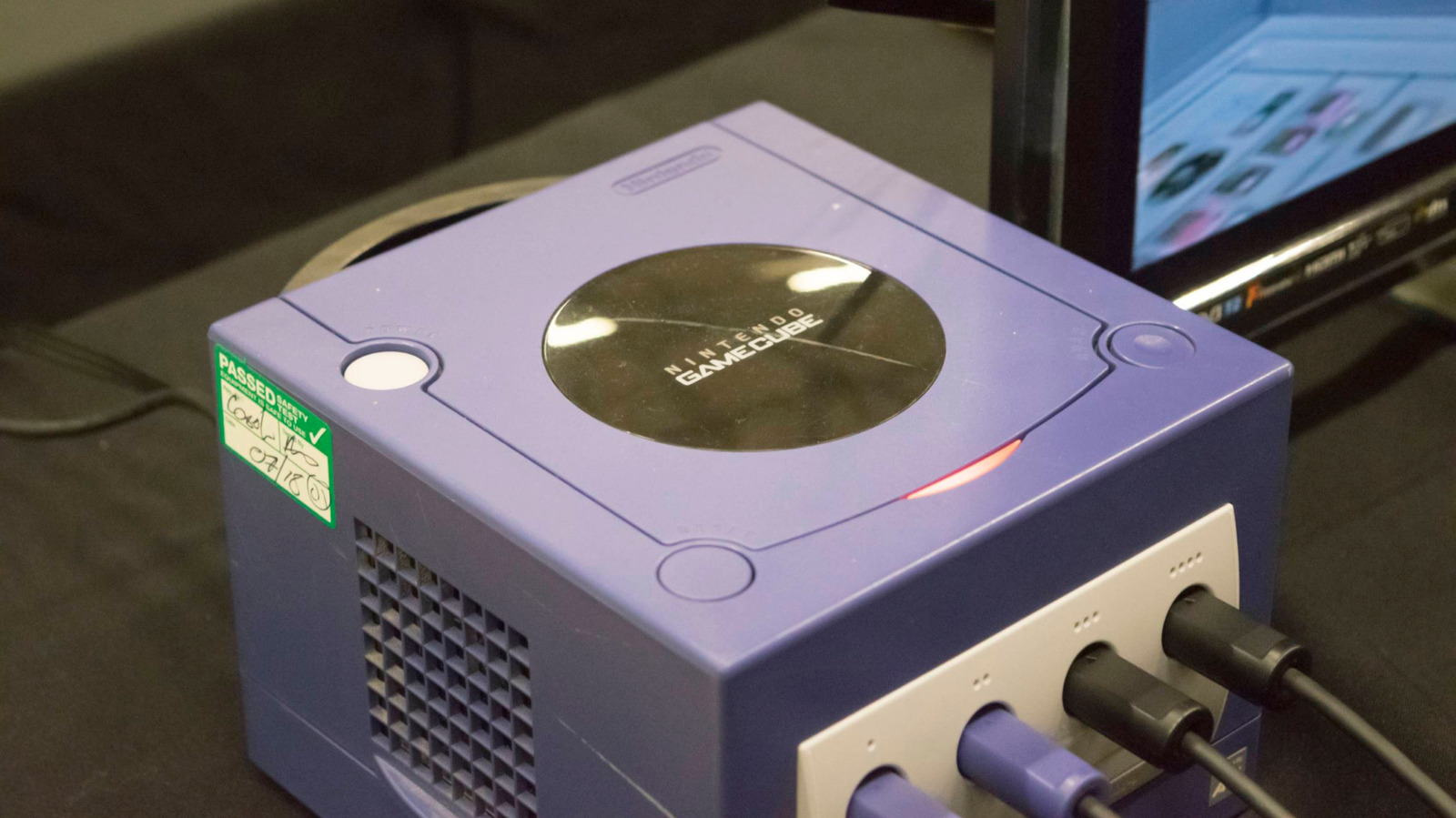
شراء وحدة التحكم "جيم كيوب" هو أحد الطرق الرسمية القليلة لتجربة مكتبة وحدة التحكم للمرة الأولى أو لإعادة عيش ذكريات طفولتك المفضلة. وعلى الرغم من أن 'الكوب' يواجه اليوم عددًا أقل من العقبات لاستخدامه مقارنة بالعديد من أسلافه، إلا أنه ليس بالأمر البسيط ببساطة مثل توصيله واللعب. إذا لم تكن حذرًا مع النموذج الذي تشتريه، فقد تنتهي الأمر بعدم قدرتك على لعب أي ألعاب.

هذه ليست المشكلة الوحيدة لاستخدام وحدة تحكم يبلغ عمرها ربع قرن من الزمان وتم التوقف عن إنتاجها في عام 2007. بالطبع، هناك دائمًا خطر عام لفشل الأجهزة مع مرور الوقت، مما يؤدي إلى عدم قراءة الأقراص أو نفاد البطاريات الداخلية. ولكن قد لا تعرف أن هناك تنقيحًا صغيرًا لوحدة التحكم أزال ميزة أكثر أهمية اليوم مما كانت عليه عندما كان النظام جديدًا.

نظرًا لارتفاع أسعار مجموعات "جيم كيوب" الآن، تأكد من مراجعة التفاصيل حتى لا ترتكب خطأ مكلفًا.

المشكلة الأكبر: قفل المنطقة
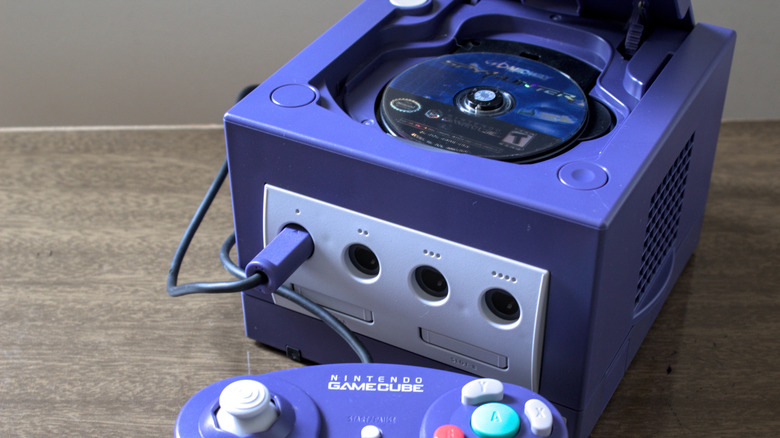
جهاز كمبيوتر GameCube مع فتحة قرص مفتوحة. Cromatoki/Shutterstock

جهاز الكمبيوتر GameCube مقفل على منطقة، مما يعني أن جهاز الكونسول المعين سيلعب فقط الألعاب التي تم صنعها لسوقه. إذا اشتريت جهاز كمبيوتر أمريكي من نوع GameCube، فلن يلعب الألعاب اليابانية.

هناك ثلاث مناطق رئيسية تم بناء الجهاز لها: أمريكا الشمالية (NTSC-U)، اليابان (NTSC-J)، وأوروبا/أوقيانوسيا (PAL). تأتي مصطلحات NTSC و PAL من معايير التلفزيون التناظري القديم التي تتطابق مع شبكات الطاقة المستخدمة في كل منطقة. الفروق هي السبب وراء تشغيل ألعاب أوروبا القديمة بسرعة 50 أو 25FPS، بدلاً من 60 أو 30FPS المألوفة لأمريكا الشمالية.

كان قفل المنطقة تقييدًا شائعًا في التسعينيات والعقد الأول من القرن الحادي والعشرين. كانت أجهزة نينتندو القديمة مثل NES و SNES مقيدة بالمنطقة أيضًا، إلى جانب بلاي ستيشن ود REAMCAST. لم تكن الممارسة متكررة على الأجهزة المحمولة، حيث تجاوزت الشاشات المدمجة مشاكل التلفزيون التناظري.

لحسن الحظ، لا تحتوي أجهزة التحكم الحديثة على هذا العيب. جميع أجهزة Nintendo Switch 2 و PS5 و Xbox Series خالية من المنطقة، مما يسمح لك بلعب الألعاب المادية من أي مكان. ومع ذلك، لا تزال هناك بعض القيود الإقليمية. يمكنك استخدام المتجر الرقمي فقط للبلد المرتبط بحسابك، ويجب عليك استخدام طريقة دفع من هذا الموقع. DLC مقيد بالمنطقة أيضًا عادةً، لذا لا يمكنك شراء توسيع أوروبي للعبة أمريكية.

لماذا يوجد قفل المنطقة؟
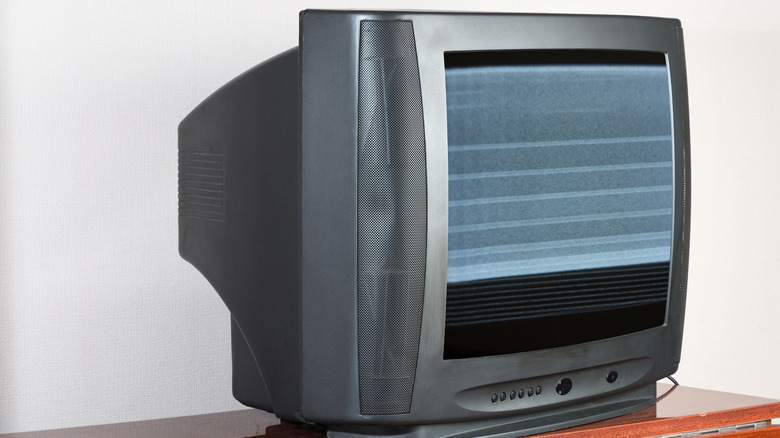
تلفزيون CRT قديم مع صورة ثابتة على الشاشة. LIAL/Shutterstock

على الرغم من أنه ليس جيدًا بالنسبة للاعبين، إلا أن لدى الشركات أسبابها الخاصة لفرض قفل المنطقة (باستثناء مشكلة العرض التناظري التاريخي حيث كانت غير متوافقة بشكل مادي). منذ عقود، لم يكن من الشائع إصدار الألعاب عالميًا في نفس الوقت، لذلك منعت هذه الحواجز الأشخاص من استيراد ألعاب جديدة مبكرًا. تختلف المناطق عن بعضها البعض في مجالس التصنيف، لذا يجب تصنيف الإصدارات المحلية وفقًا لذلك وتعديلها.

كما يسمح لكل فرع من فروع المنطقة (مثل نينتندو أمريكا) بتحديد الأسعار المناسبة لأسواقها. لا يزال هذا هو الحال اليوم مع ستيم؛ يُمنع تغيير موقعك وفقًا لشروط الخدمة الخاصة بالمنصة حتى تتمكن من شراء ألعاب أرخص باستخدام عملة بلد آخر.

لذلك، يجب أن تكون حذرًا ليس فقط من وحدة التحكم التي تشتريها، ولكن أيضًا من الألعاب التي تحصل عليها. حتى لو وجدت نسخة يابانية رخيصة من نينتندو غيم كيوب، فلن تتمكن من لعب الألعاب المُحلية باللغة الإنجليزية عليها. ولا يمكنك تجربة الألعاب الحصرية لليابان على نينتندو غيم كيوب الأمريكية أيضًا. في حين أنه من الممكن تعديل نظامك لإزالة قفل المنطقة، إلا أن القيام بذلك معقد، لذا من الأفضل شراء الصحيح منذ البداية.

لحسن الحظ، ليس من الصعب تمييزها في معظم الحالات. الألعاب الأمريكية لنينتندو غيم كيوب تحمل تقييم الرسالة المألوف من ESRB، بينما تحمل العناوين الحصرية للنظام علامة مسطحة فقط لـ في الزاوية العلوية اليسرى. غالبًا ما تحتوي الألعاب الأوروبية على "PAL" على الصندوق، بينما تكون علامة فقط لـ مستديرة عند وجودها. بالإضافة إلى ذلك، يوجد مثلث أخضر في الأسفل وشعار نينتندو غيم كيوب في الأعلى على ظهورها. الصناديق اليابانية أصغر حجمًا وتتميز بطبيعة الحال بتلك اللغة.

بالنسبة لوحدة التحكم، تحمل الطرازات اليابانية (JPN) بجانب رقم طرازها في الأسفل، إلى جانب النص الياباني. تحمل الطرازات الأمريكية (USA) بعد رقم الطراز، مع وجود (EUR) لوحدات PAL. تأكد من التحقق المزدوج من الصور إذا كنت تشتري عبر الإنترنت.

عقبة أخرى: الإخراج الرقمي
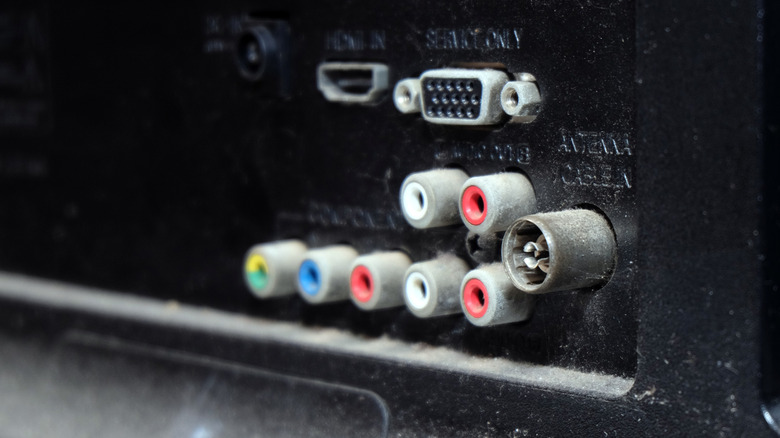
اتصالات مختلفة في الجزء الخلفي من جهاز التلفزيون.Achmad Wahyudi/Getty Images

إذا كان لديك تلفزيون قديم لاستخدامه مع غيم كيوب، فأنت جاهز. قد يحتاج تلفزيونك الحديث إلى محول للعمل مع النظام. يفتقر العديد من أجهزة التلفزيون الحديثة إلى مدخلات المركب، لذا ستحتاج إما إلى محول من مركب إلى HDMI أو كابل يصل بين منفذ الإخراج في غيم كيوب و HDMI.

على الرغم من أن غيم كيوب لم يحصل على أي تعديل كبير مثل العديد من إصدارات "الرقيقة" المعاد إصدارها التي نراها، إلا أن نينتندو أصدرت نموذجًا معدلاً بشكل طفيف في أوائل عام 2004. يختلف هذا النموذج اختلافًا كبيرًا: تفتقر الوحدات الأحدث إلى منفذ الإخراج الرقمي الموجود في الأصل. أدى التخلي عن ذلك إلى جعل وحدة التحكم أرخص في الإنتاج، خاصة وأن قلة قليلة من الأشخاص كانوا يستخدمون هذا الإخراج في ذلك الوقت.

كان الغرض الأصلي لهذا المنفذ هو تمكين إخراج 480p عبر كابلات مكونات، وهو ما يوفر جودة صورة أفضل من العرض القياسي 480i للنظام. في الوقت الحاضر، يستغل أطراف ثالثة هذا المنفذ لتمكين الإخراج عبر HDMI من جهاز Game Cube. للحصول على أفضل جودة للصورة، يُنصح بشراء نظام DOL-001 الذي يحتوي على منفذ Digital AV Out في الخلف. إذا قررت عدم استخدام وحدة التحكم الفعلية، فهناك بعض الألعاب الشهيرة مثل Super Mario Sunshine متوفرة في مكتبة كلاسيكيات نينتندو على جهاز Switch 2.

GameCubeconsoleused
الخبر متوفّر باللغات التالية:English
المصدر الأصلي للخبر
إنجاجيت

Before you buy a used GameCube, check for this common issue

August 22, 2026·Engadget
Before you buy a used GameCube, check for this common issue

Make sure you don’t buy a model that’s incompatible with your games.

By Ben Stegner Aug. 22, 2026 11:30 am EST Paul Stringer/Shutterstock

Buying a GameCube is one of the few official ways to experience the console's library for the first time or relive your childhood favorites. And while the 'Cube has fewer hurdles to using it today than many of its ancestors have, it's not necessarily as simple as plugging and playing. If you're not careful with the model you buy, you could end up not being able to play any games.

This isn't the only problem with using a console that's a quarter-century old and was discontinued in 2007. Of course, there's always the general risk of hardware failure over time, leading to discs not reading or internal batteries dying. But you might not know a small revision to the console removed a feature that's more relevant today than it was when the system was new.

Given how expensive GameCube collections are now, be sure to check the details so you don't make a costly mistake.

The biggest problem: region locking

A GameCube console with the disc tray open. Cromatoki/Shutterstock

The GameCube is region-locked, which means that a given console will only play games that were made for its market. If you buy an American GameCube, it won't play Japanese games.

There are three major regions the console was built for: North America (NTSC-U), Japan (NTSC-J), and Europe/Oceania (PAL). These NTSC and PAL terms come from older analog TV standards matching the power grids used in each area. The differences are why retro European games run at 50 or 25FPS, instead of the 60 or 30FPS familiar to North Americans.

Region locking was a common limitation in the '90s and 2000s. Earlier Nintendo consoles like the NES and SNES were also limited by region, along with the PlayStation and Dreamcast. The practice wasn't as frequent on handhelds, since the built-in screens bypassed the analog TV problems.

Thankfully, today's consoles don't have this drawback. The Nintendo Switch 2, PS5, and Xbox Series are all region-free, letting you play physical games from anywhere. However, there are still some regional restrictions. You can only use the digital store for the country your account is associated with, and you have to use a payment method from that location. DLC is also typically region-locked, so you can't buy a European expansion for an American game.

Why does region locking exist?

An old CRT TV with static on the display. LIAL/Shutterstock

While it's not good for you as a player, companies had their own reasons to impose region locks (aside from the historical analog display problem where they were physically incompatible). Decades ago, it wasn't as common for games to release globally at the same time, so these blocks stopped people from importing new games early. Different regions have various ratings boards, so localized releases need to be rated accordingly and potentially modified.

It also allows each region's branch (like Nintendo of America) to set appropriate prices for their markets. This is still the case today with Steam; it's against the platform's terms of service to change your location so you can buy cheaper games using another country's currency.

You must therefore be careful of not only what console you buy, but also which games you get. Even if you found a cheap Japanese GameCube, you wouldn't be able to play English-localized games on it. And you can't try Japan-exclusive games on your American GameCube, either. While it's possible to mod your system to remove region locking, doing so is complicated, so it's better to buy the correct one from the start.

Thankfully, it's not difficult to tell them apart in most cases. American GCN games have the familiar ESRB letter rating, while system-exclusive titles have a flat Only For label at the top-left. European games often have "PAL" on the box, while the Only For label is rounded when present. Plus, their spines have a green triangle at the bottom and the GameCube logo at the top. Japanese boxes are smaller and obviously feature that language.

For the console, Japanese models have (JPN) next to their model number on the bottom, along with Japanese text. American models have (USA) after the model number, with PAL consoles having (EUR). Be sure to double-check photos if buying online.

Another hurdle: digital output

Various connections on the back of a TV. Achmad Wahyudi/Getty Images

If you have an old TV to use with the GameCube, you're all set. Your modern TV might need an adapter to work with the system, though. Many of today's TVs lack composite inputs, so you'll either need a composite-to-HDMI adapter or a cable that connects the GameCube's output port to HDMI.

While the GameCube never got a major revision like the many "slim" rereleases we see, Nintendo did release a slightly tweaked model in early 2004. This has one major difference: newer units lack the digital output port seen on the original. Dropping that made the console cheaper to produce, especially since few people used this output back then.

That port's original purpose was to enable 480p output via component cables, which is sharper than the normal 480i display of the system. Nowadays, third parties take advantage of this port to enable HDMI output from the GameCube. For the best picture quality, it's best to buy a DOL-001 system that has the Digital AV Out port on the back. If you decide not to bother with an actual console, some of the hits, like Super Mario Sunshine, are available on the Switch 2's Nintendo Classics library.

GameCubeconsoleused
This article is also available in:العربية
Original source article
Engadget