HDMI 2.1 مقابل USB-C مقابل DisplayPort: أي من هذه الاتصالات أفضل لشاشة العرض الخاصة بك؟
2 يوليو 2026·إنجاجيت
HDMI 2.1 مقابل USB-C مقابل DisplayPort: أي من هذه الاتصالات أفضل لشاشة العرض الخاصة بك؟

يبرز HDMI للاستهلاك الإعلامي، بينما يفضل لاعبو الكمبيوتر DisplayPort.

بقلم ماكس ميلر 2 يوليو، 2026 9:30 ص EST jverdut/Shutterstock

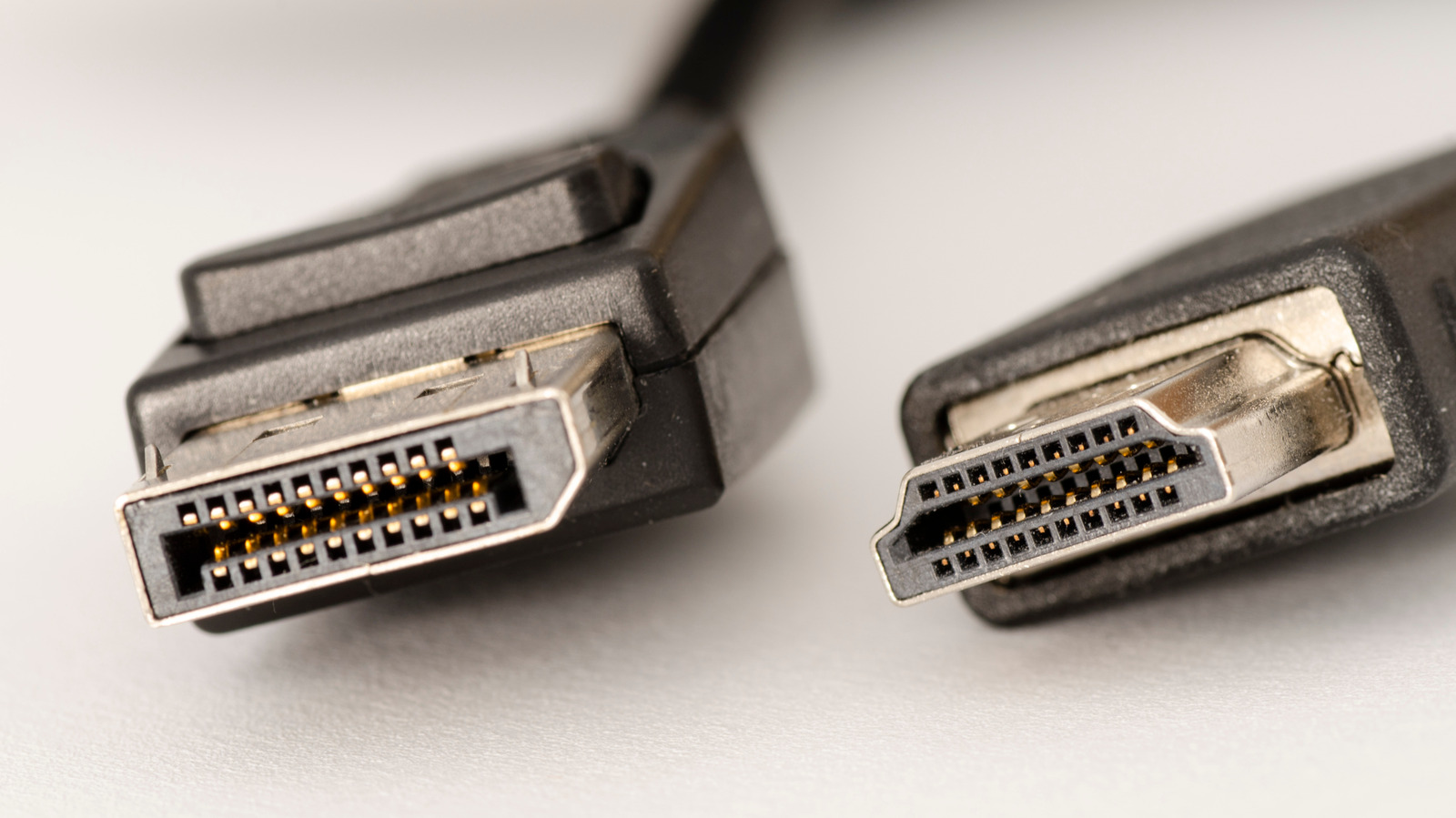
عند إعداد شاشة كمبيوتر جديدة، ستجد عادةً كابلين مختلفين للفيديو في الصندوق. أحدهما، على شكل مستطيل مضغوط، يُربط الشاشة بمصدر فيديو عبر HDMI. الآخر، الذي يحتوي على موصل يشبه المستطيل مع زاوية مقطوعة، هو كابل DisplayPort. لكن بعض الشاشات الحديثة تحتوي أيضًا على منفذ ثالث لـ USB-C، وغالبًا ما تجد منفذ USB-C موسومًا بمنفذ الفيديو الخارجي على أجهزة الكمبيوتر المحمولة أيضًا. في حين أن وجود خيارات اتصال متعددة مريح، إلا أنه ليس من الواضح دائمًا أيها الأفضل لشاشتك.

بشكل عام، إذا كنت تُربط شاشتك بكمبيوتر مزود ببطاقة رسومات منفصلة، أو إذا كنت ترغب في استخدام شاشات متعددة، يُفضل DisplayPort. من ناحية أخرى، إذا كنت تتصل بجهاز Mac أو كمبيوتر مزود برسومات مدمجة، أو جهاز تلفزيون، أو معدات مسرح منزلي، أو وحدة تحكم في الألعاب مثل Xbox أو PlayStation، فإن HDMI هو الخيار الآمن. على الرغم من أن DisplayPort يتمتع بمزايا عديدة للألعاب وإعدادات الشاشات المتعددة، وقادر أيضًا على العمل عبر USB-C على العديد من الأجهزة، إلا أن HDMI مدعوم عبر مجموعة أوسع من معدات الصوت والفيديو ويحتوي على عدد من الميزات التي تضيف قيمة للاستهلاك الإعلامي.

في النهاية، يجب عليك استخدام معيار الاتصال الأفضل لتركيبتك الخاصة بناءً على الأجهزة التي تتصل بها بشاشة العرض، بالإضافة إلى أجيال HDMI أو DisplayPort التي تدعمها. إليك كيفية مقارنة HDMI و DisplayPort، حتى تتمكن من تحديد أيهما أفضل لشاشتك.

DisplayPort رائع لألعاب الكمبيوتر، ويعمل عبر USB-C
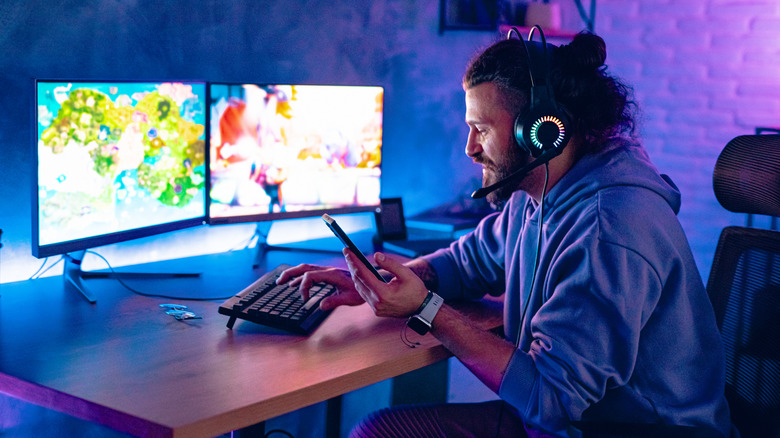
رجل يستخدم الهاتف المحمول أثناء لعب الألعاب على الكمبيوتر Milan_jovic/Getty Images

عادةً ما لا تظهر DisplayPort على أجهزة التلفزيون، ولكنها مدعومة على نطاق واسع بين أفضل شاشات الألعاب وبطاقات الرسومات للكمبيوتر. تقليديًا، كان ذلك لأن DisplayPort تم تصميمه مع معدلات التحديث المتغيرة في الاعتبار. عند مشاهدة فيلم، سيتم عرضه بمعدل إطار ثابت، عادةً 24 إطارًا في الثانية (FPS). ولكن عند لعب لعبة، يمكن أن تتأرجح معدل الإطارات بشكل كبير من لحظة إلى أخرى. لجعل التجربة أكثر سلاسة، وصلت تقنية معدل التحديث المتغير (VRR) مثل AMD FreeSync و Nvidia G-Sync للمساعدة في تنسيق معدلات الإطارات بين وحدة معالجة الرسومات والشاشة في النظام. تدعم DisplayPort منذ فترة طويلة VRR بشكل أصلي، وفي حين أن بعض الشاشات تدعم الآن معايير VRR عبر HDMI،يبقى منفذ العرض (DisplayPort) الخيار الأكثر متانة وقوة.

تتنافس عرض النطاق الترددي بين معيارين للاتصال، حيث يصل عرض النطاق الترددي في منفذ HDMI إلى 96 جيجابت في الثانية (Gbps) مع أحدث مواصفات HDMI 2.2، بينما يصل منفذ HDMI 2.1 الأكثر شيوعًا إلى 48 جيجابت في الثانية. يقدم منفذ DisplayPort 2.1، على أكثر أجهزة الألعاب تقدمًا، 80 جيجابت في الثانية، بينما يوفر منفذ الإصدار 1.4 ما يصل إلى 32.4 جيجابت في الثانية.

ومع ذلك، فإن ما يضمن تفوق منفذ DisplayPort على العديد من مستخدمي أجهزة الكمبيوتر هو تضمينه في معيار USB-C. يعمل منفذ DisplayPort عبر الوضع البديل (Alternate Mode) لـ USB-C، مما يعني أنه طالما أن مصدر الفيديو والشاشة يدعمان وضع DisplayPort البديل، يمكنك توصيلهما بكابل USB-C واحد. لا تدعم جميع منافذ أو كابلات USB-C الوضع البديل لمنفذ DisplayPort، لذا تأكد من مراجعة وثائق المنتج الخاص بك.

حتى لو لم تكن تلعب ألعابًا، فإن منفذ DisplayPort غالبًا ما يكون الخيار الأفضل للعمل مع شاشات متعددة بسبب دعمه لسلسلة الزهور (Daisy Chaining). طالما أن لديك منفذ إخراج من منفذ DisplayPort في الشاشة، يمكنك توصيل شاشة واحدة بأخرى بدلاً من استخدام العديد من منافذ إخراج الفيديو على جهاز الكمبيوتر الخاص بك.

HDMI هو الأفضل لاستهلاك الوسائط
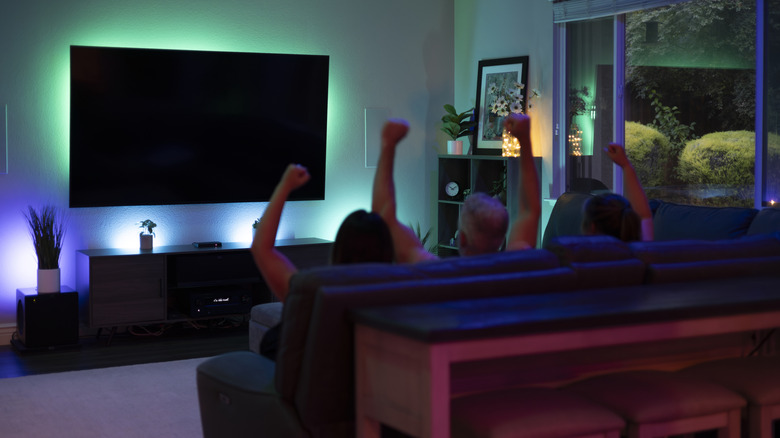
أشخاص على أريكة يشاهدون التلفاز ويصفقون Jertography/Getty Images

HDMI هو الأنسب لاستهلاك الوسائط، مثل مشاهدة الأفلام وعروض التلفزيون. لا يهم حقًا ما إذا كنت تتصل بشاشة عرض أو تلفاز أو شريط صوتي أو وحدة تحكم في الألعاب - تقريبًا كل جهاز قادر على إخراج الفيديو يتضمن منفذ HDMI. بالإضافة إلى التوافق الواسع النطاق، يتضمن HDMI معايير متعددة مطلوبة للصوت عالي الجودة، ولاتصال معدات مسرح منزلي، فضلاً عن بروتوكولات لمحتوى محمي بحقوق الطبع والنشر. كل هذه المزايا تجعل HDMI الخيار الافتراضي لمسرح منزلي، ولكن ليس بالضرورة للحواسيب.

تُعد معايير مثل قناة العودة الصوتية المعززة، أو eARC، عنصرًا أساسيًا في أنظمة الترفيه. تتيح هذه التقنية لمصدر إرسال صوت نقي إلى مستقبل صوتي أو شريط صوتي، مما يسهل الاستفادة من الدعم القوي الذي توفره تقنية HDMI للصوت المكاني، بما في ذلك Dolby Atmos و DTS:X. في الوقت نفسه، يمكن أن تتيح تقنية التحكم في الإلكترونيات الاستهلاكية (HDMI-CEC) لأجهزتك التحكم في بعضها البعض. على سبيل المثال، عند الضغط على زر التشغيل في جهاز تحكم Roku أو PlayStation، سيتم تشغيل التلفاز والبحث عن مصدر الصوت/الفيديو.

أخيرًا، تدعم تقنية HDMI المحتوى المحمي بحقوق الطبع والنشر الرقمية (DRM)، وهو أمر أساسي في عصر البث. تدمج هذه التقنية دعم حماية المحتوى الرقمي عالي النطاق الترددي (HDCP)، والذي يتحقق من أن المحتوى الذي تشاهده مرخص بشكل صحيح. لن يتم بث بعض محتوى 4K من خدمات البث مثل Netflix ما لم يتم الاتصال عبر DisplayPort 1.4 على الأقل أو HDMI 2.0 مع HDCP 2.2 والإصدارات الأحدث. في الحالات الحافة، قد لا تتمكن من بث المحتوى من مصدر فيديو إلى تلفازك على الإطلاق دون شكل ما من أشكال دعم HDCP.

HDMIDisplayPortUSB-C
الخبر متوفّر باللغات التالية:English
المصدر الأصلي للخبر
إنجاجيت

HDMI 2.1 vs USB-C vs DisplayPort: Which connection is better for your monitor?

July 02, 2026·Engadget
HDMI 2.1 vs USB-C vs DisplayPort: Which connection is better for your monitor?

HDMI excels for media consumption, while PC gamers prefer DisplayPort.

By Max Miller July 2, 2026 9:30 am EST jverdut/Shutterstock

While setting up a new PC monitor, you'll often find two different video cables in the box. One, a pinched trapezoid shape, connects the monitor to a video source over HDMI. The other, with a connector that looks like a rectangle with a corner chopped off, is a DisplayPort cable. But some newer monitors also have a third port for USB-C, and you'll often find a USB-C port labeled as a video-out port on laptops, too. While having several connection options is convenient, it's not always clear which is the best for your monitor.

In general, if you're connecting your monitor to a PC with a discrete graphics card, or if you want to use multiple monitors, DisplayPort is preferred. On the other hand, if you're connecting to a Mac or PC with integrated graphics, a TV, home theater equipment, or a gaming console such as an Xbox or PlayStation, HDMI is the safe bet. While DisplayPort has several advantages for gaming and multi-monitor setups, and is also able to run over USB-C on many devices, HDMI is supported across a wider array of A/V equipment and has a number of features which add value for media consumption.

Ultimately, you should use whichever connection standard is best for your particular setup based on which devices you're connecting your monitor to, as well as which generations of HDMI or DisplayPort they support. Here's how HDMI and DisplayPort stack up, so you can determine which is best for your monitor.

DisplayPort is great for PC gaming, and runs over USB-C

Man using mobile phone while playing games on PC Milan_jovic/Getty Images

DisplayPort tends not to show up on TVs, but is widely supported among the best gaming monitors and PC graphics cards. Traditionally, that's because DisplayPort was designed with variable refresh rates in mind. When you watch a movie, it will display at a consistent frame rate, usually 24 frames per-second (FPS). But when playing a game, the frame rate can swing wildly from moment to moment. To make the experience smoother, variable refresh rate (VRR) technology such as AMD FreeSync and Nvidia G-Sync arrived to help coordinate frame rates between the GPU and monitor in a system. DisplayPort has long supported VRR natively, and while some monitors now support VRR standards over HDMI, DisplayPort remains the more robust choice.

Bandwidth is competitive between the two connection standards. Where HDMI tops out at a hefty 96 gigabits per-second (Gbps) with the latest HDMI 2.2 specification, the more common HDMI 2.1 reaches 48 Gbps. On the most high-end gaming hardware, DisplayPort 2.1 offers 80 Gbps, while 1.4 provides up to 32.4Gbps.

What clinches DisplayPort for many PC users, though, is its inclusion in the USB-C standard. DisplayPort runs over the USB-C Alternate Mode, meaning that, so long as both a video source and monitor support DisplayPort Alternate Mode, you can connect them with a single USB-C cable. Not all USB-C ports or cables support DisplayPort Alt Mode, so be sure to consult your product documentation.

Even if you're not gaming, DisplayPort is often the better choice for multi-monitor due to its daisy chaining support. So long as your monitor has a DisplayPort out port, you can hook one monitor into another rather than using up multiple video out ports on your computer.

HDMI is best for media consumption

People on couch watching TV and cheering Jertography/Getty Images

HDMI is best suited to media consumption, such as viewing movies and television shows. It doesn't really matter whether you're connecting to a monitor, TV, soundbar, or game console — nearly every device capable of video output includes an HDMI port. In addition to widespread compatibility, HDMI includes multiple standards needed for premium audio, and to connect home theater equipment, as well as protocols for copyright protected content. All of these advantages make HDMI the default choice for home theaters, but not necessarily for computers.

Standards like Enhanced Audio Return Channel, or eARC, make HDMI key for entertainment systems. eARC allows a source to send pristine audio to an audio receiver or soundbar, which makes it easy to take advantage of HDMI's robust support for spatial audio formats including Dolby Atmos and DTS:X. At the same time, HDMI Consumer Electronics Control (HDMI-CEC) can let your devices control one another. For example, press the power button on your Roku remote or PlayStation controller, and your TV will turn on and tune into that A/V source.

Lastly, HDMI supports digital rights management (DRM) protected content, a major must-have in the era of streaming. It integrates support for high-bandwidth digital content protection (HDCP), which checks to make sure the content you're watching is properly licensed. Some 4K content from streaming services such as Netflix won't stream unless connected via a minimum of DisplayPort 1.4 or HDMI 2.0 with HDCP 2.2 and above. In edge cases, you may not be able to stream content from a video source to your TV at all without at least some form of HDCP support.

HDMIDisplayPortUSB-C
This article is also available in:العربية
Original source article
Engadget